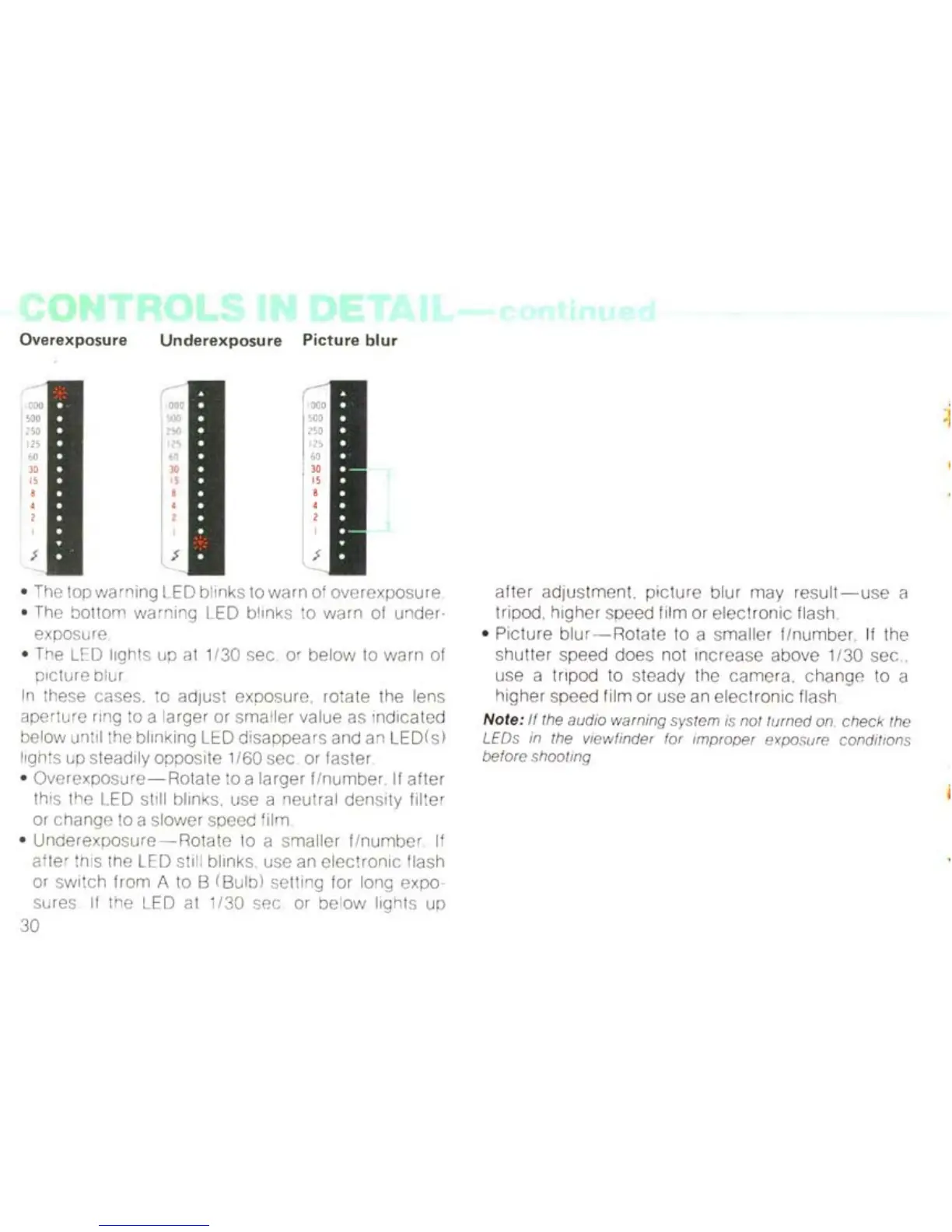
Overexposure
[
OD
D
500
250
125
60
Underexposure Picture
blur
• The
lop
warning LED blinks to wa
rn
of overexpos
ur
e
• The bottom warni
ng
LE
D blinks to warn of under-
exposure
• The LEO lighls up al 1/30 sec. or below
10
warn of
picture blur
In
these cases. to adjust exposure, rotate the lens
ap
erture ri
ng
to a larger or sma
ll
er va
lu
e as Indicated
below until the b
li
nk
ing LED disappears and
an
LED (s)
lights up steadily opposite 1/60 sec or faster
•
Overexposure-Rotate
to a larger fin umber If
after
this the LED sti
ll
blin
ks,
use a neutral density
fi
lter
or change to a slower speed f
il
m
•
Underexposure-Rotate
to a smaller
flnumber
If
after this the LED sti
ll
blinks use
an
electronic
flash
or switch from A to B (Bulb) setting for long expo
sures
If the LED at
1/
30 sec or below
li
ghts up
30
after adjus
tment
, picture blur may res
ult-u
se a
tripod, higher speed film or el
ect
ronic flash
•
Pi
ctu
re
blu
r-
Rotate to a sma
ll
er
fl
number. If the
shutter speed does not
in
crease above 1/30 sec
..
use a tripod to steady
th
e camera. change to a
higher speed film or use an electronic flash
Note:
If
the audio warning system is not fumed on
check
the
L
EOs
in the viewfinder for im
proper
exposure conditions
before shooting
:j



 To Next Page