FRAME
COUNTER
I
I
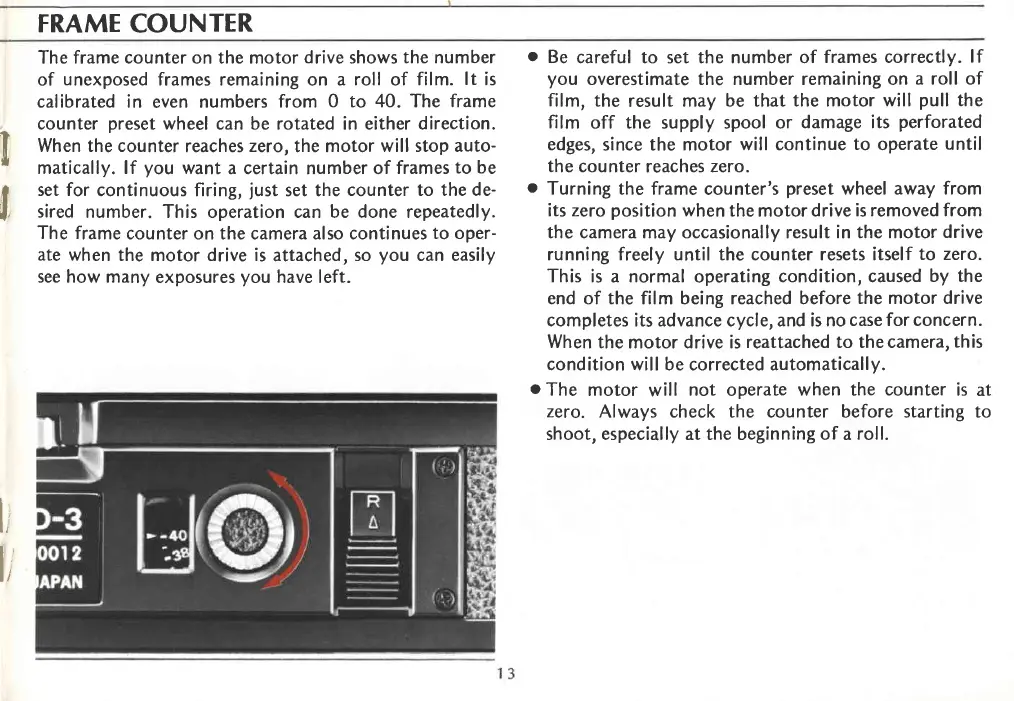
The frame counter on the motor
drive
shows
the number
of
unexposed
frames remaining on a
roll
of
film.
lt
is
calibrated in even numbers from
0 to 40. The frame
counter
preset
wheel can be rotated in either direction.
When the counter
reaches
zero,
the motor
will stop auto-
matically. lf
you
want
a certain number of
frames
to be
set for
continuous firing,
just
set the
counter to the de-
sired number. This operation can be done repeatedly.
The frame
counter on the camera also continues
to oper-
ate when
the motor drive is
attached,
so
you
can easily
see how many
exposures
you
have left.
o
Be
careful to set the number of
frames correctly.
lf
you
overestimate the number remaining on
a roll of
film,
the
result
may be that the motor
will
pull
the
film
off the supply spool or
damage its
perforated
edges,
since the motor
will continue
to
operate
until
the counter reaches zero.
o
Turning the frame
counter's
preset
wheel away from
its zero
position
when
the motor drive
is removed from
the camera
may
occasionally result in the motor
drive
running freely until the counter resets itself
to zero.
This is
a
normal
operating
condition, caused
by the
end of the film being reached before
the motor drive
completes its advance cycle, and is no
case for concern.
When
the motor drive is
reattached to thecamera,
this
condition will be corrected automatically.
o
The
motor
will
not
operate
when the counter is
at
zero.
Always check the counter before starting to
shoot, especially at the beginning of a
roll.
l,'
t,'














 To Next Page