EasyManua.ls Logo

Nikon MD-3 - LOADING THE CAMERA; Loading the Camera

Nikon MD-3
25 pages
Print Icon
To Next Page IconTo Next Page
To Previous Page IconTo Previous Page
Loading...
TOADING
THE
CAMERA
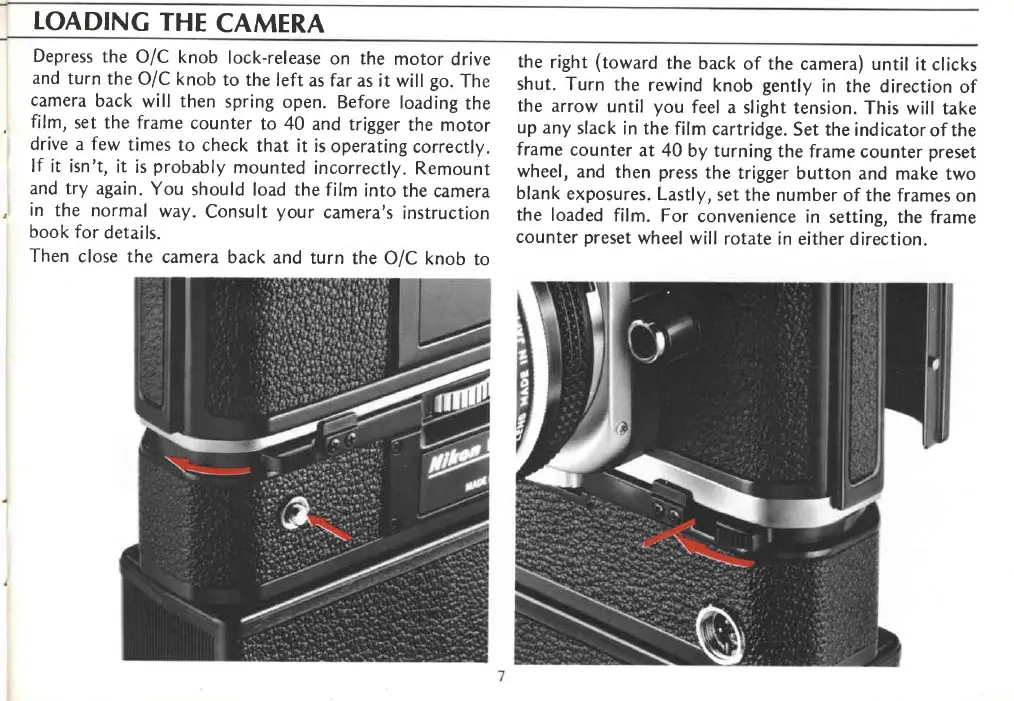
Depress
the
O/C knob
lock-release
on the
motor
drive
and
turn
the
O/C knob
to the
left
as far as
it will
go.
The
camera
back
will then
spring
open.
Before
loading
the
,
film,
set the frame
counter
to 40
and trigger
the motor
drive
a
few
times
to
check
that it is
operating
correctly.
lf
it isn't,
it
is
probably
mounted
incorrectly.
Remount
and try
again.
You
should
load the film
into
the
camera
,
in
the normal
way.
Consult
your
camera's
instruction
book
for
details.
Then
close the
camera
back
and
turn
the OIC
knob
to
the
right
(toward
the
back
of the
camera) until
it clicks
shut.
Turn
the
rewind
knob
gently
in the
direction
of
the
arrow
until
you
feel
a slight
tension.
This will
take
up
any
slack
in the
film
cartridge.
Set
the indicatorof
the
frame
counter
at 40
by turning
the
frame counter
preset
wheel,
and
then
press
the trigger
button
and make
two
blank
exposures.
Lastly,
set
the number
of the frames
on
the
loaded
film.
For
convenience
in
setting, the
frame
counter
preset
wheel
will
rotate
in either direction.

Related product manuals