17
En
Es
Fr
Pb
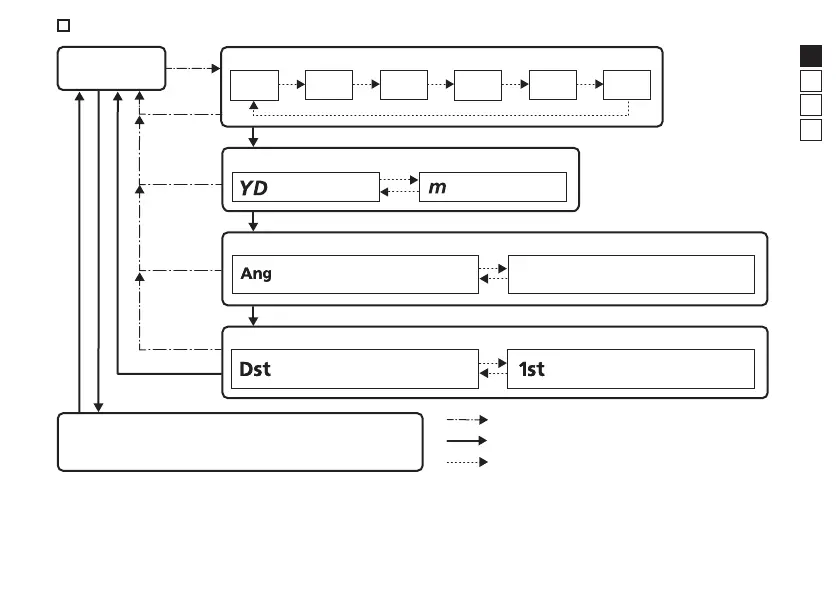
Operation diagram of the setting menus
Temporarily change the luminance level.
Switch between five luminance levels.
(Actual distance mode)
N/A
Press and hold the MODE button.
Press the MODE button.
Press the PWR button.
Standby
IL A
IL 1
IL 2 IL 3 IL 4 IL 5
Internal display luminance: IL
Distance display unit: F1
(yard) (meter)
Measurement display mode: F2
(Horizontal distance mode)
Target priority mode: F3
(First Target Priority mode)
(Distant Target Priority mode)
• If you press and hold the MODE button or do not operate the buttons for about 8 seconds while operating
the setting menus, the displayed setting is saved and the Laser Rangefinder returns to standby.











 To Next Page