En_01
23
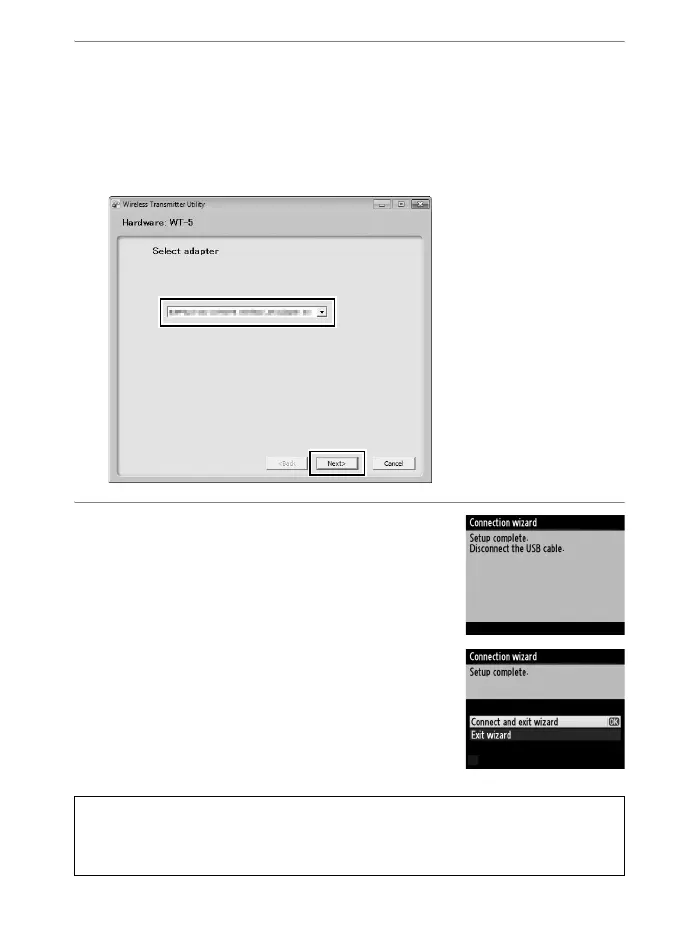
4 Choose an adapter.
Choose an adapter from the pull-down menu and click Next. If
Image transfer or Camera control is selected, the Wireless
Transmitter Utility will automatically pair the camera and
computer.
5 Disconnect the camera.
The message at right will be displayed
when the process is complete.
Disconnect the USB cable.
The options shown at right will be
displayed; choose an option to exit the
wizard.
D Ad Hoc Mode
The camera will not automatically connect in ad hoc mode. Choose the
network profile on the computer before connecting.



 To Next Page