En_01
33
Creating Network Profiles with
the Wireless Transmitter Utility
Network profiles can be created using the Wireless Transmitter
Utility installed on the computer (06).
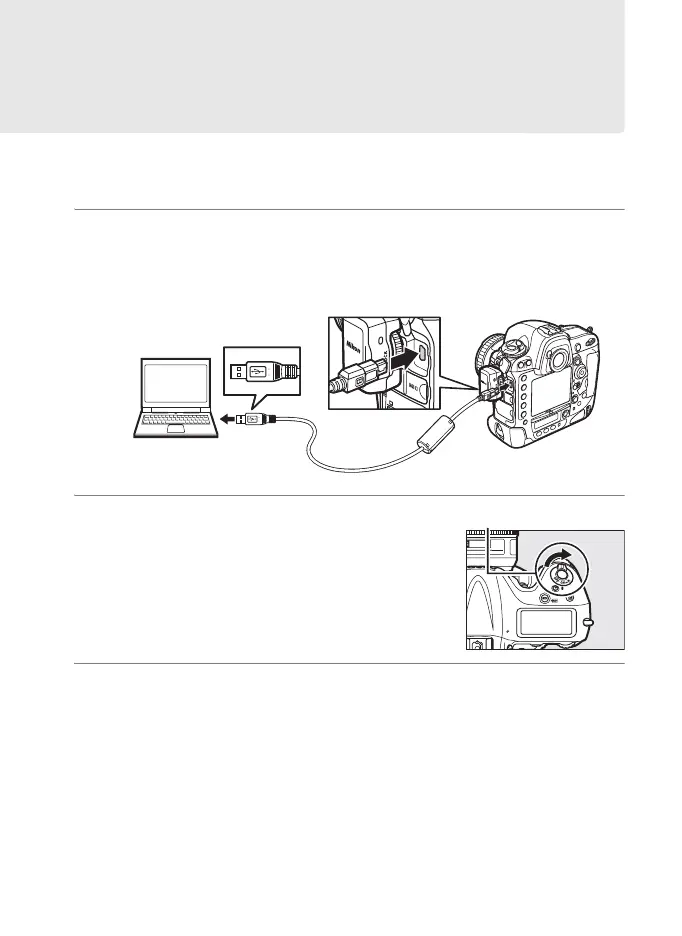
1 Connect the camera.
Use the USB cable supplied with the camera to connect the
camera to the computer as shown below.
2 Turn the camera on.
Rotate the power switch to turn the
camera on.
3 Start the Wireless Transmitter Utility.
• Windows: Double-click the Wireless Transmitter Utility icon on
the desktop.
• Mac OS: Click the Wireless Transmitter Utility icon in the Dock.
Power switch



 To Next Page