En_01
30
❚❚ Mac OS X
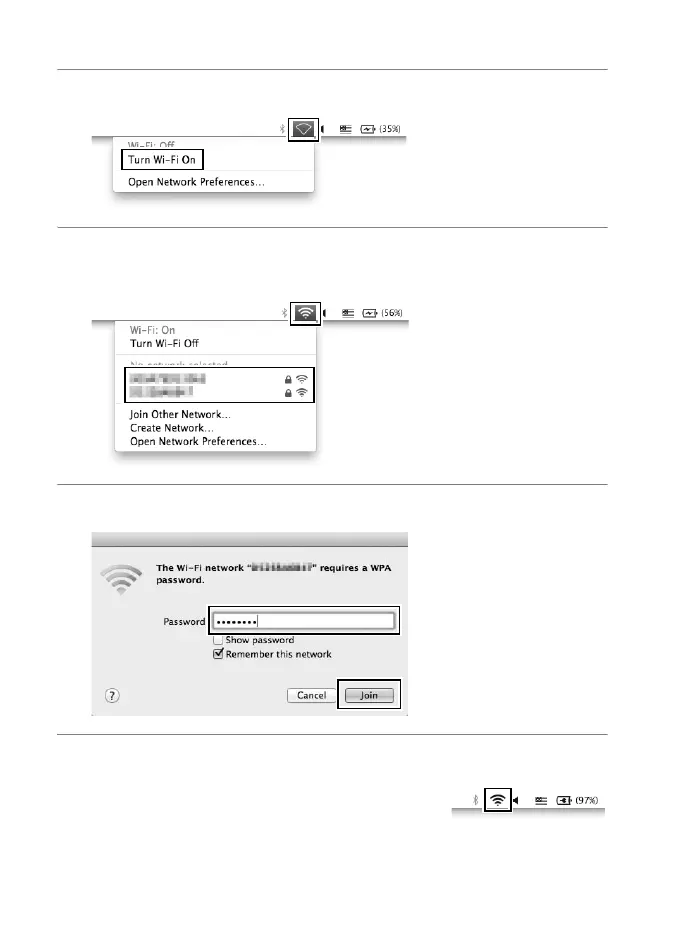
1 Click the Wi-Fi icon and select Turn Wi-Fi On.
2 Click the Wi-Fi icon and select the network name
(SSID).
3 Enter the encryption key and click Join.
4 Confirm that the connection is successful.
The icon shown at right is displayed in the
taskbar when a connection is established.



 To Next Page