5
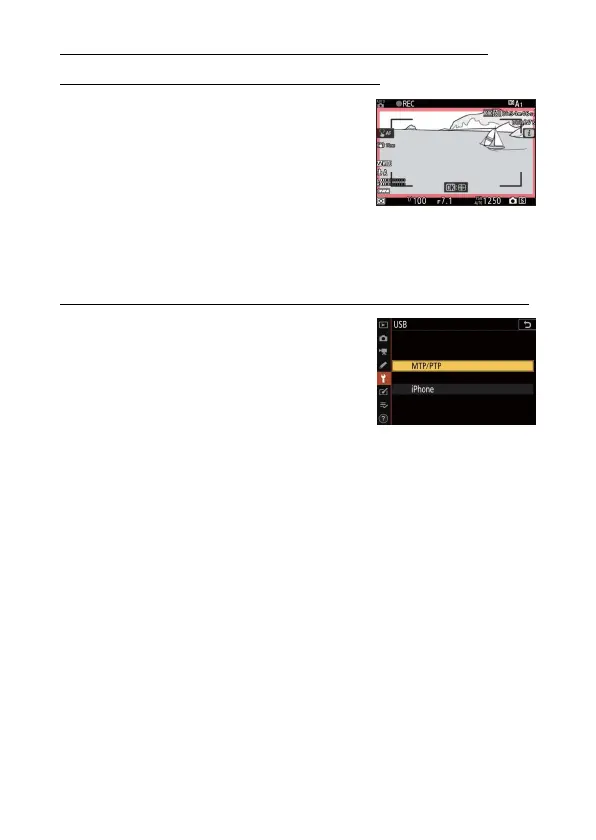
New option for Custom Setting: g7
“Red REC frame indicator”
[Red REC frame indicator] has been
added as Custom Setting g7. If [On] is
selected, a red border will appear
around the shooting display while video
recording is in progress. This helps
prevent missed shots by alerting you
when recording is in progress.
New option for the setup menu: “USB”
A [USB] option has been added to the
setup menu. With this addition, an iPhone
running the NX MobileAir smartphone
app can now import pictures from the
camera connected via a USB cable.
•
Select [MTP/PTP] when connecting to
computers or Android devices.
•
Select [iPhone] only when connecting to iPhones via a third-
party USB-C to Lightning cable in order to use NX MobileAir
(for information on compatible USB-C to Lightning cables, see
the online help for NX MobileAir).
•
Whether or not the camera is connected to an iPhone,
selecting [iPhone] will disable the features listed below. To
access these features, select [MTP/PTP].
- built-in camera network functions
-the [
Wireless remote (ML-L7) options
] item in the setup menu
- supplying power to the camera or charging the battery via
USB (you will also not be able to supply power to the camera
or charge the battery using an optional charging AC adapter)
•
The NX MobileAir app is available from the Apple App Store®
and Google Play™.



 To Next Page