EasyManua.ls Logo

nilan VPL 15 Top - Manual

nilan VPL 15 Top
23 pages
Print Icon
To Next Page IconTo Next Page
To Previous Page IconTo Previous Page
Loading...
This document may be subject to change Side 21 of 23
Manual
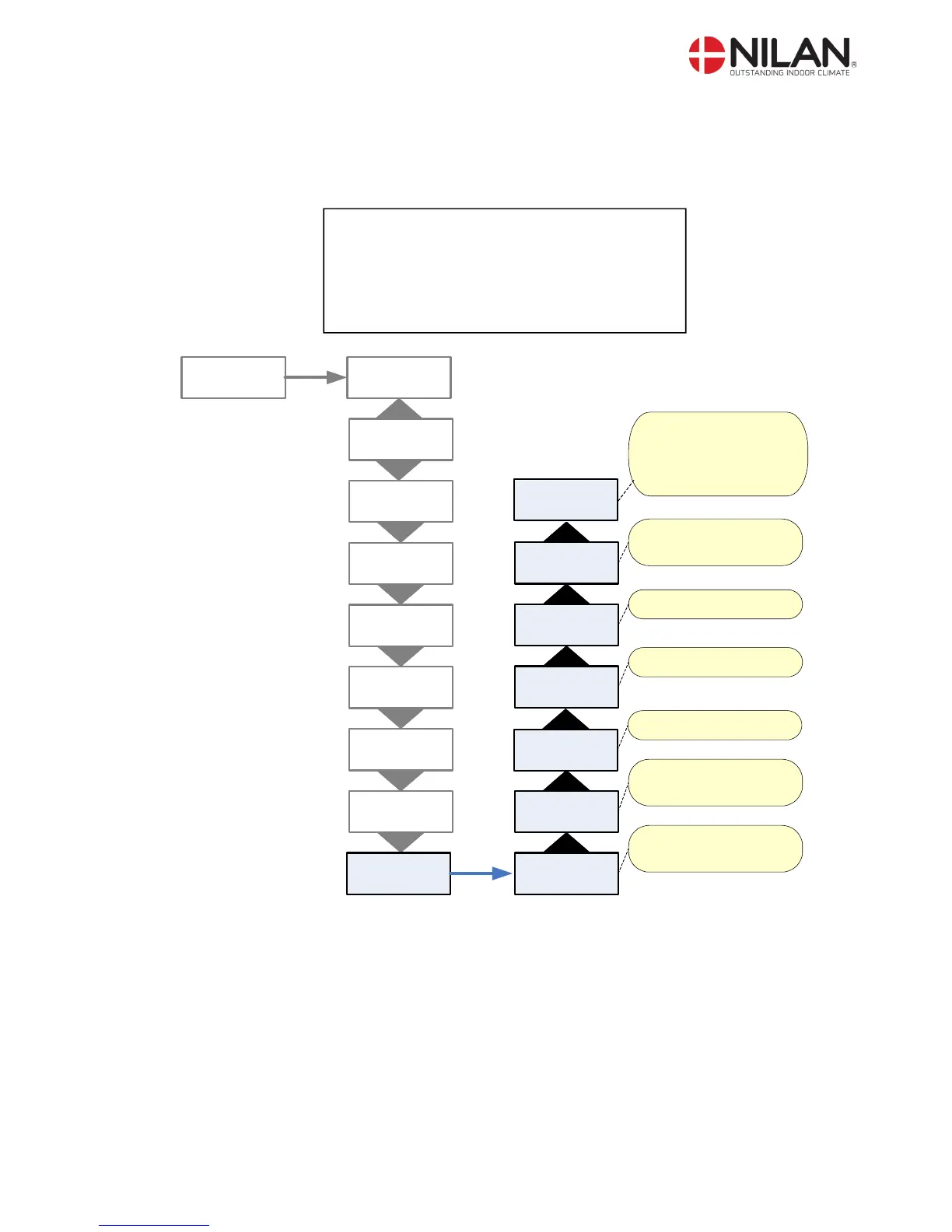
In the ”Manual” menu it is possible to test the functions of the unit manually.
” ” indicates that the menu point flashes and can be set to another value
Use of t he CTS 600 panel :
- pr ess ESC t o go one st ep back i n t he menu
- pr ess qpt o move up or down i n a menu or t o
adj ust an act i vat ed menu
- pr ess ENTER t o act i vat e a menu
- pr ess ENTER t o conf i r m a menu
- pr ess OFF t o t ur n of f t he uni t
- pr ess ON t o t ur n t he uni t on

HEATING
SURFACE
AIR
EXCHANGE
DEFROST
TEMP.
CONTROL
ROOM
CONTROL
SERVICE
ENTER
INLET
CONTROL
RESTART
OFF
PRESET
OFF
MANUAL
OFF
MANUAL
”OFF”
ENTER
MANUAL
DEFROST
MANUAL
INLET
MANUAL
EXHAUST
MANUAL
VENT+CPR
MANUAL
VEN+HEAT
Manual test of ventilation
& heat. Under test there
are 50% signal to the
heating surface
Manual test of ventilation
& compressor
Manual test of exhaust
Manual test of inlet
Manual test of the
defrost function.
Manual test de-activated
(normal working)
MANUAL
FLAPS
Manual test of flaps
Figure 16: The "Manual" menu

Related product manuals