9
R
EMOTE
C
ONTROL
A
NYWHERE
! K
IT
Repeat this procedure for each A/V component
you wish to control.
When the A/V component responds repeatedly,
peel off the protective backing on the
MicroFlasher and place the MicroFlasher in that
location.
If you get no response at all, call Niles Technical
Support at 1-800-289-4434 (M-F 8:00 AM –
7:00 PM ET).
Step 5 – Mounting the Connection Hub
Make sure that your system tested OK before
proceeding
Once you have decided on the ideal location for
the connection hub, unplug the 12VDC power
supply from the electrical outlet and disconnect the sensor and
the MicroFlasher cables from the connection hub (
Figure 8).
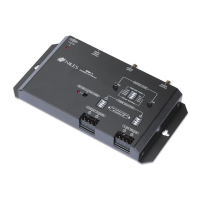
The connection hub can be either mounted on a wall using
screws or placed on a shelf using the included adhesive feet
(Figure 9).
Figure 7: Locating IR Sensor
DS00408ACN_RCA3 Kit.qxp 1/17/05 3:52 PM Page 9



 To Next Page