EasyManua.ls Logo

Niles SI-1230 Series 2 - User Manual

Niles SI-1230 Series 2
32 pages
Print Icon
To Next Page IconTo Next Page
Loading...
AMPLIFIERS
INSTALLATION GUIDE
SI
-
SERIES 2

Questions and Answers

Niles SI-1230 Series 2 Specifications

General IconGeneral
BrandNiles
ModelSI-1230 Series 2
CategoryAmplifier
LanguageEnglish

Summary

IMPORTANT SAFETY INSTRUCTIONS

FCC Compliance Statement

Details FCC rules for digital devices and potential radio frequency interference.

INTRODUCTION

FEATURES AND BENEFITS

REAL WORLD POWER

Details the amplifier's output power per channel into different impedances.

TWELVE TO SIX CHANNEL CONFIGURABLE POWER

Explains how to bridge channels for increased power output for specific applications.

FREEDOM FROM NOISE AND CROSS-TALK

Highlights advanced PCB construction for high channel isolation and low noise.

TRANSPARENT SOUND

Describes the use of high-quality components for clear and uncolored audio reproduction.

BUSMATRIX SELECTOR

Details the unique selector for assigning channels to different signal buses for multi-room audio.

INDEPENDENT LEVEL CONTROLS

Allows individual adjustment of volume for each of the twelve speaker locations.

TURN-ON MODES

Describes the three available modes for automatically turning the amplifier on.

AUTOMATIC PROTECTION

Explains independent thermal and short circuit protection for each channel.

STATUS DISPLAY FOR TROUBLESHOOTING

Front panel LEDs indicate power, active, and protection status for quick diagnostics.

DESIGNED AND ENGINEERED IN THE USA

Mentions the warranty and origin of design and engineering.

SYSTEM DESIGN BASICS

SYSTEM DESIGN CONSIDERATIONS

SPEAKER COMPATIBILITY

Discusses impedance load limits for single and bridged channels and ventilation needs.

CABLE AND WIRE

Provides guidance on labeling cables and selecting appropriate speaker wire gauge.

USING MONO FOR SMOOTHER COVERAGE

Explains how to use mono sound for better coverage in large or irregularly shaped rooms.

BRIDGING CHANNELS FOR AREAS THAT REQUIRE MORE VOLUME AND POWER

Details applications where bridging channels is beneficial for increased power output.

APPLICATIONS

ADVANTAGES OF USING THE SI-1230 IN A SINGLE ZONE SYSTEM

Explains how the SI-1230 provides dedicated power and level control for single-zone systems.

USING A DUAL-ZONE RECEIVER FOR TWO LISTENING ZONES

Shows how to use the SI-1230 with a dual-zone receiver for amplification in multiple rooms.

EXPANDING A MULTIZONE SYSTEM TO INCLUDE MORE ROOMS

Details connecting multiple preamplifiers to create six independent listening zones.

ADDING PREAMPS TO CREATE MORE LISTENING ZONES

Explains connecting stereo preamplifiers to create independent listening zones using dedicated inputs.

CONFIGURING YOUR SYSTEM

INSTALLATION CONSIDERATIONS

Turn-On Modes

Details the three available turn-on modes (Constant, Audio Sense, Voltage Trigger) for the amplifier.

PLACEMENT

Provides guidance on proper placement, ventilation, and avoiding magnetic field interference.

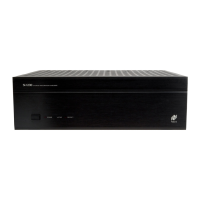
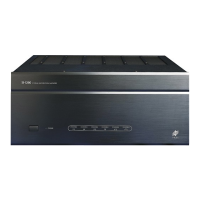
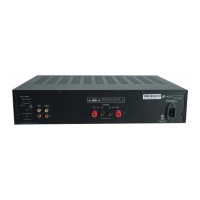
FRONT AND REAR PANEL DETAILS

INSTALLATION

LINE LEVEL AUDIO INPUT

Instructions for connecting audio sources using RCA cables to the amplifier inputs.

CASCADE AUDIO OUTPUTS

Explains how to connect the amplifier's outputs to other amplifiers for daisy-chaining.

AC POWER PLUG

Guidance on connecting the amplifier to a power source, including cautions about outlets.

SPEAKER WIRE CONNECTIONS

Detailed steps for connecting speaker wires using bare wire or banana plugs.

BUSMATRIX INPUT SWITCH SETTING

Instructions on how to set the BusMatrix DIP switches to assign channel sources.

BRIDGING TWO CHANNELS INTO ONE

Steps for combining two adjacent channels into a single, more powerful bridged channel.

SETTING THE TURN-ON MODE SWITCH

How to select the desired turn-on mode using the dedicated switch.

THE CONTROL OUTPUT

Details the 12V DC control output terminal and its applications.

OPERATION

POWER SWITCH

Explains the function of the master power switch and its effect on turn-on modes.

Power LED

Indicates the amplifier is connected to power and the master switch is on.

Bicolor Status LED

Shows status (green for on, red for protection) via a bicolor LED.

Using Level Controls as Limiters

How to calibrate system volume levels using individual channel controls.

LISTENING AT HIGHER VOLUMES

Discusses power requirements for different room sizes and the effects of clipping distortion.

CLEANING AND MAINTENANCE

Provides instructions for cleaning the amplifier and maintaining connectivity.

TROUBLE-SHOOTING GUIDE

SPECIFICATIONS

CONFIGURATION WORKSHEET

LIMITED WARRANTY

Related product manuals