EasyManua.ls Logo

Nilfisk-Advance SR 1301 B - User Manual

Nilfisk-Advance SR 1301 B
124 pages
Go to English
Print Icon
To Next Page IconTo Next Page
Loading...
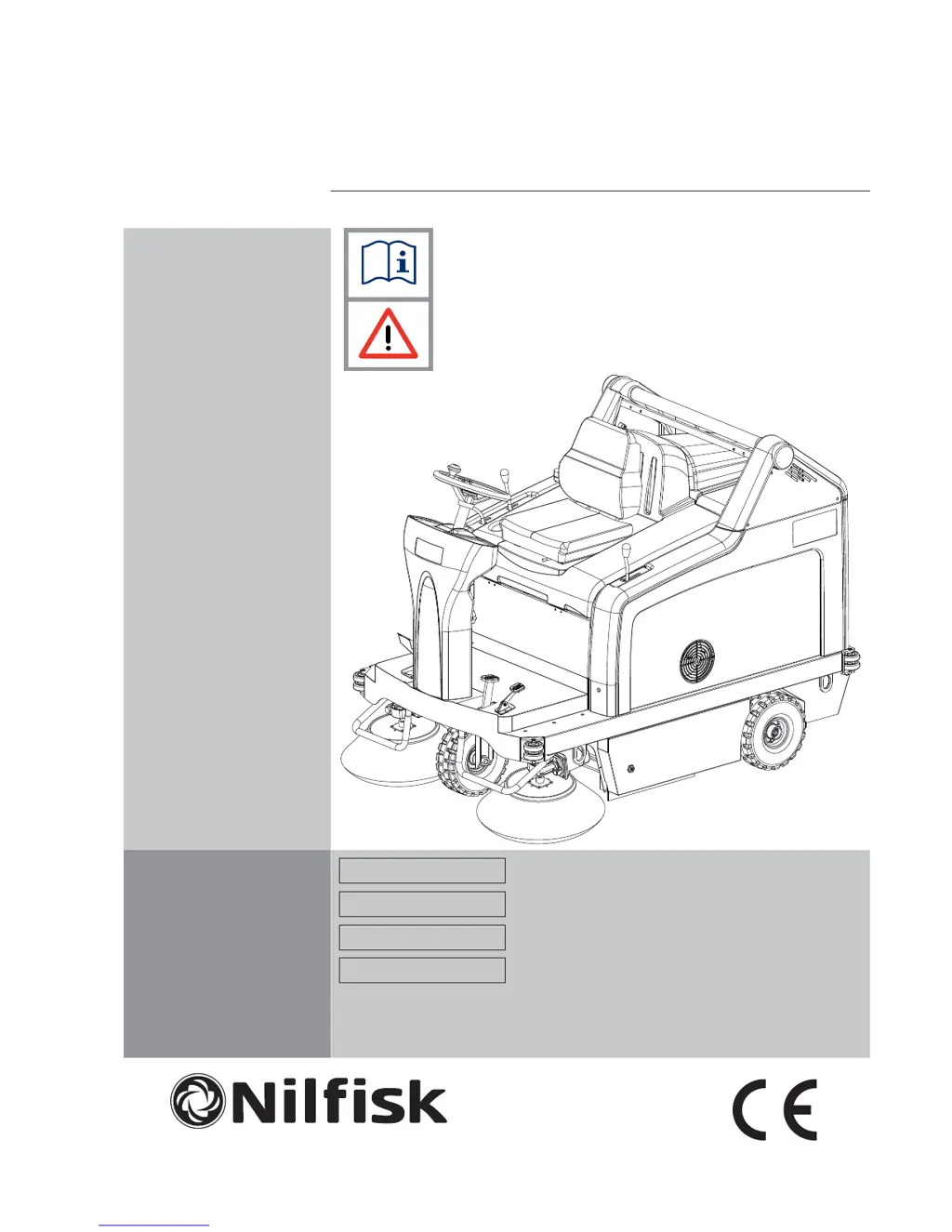
SR 1301 B
DEUTSCH BETRIEBSANLEITUNG
FRANÇAIS MANUEL D'UTILISATION
ENGLISH USER MANUAL
NEDERLANDS GEBRUIKSAANWIJZING
setting standards
1463436000(1)2008-05 A

Table of Contents

Questions and Answers

  • A
    Amy ChavezAug 17, 2025
    Why is my Nilfisk-Advance Blower not picking up debris?
    • S
      Samantha JuarezAug 17, 2025
      If your Nilfisk-Advance Blower isn't picking up debris or dust effectively, there could be several reasons: * The vacuum system might be off. Ensure that you turn on the vacuum system using the switch (56). * The dust filter could be clogged. Clean the dust filter either by using the filter shaker or by disassembling it. * The hopper might be full. Empty the hopper to allow for more collection. * The skirts may not be adjusted correctly or are damaged. Adjust or replace the skirts as needed. * The brooms might not be at the correct height. Adjust the broom height to ensure proper contact with the surface.
  • L
    Lisa RyanAug 20, 2025
    What to do if Nilfisk-Advance SR 1301 B Blower display doesn't turn on?
    • A
      amycooperAug 20, 2025
      If the display on your Nilfisk-Advance Blower doesn't turn on and the machine doesn't operate when you turn the ignition key (67) to “I”, it could be due to a disconnected battery connector (25). Make sure you connect the battery connector. Alternatively, the F1 and/or F0 fuse might be open. In that case, check the fuses.
  • W
    William EdwardsAug 23, 2025
    Why Nilfisk-Advance SR 1301 B Blower doesn't move when pressing the pedal?
    • E
      Erin HarrellAug 23, 2025
      If your Nilfisk-Advance Blower doesn't move when you press the forward/reverse gear pedal, it might be because the pedal was pressed while turning the ignition key to “I”. To resolve this, turn the ignition key to “0” and then to “I”, making sure not to press the forward/reverse gear pedal during ignition.
  • S
    Sydney JonesAug 26, 2025
    What to do if Nilfisk-Advance SR 1301 B Blower only works when stationary?
    • E
      ericgibbsAug 26, 2025
      If your Nilfisk-Advance Blower only operates when stationary and the red warning light turns on when moving, it likely indicates discharged batteries. Charge the batteries. If the problem continues, consider replacing the batteries.
  • S
    Samantha PerezAug 28, 2025
    How to fix main broom not working on Nilfisk-Advance Blower?
    • E
      Eileen StevensAug 28, 2025
      If the main broom on your Nilfisk-Advance Blower isn't working, the circuit breaker (26) might be open. Allow the main broom motor to cool down, and then reset the circuit breaker (26) by pressing the relevant push-button.
  • A
    amberjonesAug 31, 2025
    Why side brooms on Nilfisk-Advance SR 1301 B aren't working?
    • G
      Gregory MooreAug 31, 2025
      If the side brooms on your Nilfisk-Advance Blower aren't operating, the right side broom circuit breaker (27) or the left side broom circuit breaker (28) might be open. Allow the side broom motor to cool down, then reset the circuit breaker (27) or (28) by pressing the relevant push-button.
  • S
    Sonya BurnsSep 2, 2025
    Why is battery life so short on Nilfisk-Advance SR 1301 B?
    • O
      Oscar MayoSep 2, 2025
      If your Nilfisk-Advance Blower has low battery autonomy, it could be that the batteries are no longer efficient. You should replace the batteries. If necessary, install batteries with higher capacity.
  • J
    Jordan RodriguezSep 5, 2025
    What causes the hopper on Nilfisk-Advance Blower not to lift?
    • D
      David CannonSep 5, 2025
      If the hopper on your Nilfisk-Advance Blower isn't lifting, it could be due to an incorrect hydraulic system oil level. Check the hydraulic system oil level in the tank (41). Alternatively, the F4 or F7 fuse might be open. In this case, replace the fuse.
  • K
    Kristine RobertsSep 8, 2025
    Why won't the hopper on my Nilfisk-Advance SR 1301 B dump?
    • H
      hmatthewsSep 8, 2025
      If the hopper on your Nilfisk-Advance Blower isn't dumping, the F7 fuse might be open. Replace the fuse. Also, ensure that the hopper is lifted to a minimum height of 300 mm.
  • K
    Kimberly ChangSep 12, 2025
    What to do if hopper on Nilfisk-Advance SR 1301 B Blower won't lower?
    • R
      richard48Sep 12, 2025
      If the hopper on your Nilfisk-Advance Blower isn't lowering, it might not have returned to the horizontal position after dumping. Turn the hopper to the horizontal position after dumping. Also, in particular weather conditions, the hydraulic system oil might be slow in flowing through the safety valve. Wait a few moments to let the hydraulic system oil flow.

Summary

Introduction and Documentation

Manual Purpose and Contents

Describes the manual's scope, including technical data, safety, operation, storage, maintenance, spare parts, and disposal.

Target Audience

Specifies the intended audience for the manual, including operators and qualified technicians for machine maintenance.

Manual Storage Guidelines

Provides guidelines for storing the user manual safely near the machine, protected from liquids.

Declaration of Conformity Explained

Explains that the declaration certifies the machine's compliance with applicable laws.

Machine Identification Data

Details where to find machine model and serial numbers for spare parts ordering.

Additional Reference Manuals

Lists additional documents like Spare Parts List and Service Manual available for consultation.

Spare Parts and Maintenance Policy

Stresses that maintenance and repairs must be done by qualified personnel using original spare parts.

Product Changes and Improvements

States the manufacturer's right to make product improvements without prior obligation.

Machine Operation Capabilities

Defines the machine's purpose: cleaning smooth floors and collecting dust in civil/industrial environments.

Operational Conventions

Explains directional references (forward, backward, etc.) relative to the operator's position.

Unpacking and Delivery Procedures

Outlines procedures for unpacking, checking for transport damage, and verifying included features.

Safety Information and Precautions

Safety Symbols Explained

Explains the meaning of danger, warning, caution, note, and consultation symbols used in the manual.

General Safety Instructions

Provides critical safety warnings and precautions for operating and maintaining the machine.

Machine Description and Components

Machine Structure Overview

Details the physical components of the machine, identified by numbered labels in diagrams.

Control Panel Functions

Machine Accessories and Options

Technical Specifications

Wiring Diagram

Hydraulic System Diagram

Machine Usage and Operation

Battery Check and Setting

Guides on checking and setting machine configuration based on battery type (WET or GEL).

Pre-Operation Checks

Pre-operation checks ensuring doors are closed and transport blocks are removed.

Starting and Stopping Procedures

Step-by-step instructions for safely starting and stopping the machine's operation.

Machine Operation Guidelines

Advises on proper operation, avoiding prolonged stops with turning brooms, and handling wet floors.

Hopper Emptying Procedure

Details the procedure for safely lifting and emptying the machine's waste hopper.

Post-Operation Procedures

Steps to take after finishing work, including filter shaker use, hopper emptying, and parking.

Working Light Adjustment

Instructions for adjusting the beam aiming of the machine's working lights.

Machine Long Inactivity Storage

Procedures for storing the machine when not in use for extended periods (over 30 days).

First Period of Use Checks

Guidance for checks after the initial 8 hours of operation, focusing on fasteners and leaks.

Maintenance Procedures

Scheduled Maintenance Table

Presents a table outlining maintenance tasks and their recommended intervals based on operating hours.

Main Broom Height Check and Adjustment

Explains how to check and adjust the main broom's contact with the floor for optimal cleaning.

Main Broom Replacement Guide

Provides a detailed guide on how to safely remove and install the main broom.

Side Broom Height Check and Adjustment

Details how to check and adjust the side brooms' floor contact for effective sweeping.

Side Broom Replacement Guide

Step-by-step instructions for replacing the machine's side brooms.

Panel Dust Filter Cleaning and Integrity

Describes how to clean and inspect the panel dust filter, including using compressed air.

Closed Pocket Filter Cleaning and Integrity

Explains the cleaning and integrity check procedure for closed pocket filters.

Skirt Height and Operation Check

Guides on checking and adjusting the height and operation of the machine's skirts.

Hopper Hydraulic System Oil Level Check

Details how to check and top up the oil level in the hopper hydraulic system.

Battery Installation, Removal, and Setting

Covers installing, removing, and setting the battery type (WET/GEL) for the machine.

Battery Removal Procedure

Provides instructions for safely removing batteries from the machine.

Battery Charging Instructions

Outlines the procedures and safety precautions for charging the machine's batteries.

Fuse Check, Replacement, and Reset

Explains how to check, replace, and reset fuses and circuit breakers for the machine.

Troubleshooting Machine Issues

Machine Scrapping and Disposal

Nilfisk-Advance SR 1301 B Specifications

General IconGeneral
BrandNilfisk-Advance
ModelSR 1301 B
CategoryBlower
LanguageEnglish

Related product manuals