EasyManua.ls Logo

Nilfisk-Advance SW5500 - User Manual

Nilfisk-Advance SW5500
46 pages
Print Icon
To Next Page IconTo Next Page
Loading...
LPG
D
SW5500, FLOORTEC R 985
Instructions for use
M o d e l :
9 08 4 4 11010 - 9 08 4 4 12010 - 9 08 4 4 14 010
03/2016
( 1)
14 664 7 2000
E n g l i sh
I n st r u ct i o n s f o r u se

Table of Contents

Questions and Answers

  • N
    Nicole CooperAug 19, 2025
    What to do if the dust guard system on my Nilfisk-Advance SW5500 Blower doesn't work?
    • T
      Timothy WilsonAug 20, 2025
      If the dust guard system isn't working, there are several possible causes: * The water tank may be empty. If so, fill the tank. * The nozzles or water filter might be clogged. Try cleaning them. * The pump could be faulty, in which case it needs to be replaced.
  • R
    Ralph MichaelAug 21, 2025
    Why is the filter shaker not working on my Nilfisk-Advance SW5500?
    • K
      Karen MorseAug 22, 2025
      The filter shaker may not be working because it is disconnected. To resolve this, connect the filter shaker connector.
  • H
    harrischristineAug 25, 2025
    What to do if Nilfisk-Advance Floor Machine collects little debris/dust?
    • M
      Meagan TranAug 25, 2025
      If your Nilfisk-Advance Floor Machine isn't picking up debris or dust effectively, several factors could be at play: * The dust filter might be clogged. Try cleaning it using the filter shaker or by disassembling it for a more thorough cleaning. * The hopper could be full. Empty it to allow for more collection. * The skirts might not be properly adjusted or could be broken. Adjust or replace them as needed. * The brooms might need adjustment. Check and adjust the broom height.
  • R
    Robert ThomasAug 26, 2025
    Why Nilfisk-Advance Floor Machine does not move when accelerator pedal is pressed?
    • K
      Kristy OrtizAug 26, 2025
      If your Nilfisk-Advance Floor Machine doesn't move when you press the accelerator and an alarm message appears, it could be due to several reasons: 1. The accelerator pedal was pressed while turning the ignition key to the “I” position. To resolve this, turn the ignition key to “0”, and then restart without pressing the accelerator pedal. 2. The operator is not correctly seated on the driver’s seat. Ensure you are properly seated. 3. There may be a drive system fault. Turn the machine off and then on again. If the problem persists, the service center should be contacted.
  • L
    laura42Aug 27, 2025
    How to fix Nilfisk-Advance Floor Machine that operates only when stationary?
    • P
      Peter DeleonAug 28, 2025
      If your Nilfisk-Advance Floor Machine only operates when stationary and switches off under load while the icon flashes, the batteries are likely discharged. Charge the batteries. If the issue continues, consider replacing the batteries.
  • D
    Daniel LaneAug 30, 2025
    What to do if Nilfisk-Advance Floor Machine battery autonomy is low?
    • E
      Eric MyersAug 30, 2025
      If your Nilfisk-Advance Floor Machine has low battery autonomy, it is likely that the batteries are no longer in good condition. Replace the batteries. If necessary, install batteries with higher capacity.
  • B
    Belinda HopkinsAug 31, 2025
    What to do if Nilfisk-Advance Floor Machine main broom does not work?
    • C
      Christopher MartinAug 31, 2025
      If the main broom on your Nilfisk-Advance Floor Machine isn't working and the corresponding icon on the display doesn't appear, the safety system may have tripped. Turn the machine off and then on again. Also, check the condition of the main broom for any debris that might be slowing it down or excessive pressure on the ground.
  • T
    Tony AllenSep 3, 2025
    Why Nilfisk-Advance Floor Machine moves more slowly than usual?
    • K
      kellywilliamsSep 3, 2025
      If your Nilfisk-Advance Floor Machine is moving more slowly than usual, there could be a couple of reasons: * The hopper might not be completely closed. Ensure the hopper is in the horizontal position and completely lowered. * The machine may have started on a cambered surface, causing the anti-skid system to lose its correct reference. Turn the machine off and then start it again on a flat surface.
  • S
    Scott FowlerSep 4, 2025
    How to troubleshoot Nilfisk-Advance Floor Machine when turning the ignition key to “I”?
    • E
      Erica SmithSep 5, 2025
      If the display doesn't turn on and the Nilfisk-Advance Floor Machine doesn't operate when turning the ignition key to “I”, check the following: * Ensure the battery connector is connected. If it's disconnected, connect it. * Verify that the emergency push-button is not activated. If it is, check and release it.
  • N
    nsmithSep 7, 2025
    What causes Nilfisk-Advance Floor Machine hopper not to lift?
    • M
      mwilliamsSep 7, 2025
      If the hopper on your Nilfisk-Advance Floor Machine isn't lifting, it could be due to: * Incorrect hydraulic system oil level. Check the oil level in the tank. * The machine not being level. Bring the machine back to a level surface.

Summary

Introduction

Manual Purpose and Contents

Explains the manual's aim, scope, target audience, and how to keep it safe.

Target Audience

Identifies manual users as qualified operators and technicians for machine maintenance.

Manual Maintenance

Instructions on keeping the manual accessible and protected from damage.

Declaration of Conformity

Certifies machine compliance with laws; two copies provided with documentation.

Identification Data

Guides on locating and recording machine model, serial number, and production details.

Other Reference Manuals

Spare Parts and Maintenance

Changes and Improvements

Operation Capabilities

Conventions

Unpacking and Delivery

Safety

Visible Symbols on the Machine

Symbols Appearing in the Manual

General Instructions

Machine Description

Machine Structure

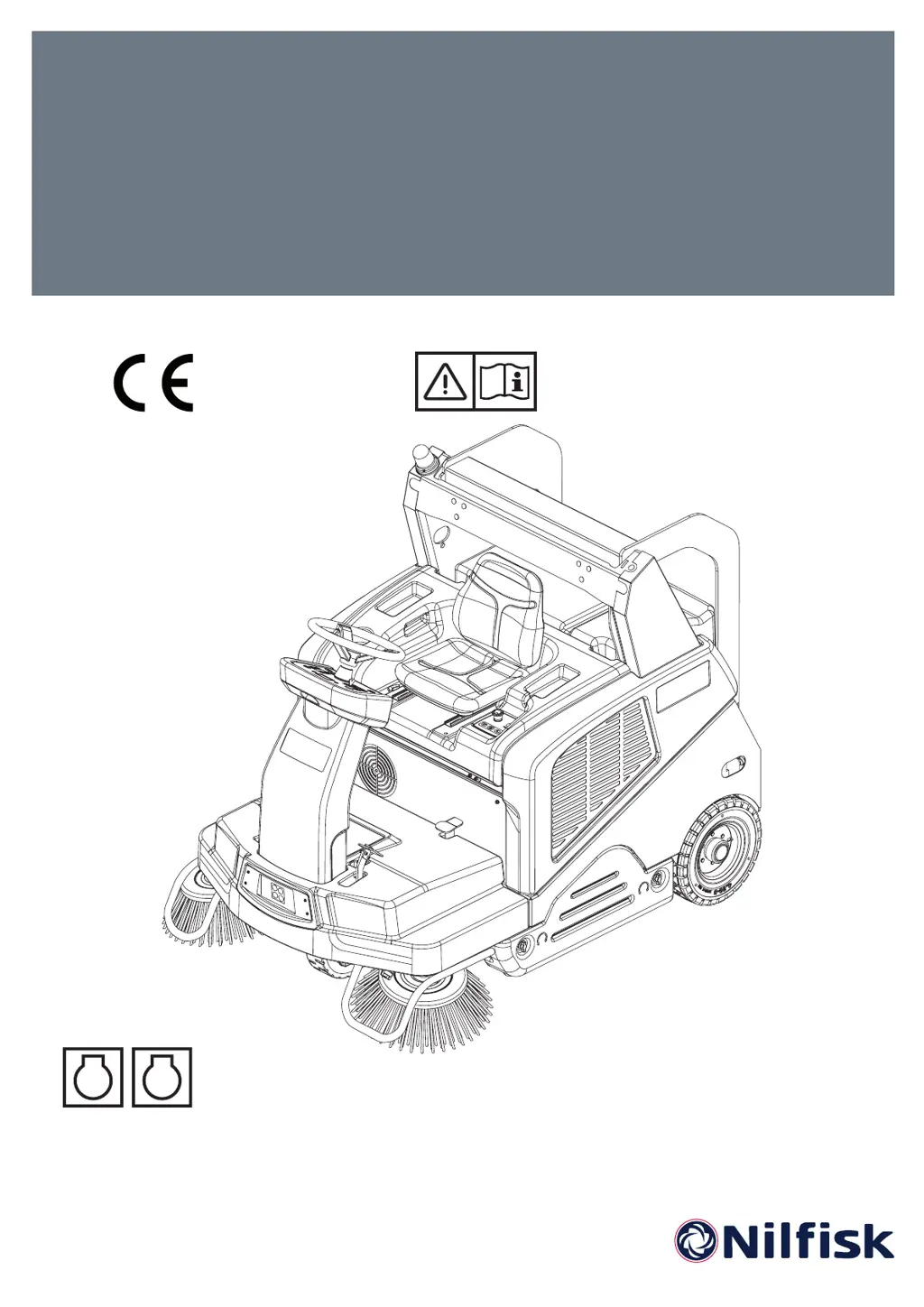
Details the physical parts of the sweeper, numbered for easy identification and reference.

Control Panel

Multifunction Display

Explains the features and information presented on the central display screen for monitoring and settings.

Accessories and Options

Technical Data

Diesel Version Wiring Diagram

LPG Version Wiring Diagram

Use

Fuel

Details proper procedures and safety warnings for refueling both diesel and LPG fuel types.

Before Machine Start-Up

Hybrid Motor (Optional)

Stopping the Machine

Parking Brake

Machine Operation

Hopper Dumping

After Using the Machine

Machine Long Inactivity

Maintenance

Scheduled Maintenance Table

A table outlining required maintenance tasks and their recommended intervals for optimal upkeep.

Multifunction Display Service Screens

Main Screen Operations

Guides on accessing and modifying machine settings via the main display screen.

Machine Settings Screen

Details how to adjust parameters like speed, filter activation time, and display contrast.

Alarms Memory Screen

Hour Counter Screen

Main Broom Height Check and Adjustment

Main Broom Replacement

Side Broom Height Check and Adjustment

Side Broom Replacement

Panel Dust Filter Cleaning and Integrity Check

Skirt Height and Operation Check

DustGuard System Water Filter Cleaning (Optional)

Hydraulic System Oil Level Check

Engine Oil Level Check and Oil Replacement (Diesel Version)

Engine Oil Level Check and Oil Replacement (LPG Version)

Engine Oil Filters Check;Cleaning (Diesel Version)

Engine Air Filters Check;Cleaning (Diesel and LPG Version)

Engine Spark Plug Check;Replacement (LPG Version)

Battery Charging (Optional Hybrid Kit Installed)

Fuse Check;Replacement

Safety Functions

Safety System Components

Lists and briefly explains key safety systems like emergency stop, seat sensor, anti-skid, and hopper sensors.

Troubleshooting

Scrapping

Nilfisk-Advance SW5500 Specifications

General IconGeneral
BrandNilfisk-Advance
ModelSW5500
CategoryBlower
LanguageEnglish

Related product manuals