08 09
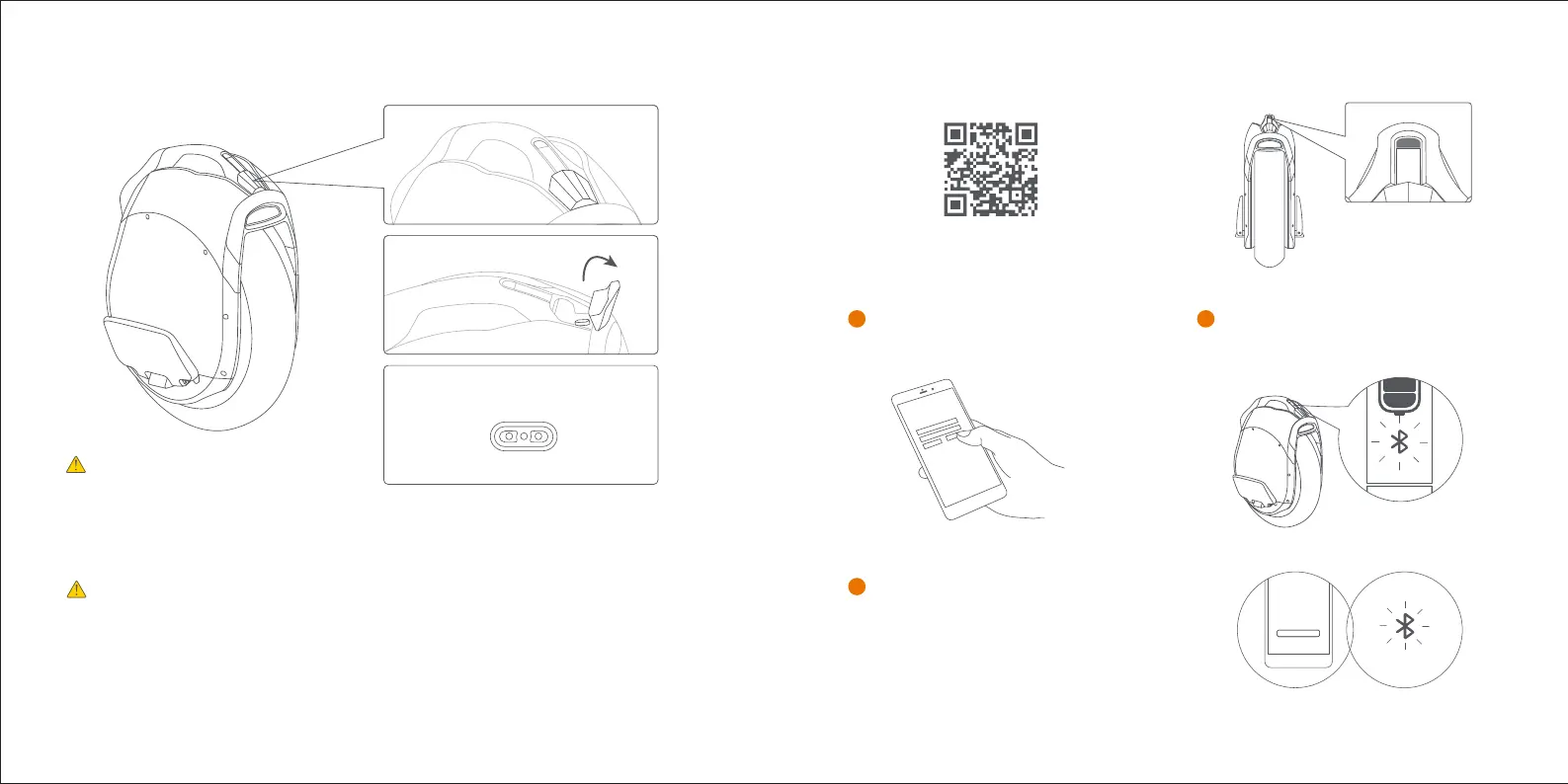
5 Connecting the Charger
6 First Use
Open the cover of the Charging port
Plug the charger into the unit
Charging Port
Do not connect the charger if the Charging
port or Charging cable is wet.
The battery pack is only to be charged by
adults.
There are safety risks when learning to ride the Ninebot Z10. You must read the Safety Instructions
and follow the New Rider Tutorial in the App before your first ride.
For your safety, your Ninebot Z10 is not activated at this time and will beep occasionally after
Power ON. Until activated, the Ninebot Z10 maintains a very low riding speed and steering
sensitivity, and should not be ridden. Install the App on your mobile device (with Bluetooth 4.0 or
above), connect to the Ninebot Z10 with Bluetooth, and follow the App instructions to activate your
Ninebot Z10 and follow the training procedures.
2
1
Install the App and register/login.
3
Power on the Ninebot Z10. A blinking
Bluetooth icon indicates the Ninebot Z10
is waiting for connection.
In the APP, click Vehicle, scan and select your
Ninebot Z10. The Ninebot Z10 will beep when the
connection is successful. The Bluetooth icon will
stop blinking and remain illuminated.
Scan the QR code to download the App (iOS 8.0 or above, Android™ 4.3 or above).




 To Next Page