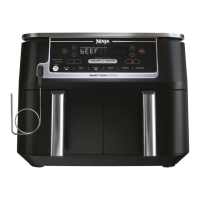
NINJA® FOODI® XL 2-DRAWER AIR FRYER 76 ninjakitchen.eu6 7
NOTE: For best results, start checking food for doneness before cook time ends. Stop
cooking at any time if the desired level of crispiness has been achieved. Refer to the UK
Food Standards Agency for recommended food safe temperatures.
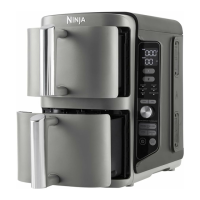
Using 2 drawers
Not worried about both zones finishing at the same time and want to shorten cook
time? When Sync or Match are not selected, technology is integrated into the design to
automatically optimize the distribution of power when manually selecting two zones with
dierent cook times. This means the food in the zone with the longer cook time may finish
cooking before the set time ends. Check food frequently to avoid overcooking.
Program Zone 1 / Select Function
• Place food in drawer.
• Select Zone 1 by pressing 1.
• Turn the dial to select a cooking
function (e.g. AIR FRY).
Program Zone 2
• Place food in drawer.
• Select Zone 2 by pressing 2.
• Turn the dial to select a cooking
function (e.g. AIR FRY).
Set time & temp
• Select the TEMP button and turn
the dial to set the temperature.
• Select the TEMP button and turn
the dial to set the cook time.
Begin cooking
• Press the START/STOP button
to being cooking.
• Check food frequently to avoid
overcooking.
• If cooking double stack meal, select
DOUBLE STACK PRO button before
START/STOP button.
Step 1
Step 3 Step 4
Step 2
+
NOTE: When cooking a protein in a
single zone, place the plate in the
upper position for best results.
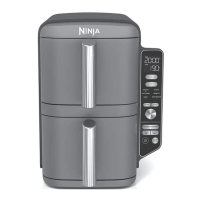
Using 1 drawer
Only cooking one thing? Fill a single
drawer and use it like a traditional air fryer.
Program Zone 1 / Select Function
• Place food in drawer.
• Select 1 or 2 to select cooking
Zone 1 or Zone 2.
• Turn the dial to select a cooking
function (e.g., AIR FRY).
Begin cooking
• Press the START/STOP button
to being cooking.
• If cooking double stack meal, select
DOUBLE STACK PRO button before
START/STOP button.
Step 1
Step 3
Set time & temp
• Select the TEMP button and turn
the dial to set the temperature.
• Select the TEMP button and turn
the dial to set the cook time.
Step 2
NOTE: When cooking a protein in a
single zone, place the plate in the
upper position for best results.
ENGLISH




 To Next Page
