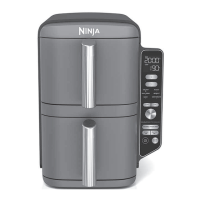
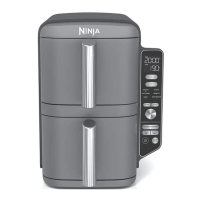
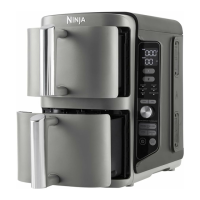
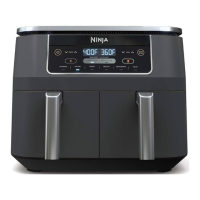
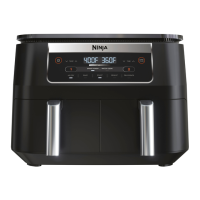
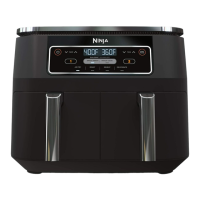
The Ninja Double Stack XL Smart 2-Basket Air Fryer is a versatile kitchen appliance designed for efficient multi-food cooking, offering a range of customizable functions and smart features. It allows users to cook up to four different foods simultaneously across two independent air fryer baskets, making it ideal for preparing full meals or multiple snacks.
Function Description:
The device offers six customizable cooking functions:
- Air Fry: Best for fresh foods like chicken wings and frozen snacks, providing a crispy texture.
- Air Broil: Ideal for melting cheese and crisping toppings.
- Bake: Suitable for making brownies, cookies, and other baked desserts.
- Roast: Perfect for roasting vegetables and meats.
- Reheat: Designed for warming up leftovers.
- Dehydrate: Used for making vegetable and fruit chips and jerky.
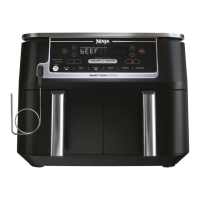
A key feature is the Smart Cook System, which incorporates a Ninja Smart Thermometer. This leave-in thermometer continuously monitors the internal temperature of food in two places, eliminating guesswork and automatically shutting off when the desired doneness is reached, from rare to well. This system can be paired with Smart Finish technology to cook two different foods in two different ways (functions, temperatures, or cook times) and have them finish cooking at the same time. Alternatively, the Match Cook feature allows users to sync cook settings across both baskets, effectively doubling the cooking capacity for the same food.
The air fryer also supports DoubleStack™ cooking, enabling users to cook four foods at once in a stacked configuration within each basket. This is achieved using crisper plates and Stacked Meal Racks, which facilitate multi-layer cooking and optimal air circulation for even crisping.
Usage Features:
- Single Basket Cooking: The unit can be used like a traditional air fryer by filling a single basket and selecting the desired zone, temperature, and time. For best results when cooking proteins, the crisper plate should be placed in the upper position for an "Extra Crispy Top Layer," while veggies and starches benefit from the "Crispy Bottom Layer."
- Smart Cook with Thermometer:
- Setup: Remove the thermometer storage compartment, insert the thermometer into the protein (referencing the placement guide for correct insertion into the thickest part of the meat, avoiding bone or fat), place the protein in the basket, and insert the basket into the unit.
- Function Selection: Plug the thermometer into the jack, select Zone 1, and choose a cooking function (e.g., Air Fry). The temperature will default based on the function but can be adjusted.
- Thermometer Selection: Use the PROBE button to select either Small or Large preset based on protein size. Then, use the Protein button and arrow buttons to select the protein type and desired doneness (e.g., Rare, Medium, Well Done). Manual temperature settings are also available.
- Start Cooking: Press START/PAUSE. The screen will display the current and target thermometer temperatures. No preheat is needed.
- Cooking Complete: The unit beeps when done. Transfer protein to a plate and allow it to rest for 5 minutes.
- Smart Finish with Thermometer:
- Setup: Insert the thermometer into the protein in Zone 2.
- Program Zone 2: Select Zone 2, choose a cook function, use the PROBE button to select preset (Small/Large), protein type, and doneness.
- Program Zone 1: Select Zone 1, choose a function, set temperature and time.
- Start Cooking: Select SMART FINISH, then press START/PAUSE. The zone with the shorter cook time will display HOLD until it's time to start cooking.
- Match Cook:
- Setup: Place food in Zone 1, select a cook function, set temperature and time.
- Start Cooking: Select MATCH COOK. Zone 2 settings will automatically match Zone 1. Press START/PAUSE.
- Pausing/Ending/Adding Cook Time: Users can pause cooking for a specific zone or both zones, end cooking for a zone, or add additional cook time to a zone using the respective buttons and arrows.
- DoubleStack™ Cooking:
- Setup: Place the bottom layer of food in the basket, insert the Stacked Meal Rack, and place the top layer of food on top. Repeat for the second basket if making two meals.
- Program Zones: Select DOUBLE STACK PRO, then program Zone 1 and Zone 2 with desired temperatures and times.
- Start Cooking: Press START/PAUSE. The zone with the shorter cook time will display HOLD.
- Food Agitation: For best results, food should be shaken or tossed periodically during cooking. The manual provides guidance on when to shake or toss food, especially for items like chicken wings, fries, and Brussels sprouts.
- Crisper Plate Position: For single-layer cooking, the crisper plate can be placed in the lower position for veggies and starches or the upper position for proteins and fast cooking to achieve extra crispiness.
Maintenance Features:
- Cleaning: For easier cleanup, it is recommended to spray Stacked Meal Racks with nonstick cooking spray prior to use.
- Food Removal: The Stacked Meal Racks will be hot after cooking. Users should use oven mitts or silicone-tipped tongs to remove them from the baskets.
Important Technical Specifications (implied from charts and instructions):
- Capacity: 2-basket system, with a full 10-quart cooking capacity when using Match Cook.
- Temperature Range: Functions operate across various temperatures, e.g., Air Fry at 350°F-450°F, Roast at 360°F-400°F, Dehydrate at 135°F-150°F.
- Thermometer: Integrated Ninja Smart Thermometer for continuous internal temperature monitoring.
- Preheat: Not required for Smart Cook functions.
The manual includes detailed cooking charts for Air Fry and Dehydrate functions, providing recommended amounts per zone, preparation instructions, toss-in oil suggestions, crisper plate positions, and cook times for both single-zone and DualZone™ cooking. It also offers 10 chef-created recipes, categorized as Kickstarter, Stacked Meals, DualZone™ Meals, Snack, and Dessert, with icons for Gluten-Free, Nut-Free, and Vegetarian options.

 Need help?


 To Next Page
 General