98 ninjakitchen.eu
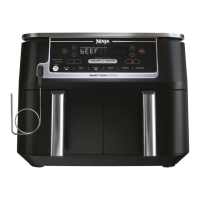
Sync with Dual Zone Cooking
Cook 2 food loads, 2 dierent ways
and have them finish
at the same time.
Program Zone 1 / Select
Function
• Place food in drawer.
• Select Zone 1 by pressing 1.
• T urn the dial to select
a cooking function
(e.g. AIR FRY).
Program Zone 2
• Select Zone 2 by pressing 2.
• Place bottom layer
of food in drawer.
• Turn the dial to select
a cooking function
and repeat Step 2.
Set time & temp
• Select the TEMP button
and turn the dial to set
the temperature.
• Select the TIME button
and turn the dial to
set the cook time.
Begin cooking
• S elect SYNC.
• Press the START/STOP
button to being cooking.
• The zone with the shorter
cook time will display
HOLD.
Step 1
Step 3 Step 4
Step 2
NOTE: When cooking a protein in a
single zone, place the plate in the
upper position for best results.
ZONE 1
ZONE 2
640g
Brussels sprouts
4 salmon fillets
AIR FRY
200°C
12 MINS
AIR FRY
200°C
18-20
MINS
NOTE: If you DO NOT select
SYNC, foods WILL NOT FINISH
cooking at the same time.
ENGLISH




 To Next Page
