EasyManua.ls Logo

Nintendo DSI - Page 26

Nintendo DSI
72 pages
Print Icon
To Next Page IconTo Next Page
To Previous Page IconTo Previous Page
Loading...
Using
the
Cameras
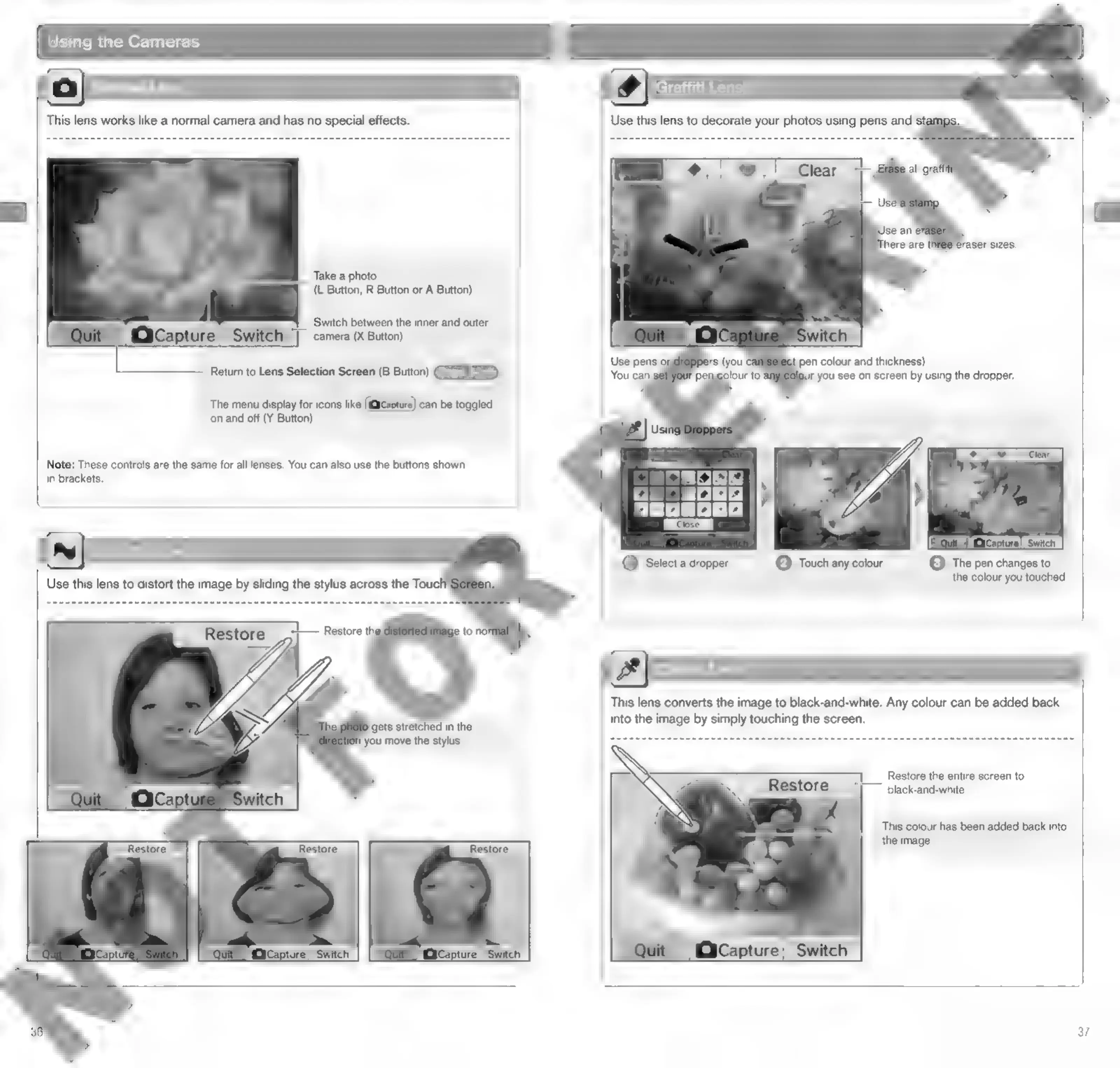
This
lens
works
like
a
normal
camera
and
has
no
special
effects.
Take
a
photo
(L
Button,
R
Button
or
A
Button)
‘Switch
between
the
inner
and
outer
camera
(X
Button)
Retum
to
Lens
Selection
Screen
(B
Button)
The
menu
display
for
icons
like
can
be
toggled
on
and
off
(Y
Button)
Note:
These
controls
are
the
same
for
all
lenses.
You
can
also
use
the
buttons
shown
in
brackets.
Use
this
lens
to
distort
the
image
by
sliding
the
stylus
across
the
Toucl
~i—
Restore
thy
le
to
no
Ly,
Z
gets
stretched
in
the
you
move
the
stylus
Graffiti
Lens
pen
colour
and
thickness)
you
see
on
screen
by
using
the
dropper.
(IGEN
CxCapture’
Switch
|
©
The
pen
changes
to
@
Touch
any
colour
the
colour
you
touched
This
lens
converts
the
image
to
black-and-white.
Any
colour
can
be
added
back
into
the
image
by
simply
touching
the
screen.
Restore
the
entire
screen
to
black-and-white
This
colour
has
been
added
back
into
the
image
37

Other manuals for Nintendo DSI

Related product manuals