EasyManua.ls Logo

Nintendo DSI - Troubleshooting Audio and Microphone; Sound and Microphone Issues

Nintendo DSI
72 pages
Print Icon
To Next Page IconTo Next Page
To Previous Page IconTo Previous Page
Loading...
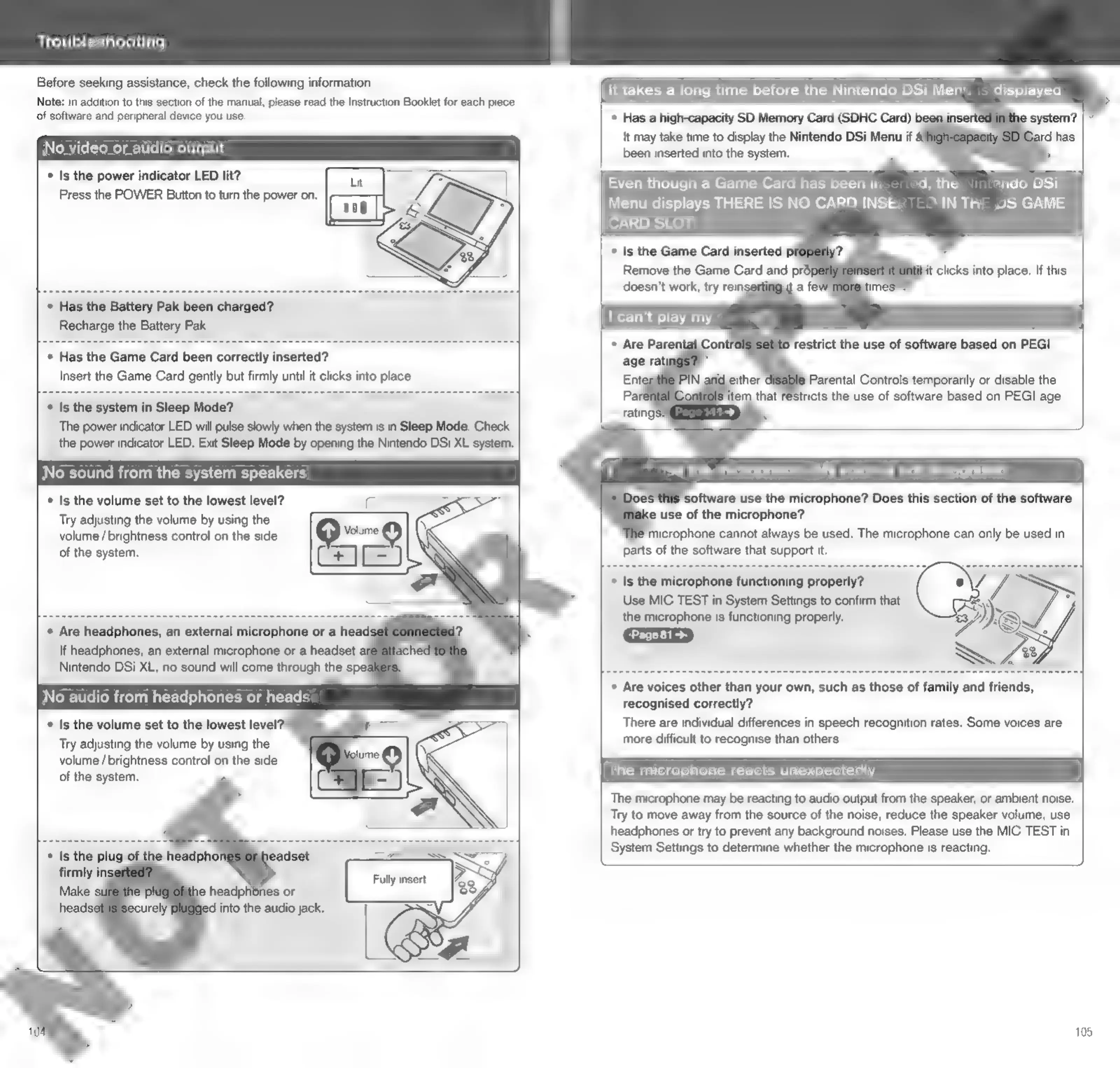
Troubleshooting
Before
seeking
assistance,
check
the
following
information.
Note:
In
addition
to
this
section
of
the
manual,
please
read
the
Instruction
Booklet
for
each
piece
of
software
and
peripheral
device
you
use.
No
video
or
a
io
put
Is
the
power
indicator
LED
lit?
Press
the
POWER
Button
to
turn
the
power
on.
(anh
°
Has
the
Battery
Pak
been
charged?
Recharge
the
Battery
Pak.
°
Has
the
Game
Card
been
correctly
inserted?
Insert
the
Game
Card
gently
but
firmly
until
it
clicks
into
place.
*
Is
the
system
in
Sleep
Mode?
The
power
indicator
LED
will
pulse
slowly
when
the
system
is
in
Sleep
Mode.
Check
the
power
indicator
LED.
Exit
Sleep
Mode
by
opening
the
Nintendo
DSi
XL
system.
No
sound
from
the
system
speakers
*
Is
the
volume
set
to
the
lowest
level?
Try
adjusting
the
volume
by
using
the
volume
/
brightness
control
on
the
side
of
the
system.
*
Are
headphones,
an
external
microphone
or
a
head:
If
headphones,
an
external
microphone
or
a
headset
ai
Nintendo
DSi
XL,
no
sound
will
come
through
the
spe:
No
audio
from
headphones
or
heads:
*
Is
the
volume
set
to
the
lowest
level
Try
adjusting
the
volume
by
using
the
volume
/
brightness
control
on
the
side
of
the
system.
:
ey,
ed
into
the
audio
jack.
.
4
Gs
I
It
takes
a
long
time
before
the
Nintendo
DSi
Men’.
-
displayea
Has
a
high-capacity
SD
Memory
Card
(SDHC
Card)
been
ir
It
may
take time
to
display
the
Nintendo
DSi
Menu
if
4
been
inserted
into
the
system.
Even
though
a
Game
Card
has
been
in,
ad,
the
ando
DSi
Menu
displays
THERE
IS
NO
CARD
INSE?
IN
ThE
YS
GAME
CARD
SLOT
*
Is
the
Game
Card
inserted
p
Remove
the
Game
Card
and
pro
doesn't
work,
try
rein:
it
a
fe
it
clicks
into
place.
If
this
|
can’t
play
my
«
‘software
use
the
microphone?
Does
this
section
of
the
software
e
use
of
the
microphone?
*
Is
the
microphone
functioning
properly?
Use
MIC
TEST
in
System
Settings
to
confirm
that
the
microphone
is
functioning
properly.
Page81>
*
Are
voices
other
than
your
own,
such
as
those
of
family
and
friends,
recognised
correctly?
There
are
individual
differences
in
speech
recognition
rates.
Some
voices
are
more
difficult
to
recognise
than
others.
The
microphone
reacts
unexpectedly
The
microphone
may
be
reacting
to
audio
output
from
the
speaker,
or
ambient
noise.
Try
to
move
away
from
the
source
of
the
noise,
reduce
the
speaker
volume,
use
headphones
or
try
to
prevent
any
background
noises.
Please
use
the
MIC
TEST
in
System
Settings
to
determine
whether
the
microphone
is
reacting.
105

Other manuals for Nintendo DSI

Related product manuals