GBA Service Manual
Page 16
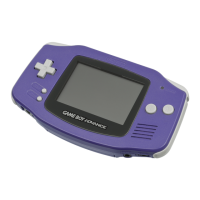
8.0 Test Procedures
8.1 General Notes on Test Procedures
When test cartridges are used, they generate several different graphics tests. Some of these
tests are completed the instant Button A is pressed, others will take a while. While the test is
running, pressing Button A will have no effect and will not will cause the test to be skipped.
8.2 GBA mode test cartridge
1. Use 2 AA alkaline batteries, or AGB AC Adapter and Power Connector.
2. Insert the GBA test cartridge.
3. Turn on the device.
4. Confirm that the power led lights up.
5. The “Self-test” should be performed automatically.
Note: If the program does not automatically start in Self-test mode, turn off the GBA and
restart the device, while simultaneously pressing the L and R buttons for the test program
menu appear on the GBA screen. Select and run the Self-test option.
6. There are about 50 different graphic tests in the first part of the Self-Test (see Appendix B
for details). Press Button A to advance through the graph test, or press Button B to return
to the previous test. Confirm that there is no defective image on the LCD, as well as no
image is frozen on the screen, scrambled graphics, missing lines, wrong colors, or pixel
defects.
7. Music will play during the Self-Test, listen and confirm that there are no sound defects
such as low volume, “pops,” or garbled sound.
8. After all graphic tests, the memory, LCD drivers, timer and DMA.
9. Test the functions of the controller by pressing the buttons in the order indicated on the
screen.
10. The test will be completed and a PASS (passed) or FAIL (failed) message will be shown
on the screen.
8.3 Flicker adjustment
To make this adjustment, you will need to use a fluorescent lamp with a brightness of 2,000
~ 3,000 lux (roughly equivalent to a 23 watt, 50/60 hertz fluorescent lamp) and a ceramic
slit.
1. Turn on the lamp and place the GBA under the light.
2. Place the test cartridge in the GBA.
3. Power on the GBA.
Note: To use the AC adapter or batteries, you must mount the rear case.
4. Hold Buttons L and R, and turn on the device.
5. Use the Control Pad to select the “Flicker Test” option from the menu, and press Button
A to start the test. The flicker adjustment pattern (shown below) will appear on the screen.
Note: The flicker adjustment can be done using the first screen of the self-test (see section
8.2, step 6).










 To Next Page