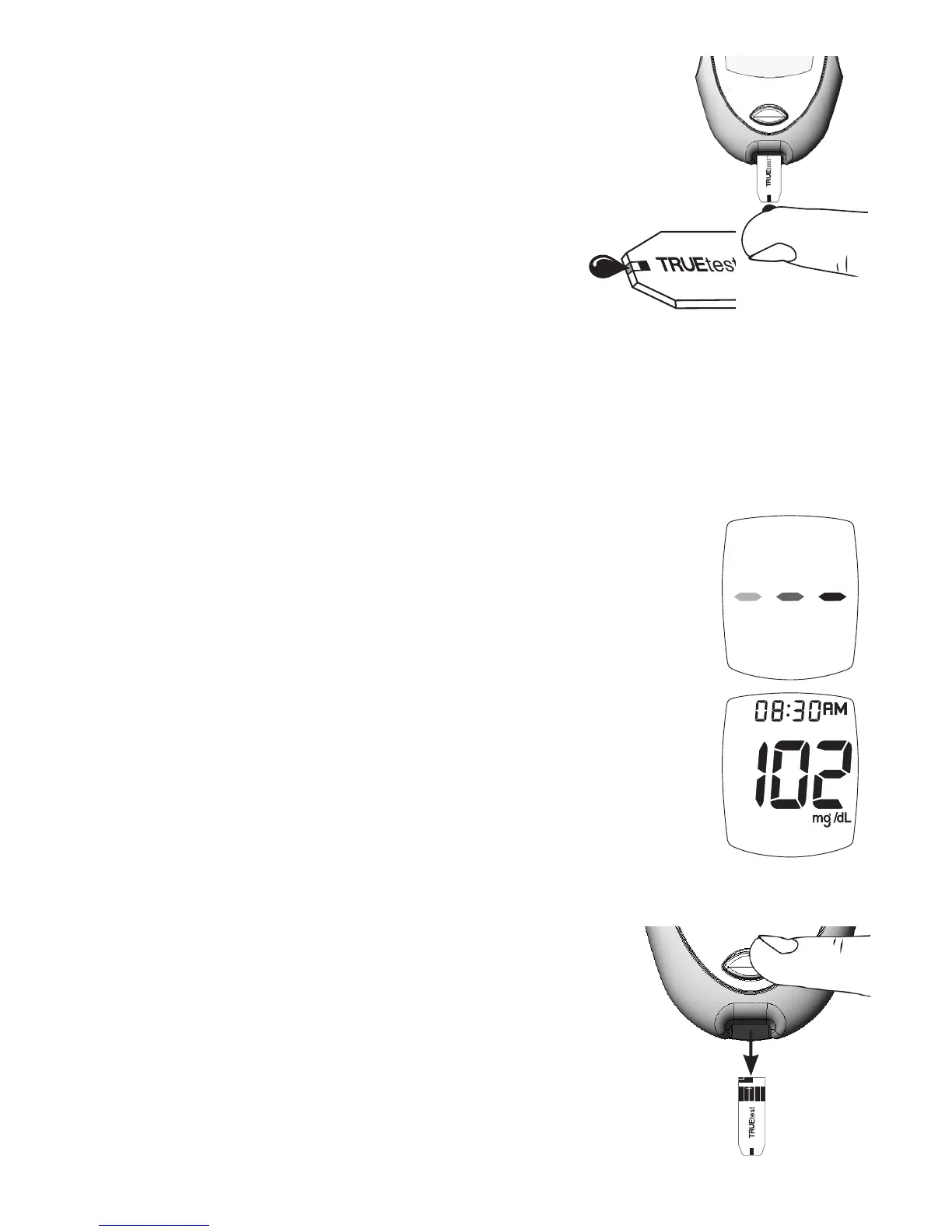
7. With Test Strip still in Meter, touch edge of
Sample tip to blood drop and allow blood to be
drawn into Strip. Remove Test Strip Sample Tip
from sample drop immediately aer the Meter
beeps and dashes appear across the Meter Display.
Note: If Meter does not begin testing
soon aer touching blood drop to
Sample Tip, discard Strip. Repeat
test with new Strip and new blood
drop. If problem persists, see
Troubleshooting.
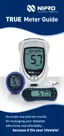
8. Dashes appear across Display to show Meter is
testing. Remove Strip from drop.
9. Aer the test is finished, result is displayed. e
Strip Release Button ashes. Record result in log
book.
Note: When using the meter for the first time, check
the unit of measure in the meter Display aer
performing a control or blood test. Result
must display in the correct unit of measure
(mg/dL). If the result does not display in the
correct unit of measure, DO NOT use the
meter and DO NOT use the meter result to
determine treatment.
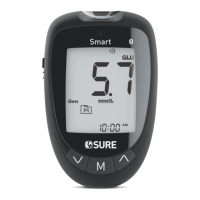
10. Hold Meter with Strip pointing down. Press Strip
Release Button to discard Strip in the appropriate
container. Meter turns o. Result is stored
in Memory with day, date and time.
Note: Removing Strip before result displays
cancels the test. An error message
appears and result is not stored in
Memory. Retest with a new Strip and do
not remove before result is displayed.
24


 To Next Page