EasyManua.ls Logo

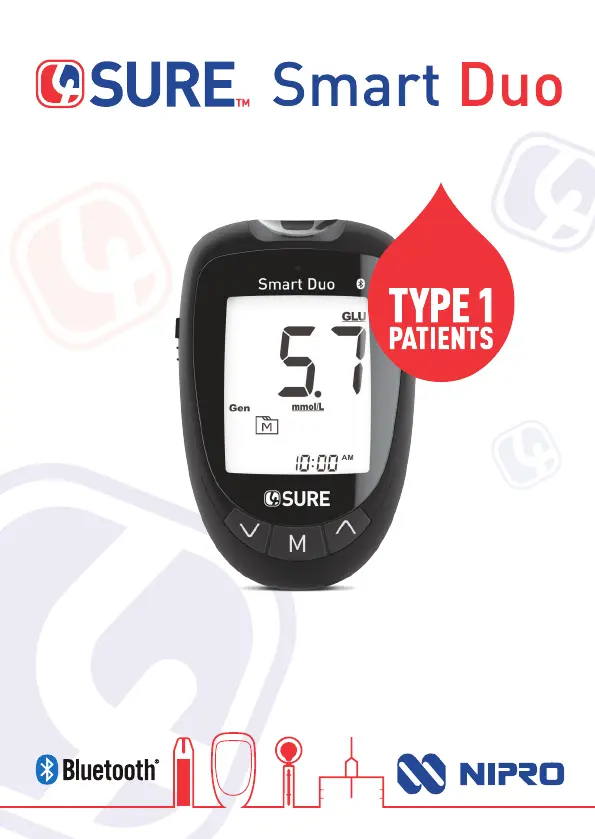
Nipro 4Sure Smart Duo - User Manual

Nipro 4Sure Smart Duo
36 pages
Print Icon
To Next Page IconTo Next Page
Loading...
Sure and Simple
OWNER’S MANUAL
Blood Glucose & β-Ketone Monitoring System
IDEAL FOR

Questions and Answers

  • R
    Ronald DownsAug 3, 2025
    Why is my Nipro 4Sure Smart Duo control solution test out of range?
    • S
      Shawn GarzaAug 3, 2025
      If the control solution testing result is out of range for your Nipro Blood Glucose Meter, there are several possible causes. You may have made an error in performing the test, so read the instructions thoroughly and repeat the test again. Ensure the control solution vial was shaken vigorously. Check the expiration date of the control solution to make sure it hasn't expired or become contaminated. The control solution, device, and test strips should be at room temperature (20°C to 25°C / 68°F to 77°F) before testing. Also, the test strip may be defective, repeat the test with a new test strip.
  • M
    Michelle HarrisAug 13, 2025
    How to fix Nipro 4Sure Smart Duo Blood Glucose Meter when it doesn't display a message after inserting a test strip?
    • R
      Robert BradleyAug 13, 2025
      If your Nipro Blood Glucose Meter doesn't display a message after inserting a test strip, first, replace the battery immediately and reset the date and time on the meter setting, as the batteries may be exhausted. Next, ensure the test strip is inserted correctly with the contact bars end first and facing up.
  • R
    Ronald OrtizAug 23, 2025
    What to do if Nipro 4Sure Smart Duo test doesn't start after applying sample?
    • B
      Bailey HernandezAug 23, 2025
      If the test on your Nipro Blood Glucose Meter does not start after applying the sample, it could be due to an insufficient blood sample. Repeat the test using a new test strip with a larger volume of blood sample. Alternatively, the sample may have been applied after the device automatically turned off. Repeat the test with a new test strip, and apply the sample only when the flashing symbol appears on the display.

Summary

Safety Information

General Safety Precautions

General safety precautions for using the device, including handling and environmental considerations.

Getting Started

Initial Setup Procedure

Guide for the initial setup of the meter, including date, time, and alarm configuration.

Blood Glucose Testing

Blood Glucose Testing

Performing a Blood Glucose Test

Step-by-step guide on how to perform a blood glucose measurement with the meter.

β-Ketone Testing

β-Ketone Testing

Performing a β-Ketone Test

Step-by-step guide on how to perform a β-Ketone measurement with the meter.

Control Solution Testing

Control Solution Testing

Safety for Healthcare Professionals

Safety for Healthcare Professionals

Disinfection Procedures

Detailed steps for cleaning and disinfecting the meter between patient uses.

Troubleshooting

Troubleshooting

General Error Messages and Solutions

List of meter error messages, their causes, and troubleshooting steps.

Nipro 4Sure Smart Duo Specifications

General IconGeneral
Blood SampleCapillary whole blood
Result DisplayLCD
Measuring Time5 seconds
Memory1, 000 test results with date and time
ConnectivityBluetooth
Measurement MethodElectrochemical
Measurement Range20-600 mg/dL
Test Time5 seconds
Sample TypeWhole blood
Sample Volume0.5 μL
Operating Conditions10-40°C, 10-90% RH

Related product manuals