EasyManua.ls Logo

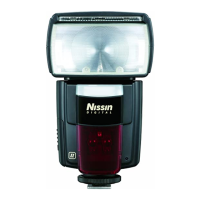
Nissin Di600 - User Manual

Nissin Di600
24 pages
Print Icon
To Next Page IconTo Next Page
Loading...
for Canon EOS / Nikon digital SLR cameras
for Sony digital SLR cameras
INSTRUCTION MANUAL
Question and Answer IconNeed help?

Do you have a question about the Nissin Di600 and is the answer not in the manual?

Summary

Safety Instructions

WARNINGS

Highlights critical safety information regarding potential danger or serious damage.

CAUTIONS

Details conditions that may lead to damage or defects in the product.

Basic Operation: Powering Up

Inserting Batteries

Step-by-step guide for correctly inserting AA batteries into the flash unit.

Mounting and Removing Di600

Mounting on Nikon;Canon Cameras

Instructions for attaching the Di600 flash to Nikon and Canon camera hotshoes.

Mounting and Removing Di600 on Sony Camera

Mounting on Sony Cameras

Instructions for attaching the Di600 flash to Sony camera hotshoes.

Shooting Di600 Automatically

Joy of Flash Photography

TTL Flash Power Compensation

Adjusting flash output in 7 steps for optimal exposure balance.

Flash Power Lock

FE Lock for Canon Cameras

Pre-setting flash exposure for Canon cameras using FE lock.

Fv Lock for Nikon Cameras

Pre-setting flash exposure for Nikon cameras using Fv lock.

Manual Exposure Flash

Setting Manual Power Levels

Selecting flash power from 6 different levels for non-automatic exposure.

Wireless Slave Flash System

Slave Modes Overview

Overview of the three slave modes (SD, SF, Wireless TTL) for creative lighting setups.

Wireless TTL Slave Mode

For Canon/Nikon and Sony, synchronizes with wireless TTL master flash.

Setting Slave Flash Di600

TTL Exposure Level Custom Setting

Guide Number Table and Troubleshooting

Troubleshooting Common Issues

Common issues like flash not charging, not firing, or incorrect exposure.

Summary

Safety Instructions

WARNINGS

Highlights critical safety information regarding potential danger or serious damage.

CAUTIONS

Details conditions that may lead to damage or defects in the product.

Basic Operation: Powering Up

Inserting Batteries

Step-by-step guide for correctly inserting AA batteries into the flash unit.

Mounting and Removing Di600

Mounting on Nikon;Canon Cameras

Instructions for attaching the Di600 flash to Nikon and Canon camera hotshoes.

Mounting and Removing Di600 on Sony Camera

Mounting on Sony Cameras

Instructions for attaching the Di600 flash to Sony camera hotshoes.

Shooting Di600 Automatically

Joy of Flash Photography

TTL Flash Power Compensation

Adjusting flash output in 7 steps for optimal exposure balance.

Flash Power Lock

FE Lock for Canon Cameras

Pre-setting flash exposure for Canon cameras using FE lock.

Fv Lock for Nikon Cameras

Pre-setting flash exposure for Nikon cameras using Fv lock.

Manual Exposure Flash

Setting Manual Power Levels

Selecting flash power from 6 different levels for non-automatic exposure.

Wireless Slave Flash System

Slave Modes Overview

Overview of the three slave modes (SD, SF, Wireless TTL) for creative lighting setups.

Wireless TTL Slave Mode

For Canon/Nikon and Sony, synchronizes with wireless TTL master flash.

Setting Slave Flash Di600

TTL Exposure Level Custom Setting

Guide Number Table and Troubleshooting

Troubleshooting Common Issues

Common issues like flash not charging, not firing, or incorrect exposure.

Nissin Di600 Specifications

General IconGeneral
Flash modesManual, Red-eye reduction, Slave
Product colorBlack
Flash coverage24 - 105 mm
Color temperature5600 K
Shooting distance0.7 - 6 m
Flash guide number44 m
Approximate recycling time5 s
Camera brands compatibilitySony
Brand specific flash systemsADI/P-TTL (Sony)
Guide number (ISO 100, set at 35mm zoom)32 m
Battery typeAA
Number of batteries supported4
Weight and Dimensions IconWeight and Dimensions
Depth103 mm
Width74 mm
Height134 mm
Weight315 g

Related product manuals