EasyManua.ls Logo

Nissin Di866 Mark II - User Manual

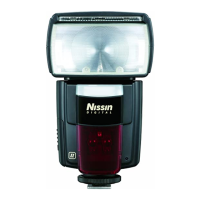
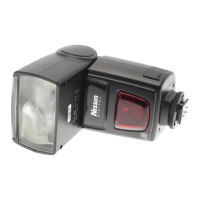
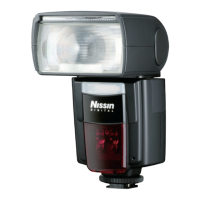
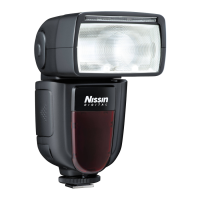
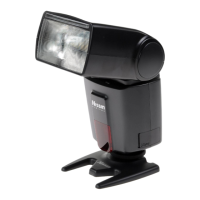
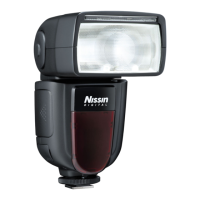
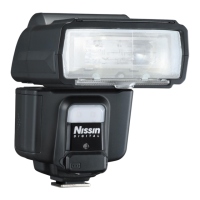
Nissin Di866 Mark II
11 pages
Print Icon
To Next Page IconTo Next Page
Loading...
INSTRUCTION MANUAL
DIGITAL TTL POWER ZOOM FLASH
Please refer Nissin’s compatibility chart shown in its home page for details.
http://www.nissin-japan.com or http://www.nissindigital.com
SIMPLE OPERATION
When attaching Di866 Mark II to the camera, the basic flash exposure
operation is fully controlled by the camera. It is the same idea as when you use
the built-in camera flash, but it is placed on the hotshoe of the camera instead
of using the built-in flash.
ADVANCED FUNCTIONS
Di866 Mark II provides many advanced flash functions.
Wireless TTL off camera flash technology, high speed shutter synchronization,
frequent repeat-flash system, External Av priority setting, etc. are supported.
1 2
Compatible cameras
Thank you for purchasing a Nissin product
UNIQUE FUNCTION
Before using this flash unit, please read this instruction manual and refer
your camera owner’s manual carefully to get a better understanding of
proper operation to enjoy flash photography.
The color display automatically rotates
to allow for easy operation in both the
horizontal and vertical positions.
Nissin Di866 Mark II type Canon is designed for Canon digital SLR, with the
latest TTL flash control system, and features Nissin’s original rotating color
display, easily guiding its operations.
It works automatically with Canon ETTL/ ETTL II auto-flash systems.
Please note that Di866 Mark II type C is not usable with other branded cameras
for TTL operation.
Nissin Japan Ltd., Tokyo
http://www.nissin-japan.com
Nissin Marketing Ltd., Hong Kong
http://www.nissindigital.com
C0111 REV. 1.0
Type C
Design and Specifications are subject to change without prior notice.
Question and Answer IconNeed help?

Do you have a question about the Nissin Di866 Mark II and is the answer not in the manual?

Summary

ADVANCED FUNCTIONS

SAFETY INSTRUCTIONS

MENU SCREEN FOR MAIN MODES

BASIC OPERATION

INSERTING BATTERIES

Instructions for inserting batteries into the flash unit.

MOUNTING DI866 MARK II ON THE CAMERA

Steps to attach the Di866 Mark II flash unit to the camera hotshoe.

REMOVING DI866 MARK II FROM THE CAMERA

Procedure for safely detaching the Di866 Mark II flash unit from the camera.

SETTING THE MODE AND THE FUNCTION

FULL AUTOMATIC FLASH CONTROL

Setting the flash unit for automatic exposure control via the camera.

ADVANCED CUSTOM SETTING

M AV MANUAL POWER OPERATION

AV MODE OPERATION

Flash operation controlled by the unit's photo sensor using Av mode.

MULTIPLE FLASH MODE

WIRELESS REMOTE FLASH MODE

REMOTE FLASH SLAVE FUNCTION

Setting up the flash unit as a wireless remote slave flash.

SETTING THE MASTER FLASH

CUSTOM SETTINGS

TROUBLE SHOOTING

FUNCTIONS BY CAMERA SETTING

Nissin Di866 Mark II Specifications

General IconGeneral
Flash modesFill-in, Manual, Red-eye reduction, Slow synchronization
CompatibilityAlpha 100\\r Alpha 200\\r Alpha 230\\r Alpha 290\\r Alpha 300\\r Alpha 330\\r Alpha 350\\r Alpha 380\\r Alpha 390\\r Alpha 450\\r Alpha 500\\r Alpha 550\\r Alpha 560\\r Alpha 580\\r Alpha 700\\r Alpha 850\\r Alpha 900\\r Alpha SLT A33\\r Alpha SLT A55V\\r Alpha SLT A57\\r Alpha SLT A65\\r Alpha SLT A77\\r Alpha SLT A99\\r NEX-6\\r NEX-7\\r RX1
Product colorBlack
Channels quantity4 channels
Color temperature5600 K
Shooting distance0.7 - 10 m
Flash guide number60 m
Focal length range24~105 mm
Approx. number of flashes150 - 1500
Approximate recycling time5.5 s
Auto Focus (AF) assist beamYes
Camera brands compatibilitySony
Brand specific flash systemsADI (Minolta), P-TTL (Pentax)
Guide number (ISO 100, set at 35mm zoom)40 m
Battery typeAA
Number of batteries supported4
Weight and Dimensions IconWeight and Dimensions
Weight380 g
Dimensions (WxDxH)74 x 113 x 139 mm

Related product manuals