EasyManua.ls Logo

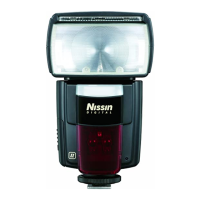
Nissin Di700A - User Manual

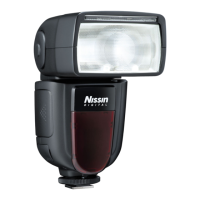
Nissin Di700A
25 pages
Print Icon
To Next Page IconTo Next Page
Loading...
for Canon/ Nikon digital SLR cameras
INSTRUCTION MANUAL

Other manuals for Nissin Di700A

Question and Answer IconNeed help?

Do you have a question about the Nissin Di700A and is the answer not in the manual?

Summary

Nissin Product Introduction

Special Features Overview

Highlights key features like selector dial and wireless shooting capability.

Flash Protection Indicators

Explains LED indicators for overheating and charging status.

Compatible Camera Information

Directs users to the website for compatibility information.

Safety Instructions and Warnings

Critical Safety Warnings

Details potential risks like injury, death, or property damage from improper use.

Usage Cautions and Defect Prevention

Outlines conditions that may cause damage or defects to the unit.

Component Identification

Included Accessories

Lists included accessories such as flash stand and pouch.

Basic Operation: Battery Management

Battery Insertion Guide

Provides step-by-step instructions for inserting AA batteries correctly.

Basic Operation: Power Management

Energy Saving Auto Power Off

Explains automatic power off and standby modes to save battery energy.

System Reset Procedure

Describes how to reset the setup menu to factory default settings.

Camera Mounting and Removal

Mounting Di700 A to Camera

Step-by-step guide for attaching the flash unit to the camera's hotshoe.

Removing Di700 A from Camera

Instructions on how to safely detach the flash unit from the camera hotshoe.

Flash Unit Activation and Modes

Turning On the Flash Unit

Procedure for powering on the Di700A and checking readiness.

Di700 A Flash Mode Selection

Details various flash modes: Full Auto, TTL, Manual, Slave modes.

Automatic Shooting Modes

Canon Camera Automatic Modes

Explains automatic shooting modes for Canon cameras.

Nikon Camera Automatic Modes

Explains automatic shooting modes for Nikon cameras.

Camera and Flash Integration

Shooting Mode and Focal Length Settings

Guides on setting camera modes, focal length for optimal flash use.

Synchro Terminal Functionality

Explains the use of the synchro terminal for off-camera flash.

TTL Flash Photography Techniques

TTL Flash Power Compensation

Guides on adjusting flash power compensation in TTL mode.

Manual Exposure Flash Operations

Manual Flash Power Control

Details on setting manual flash power levels and camera modes.

Wireless Slave Flash Modes

Slave Digital (SD) Mode

Instructions for using Di700A in Slave Digital mode for pre-flash systems.

Slave Film (SF) Mode

Instructions for using Di700A in Slave Film mode for analogue flash systems.

Optical Transmission Slave Mode

Setup for wireless remote flash using optical transmission.

Wireless TTL Slave - Radio Transmission (NAS)

NAS System Setup and Control

Using Di700A with Nissin Air System for wireless multiple flash lighting.

Slave Flash Configuration

Setting SD and SF Flash Modes

Configuring flash power levels and modes for SD and SF.

Wireless Mode Power Control

How power is controlled in wireless mode by the master flash.

Slave Flash Usage

Slave Unit Zoom Setting

Automatic zoom setting for Di700A when used as a slave unit.

High-Speed Synchronization (HSS)

HSS Supported Modes

Details on supported shutter speeds and sync modes for HSS.

Creative Lighting Techniques

Fill-in Flash with Reflector

Using the fill-in reflector for short distance or portrait photography.

Softening Light with Diffuser

Using the diffusing panel to soften flash light for portraits.

Bounce Lighting Techniques

Flash Head Tilting and Rotation

Instructions on tilting and rotating the flash head for bounce lighting.

AF Assist Light Functionality

Operation of the AF assist light in low light conditions.

External Power Source Integration

Compatible External Power Packs

Lists compatible external power packs and their recycle times.

Overheating Protection Mechanism

Details on automatic power off and recovery for overheating.

Flash Exposure Control

Canon FE Lock Procedure

How to use FE lock on Canon cameras for flash exposure control.

Nikon Fv Lock Procedure

How to use Fv lock on Nikon cameras for flash exposure control.

Nikon Specific Functions

Slow Shutter Sync Explained

Using slow shutter speeds with flash for low light conditions.

Red-Eye Reduction Feature

Function to prevent red-eye in flash photography.

Rear Curtain Sync Explained

Using rear curtain sync for motion blur effects.

Technical Specifications

Guide Number Table

Troubleshooting Common Issues

Flash Not Charging

Troubleshooting steps for flash unit not charging.

Flash Not Firing

Troubleshooting steps for flash unit failing to fire.

Exposure Adjustment Issues

Solutions for overexposed or underexposed flash images.

Product Warranty Information

Summary

Nissin Product Introduction

Special Features Overview

Highlights key features like selector dial and wireless shooting capability.

Flash Protection Indicators

Explains LED indicators for overheating and charging status.

Compatible Camera Information

Directs users to the website for compatibility information.

Safety Instructions and Warnings

Critical Safety Warnings

Details potential risks like injury, death, or property damage from improper use.

Usage Cautions and Defect Prevention

Outlines conditions that may cause damage or defects to the unit.

Component Identification

Included Accessories

Lists included accessories such as flash stand and pouch.

Basic Operation: Battery Management

Battery Insertion Guide

Provides step-by-step instructions for inserting AA batteries correctly.

Basic Operation: Power Management

Energy Saving Auto Power Off

Explains automatic power off and standby modes to save battery energy.

System Reset Procedure

Describes how to reset the setup menu to factory default settings.

Camera Mounting and Removal

Mounting Di700 A to Camera

Step-by-step guide for attaching the flash unit to the camera's hotshoe.

Removing Di700 A from Camera

Instructions on how to safely detach the flash unit from the camera hotshoe.

Flash Unit Activation and Modes

Turning On the Flash Unit

Procedure for powering on the Di700A and checking readiness.

Di700 A Flash Mode Selection

Details various flash modes: Full Auto, TTL, Manual, Slave modes.

Automatic Shooting Modes

Canon Camera Automatic Modes

Explains automatic shooting modes for Canon cameras.

Nikon Camera Automatic Modes

Explains automatic shooting modes for Nikon cameras.

Camera and Flash Integration

Shooting Mode and Focal Length Settings

Guides on setting camera modes, focal length for optimal flash use.

Synchro Terminal Functionality

Explains the use of the synchro terminal for off-camera flash.

TTL Flash Photography Techniques

TTL Flash Power Compensation

Guides on adjusting flash power compensation in TTL mode.

Manual Exposure Flash Operations

Manual Flash Power Control

Details on setting manual flash power levels and camera modes.

Wireless Slave Flash Modes

Slave Digital (SD) Mode

Instructions for using Di700A in Slave Digital mode for pre-flash systems.

Slave Film (SF) Mode

Instructions for using Di700A in Slave Film mode for analogue flash systems.

Optical Transmission Slave Mode

Setup for wireless remote flash using optical transmission.

Wireless TTL Slave - Radio Transmission (NAS)

NAS System Setup and Control

Using Di700A with Nissin Air System for wireless multiple flash lighting.

Slave Flash Configuration

Setting SD and SF Flash Modes

Configuring flash power levels and modes for SD and SF.

Wireless Mode Power Control

How power is controlled in wireless mode by the master flash.

Slave Flash Usage

Slave Unit Zoom Setting

Automatic zoom setting for Di700A when used as a slave unit.

High-Speed Synchronization (HSS)

HSS Supported Modes

Details on supported shutter speeds and sync modes for HSS.

Creative Lighting Techniques

Fill-in Flash with Reflector

Using the fill-in reflector for short distance or portrait photography.

Softening Light with Diffuser

Using the diffusing panel to soften flash light for portraits.

Bounce Lighting Techniques

Flash Head Tilting and Rotation

Instructions on tilting and rotating the flash head for bounce lighting.

AF Assist Light Functionality

Operation of the AF assist light in low light conditions.

External Power Source Integration

Compatible External Power Packs

Lists compatible external power packs and their recycle times.

Overheating Protection Mechanism

Details on automatic power off and recovery for overheating.

Flash Exposure Control

Canon FE Lock Procedure

How to use FE lock on Canon cameras for flash exposure control.

Nikon Fv Lock Procedure

How to use Fv lock on Nikon cameras for flash exposure control.

Nikon Specific Functions

Slow Shutter Sync Explained

Using slow shutter speeds with flash for low light conditions.

Red-Eye Reduction Feature

Function to prevent red-eye in flash photography.

Rear Curtain Sync Explained

Using rear curtain sync for motion blur effects.

Technical Specifications

Guide Number Table

Troubleshooting Common Issues

Flash Not Charging

Troubleshooting steps for flash unit not charging.

Flash Not Firing

Troubleshooting steps for flash unit failing to fire.

Exposure Adjustment Issues

Solutions for overexposed or underexposed flash images.

Product Warranty Information

Nissin Di700A Specifications

General IconGeneral
TypeSlave flash
Flash modesHigh-speed synchronization, Red-eye reduction, Second curtain synchro, Slow synchronization
Product colorBlack
Channels quantity8 channels
Color temperature5600 K
Shooting distance0.7 - 6 m
Flash guide number54 m
Focal length range24 - 200 mm
Wireless connectionYes
Approx. number of flashes200 - 1500
Approximate recycling time4 s
Camera brands compatibilityCanon, Nikon, Sony
Brand specific flash systemsi-TTL (Nikon)
Guide number (ISO 100, set at 35mm zoom)28 m
Battery typeAA
Number of batteries supported4
Weight and Dimensions IconWeight and Dimensions
Depth115 mm
Width75 mm
Height140 mm
Weight380 g

Related product manuals