EasyManua.ls Logo

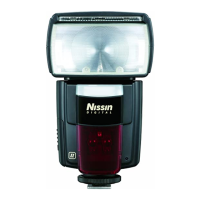
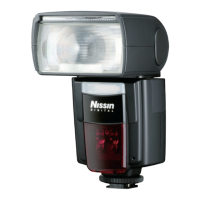
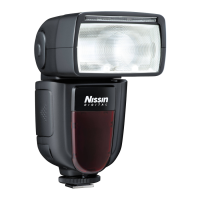
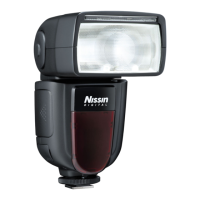
Nissin Mark II Di866 Pofessional - User Manual

Nissin Mark II Di866 Pofessional
11 pages
Print Icon
To Next Page IconTo Next Page
Loading...
1 2
DIGITAL TTL POWER ZOOM FLASH
Nissin Japan Ltd., Tokyo
http://www.nissin-japan.com
Nissin Marketing Ltd., Hong Kong
http://www.nissindigital.com
N1110 REV. 1.1
Tipo N
MANUALE DI ISTRUZIONI
Grazie per aver acquistato un prodotto Nissin
FUNZIONE UNICA
Prima di usare il prodotto leggete questo manuale di istruzioni e, quando
necessario, fate anche riferimento a quanto specificato dal manuale di
istruzioni della vostra fotocamera. Familiarizzerete, così, con tutte le funzioni
di questo flash e potrete ottenere i migliori risultati in ogni occasione.
Le indicazioni sul display a colori
vengono ruotate di 90° per consentire
una perfetta leggibilità quando la
fotocamera ed il flash sono orientati in
posizione verticale.
Il Nissin D866 Mark II è stato progettato per l’impiego con le fotocamere reflex
digitali Nikon e consente l’impiego di tutte le più aggiornate tecnologie per il
controllo TTL della luce lampo integrate in queste fotocamere reflex. Il Nissin
Di866 Mark II presenta inoltre l’originale tecnologia del display rotante, che
consente di leggere con facilità i messaggi visualizzati dal display del flash
anche quando lo si impiega in riprese verticali.
Il Nissin D866 Mark II lavora perfettamente con i sistemi Nikon i-TTL. Tenete
però presente che non è possibile impiegare questo flash in funzione TTL con
fotocamere di altre marche.
Per verificare la compatibilità con le fotocamere Nikon, consultate l’elenco
aggiornato, disponibile sui siti Nissin (www.nissin-japan.com oppure
www.nissindigital.com)
USO SEMPLIFICATO
Quando il Nissin Di866 Mark II viene collegato alla fotocamera le operazioni di
base per il controllo della luce-lampo vengono tutte controllate dalla
fotocamera. In pratica è come usare il flash integrato della fotocamera, solo
che la potenza a disposizione è molto più grande.
FUNZIONI AVANZATE
Il Nissin Di866 Mark II supporta moltissime funzioni avanzate, come l’impiego
TTL senza cavi, la sincronizzazione con tempi veloci, la funzione strobo-flash,
la funzione “External AV Priority”, ecc.
FOTOCAMERE COMPATIBILI
Question and Answer IconNeed help?

Do you have a question about the Nissin Mark II Di866 Pofessional and is the answer not in the manual?

Summary

Safety Precautions

Important Safety Warnings

Critical warnings regarding high voltage, eye safety, and flammable environments.

Equipment Precautions

Precautions for handling the flash to avoid damage or malfunction.

Main Operations

Inserting Batteries

Step-by-step guide for inserting AA batteries into the flash.

Mounting the Flash on Camera

Instructions for attaching the flash unit to the camera's ISO hot shoe.

Removing the Flash from Camera

Instructions for safely detaching the flash unit from the camera.

Activating the Flash

How to turn on the flash and what to expect on the display and LED indicator.

Setting Modes and Functions

TTL Flash Exposure Compensation

Adjusting and Applying Flash Compensation

How to select, adjust, confirm, and apply flash exposure compensation values.

Advanced Custom Functions

Manual Flash Exposure Modes

Setting Up Manual Mode

Steps to set the camera to Manual or Aperture Priority mode.

Selecting Manual;Aperture Priority Mode on Flash

How to select the M/Av mode on the flash unit.

Setting Manual Power Level

How to select the desired manual flash power output level.

Using Flash in Aperture Priority (Av) Mode

Strobe Flash Mode

Configuring Strobe Parameters

How to adjust power, frequency, and number of flashes for strobe.

Wireless Remote Flash Mode

Setting Up the Master Flash

Customization Settings

Resetting to Factory Defaults

Option to reset all custom settings to factory defaults.

Camera-Controlled Advanced Functions

High-Speed Sync (HS)

Enables flash synchronization with fast shutter speeds (FP sync).

Second Curtain Sync

Fires flash just before the second curtain closes for motion blur effects.

Auto Bracketing (Exposure)

Takes multiple shots with varying flash exposure for the subject.

Exposure Lock (FV Lock)

Locks flash exposure for a subject, allowing re-composition.

Technical Specifications

Troubleshooting

Flash Not Recharging

Solutions for when the flash fails to recharge batteries.

Flash Not Firing

Troubleshooting steps for when the flash does not fire.

Overexposed or Underexposed Photos

Solutions for incorrect photo exposure when using the flash.

Nissin Mark II Di866 Pofessional Specifications

General IconGeneral
Guide Number60 (ISO 100, 105mm)
Zoom Range24-105mm
Power Source4x AA batteries
Wireless FlashYes
Wireless TTLYes
TTL SupportYes
High-Speed SyncYes
AF Assist BeamYes
External Power PortYes
Weight380g (without batteries)
TTL ModeYes
Manual ModeYes
Strobe ModeYes
LCD DisplayYes
PC Sync TerminalYes
Recycling Time0.1-5.5 seconds
Swivel DownNo

Related product manuals