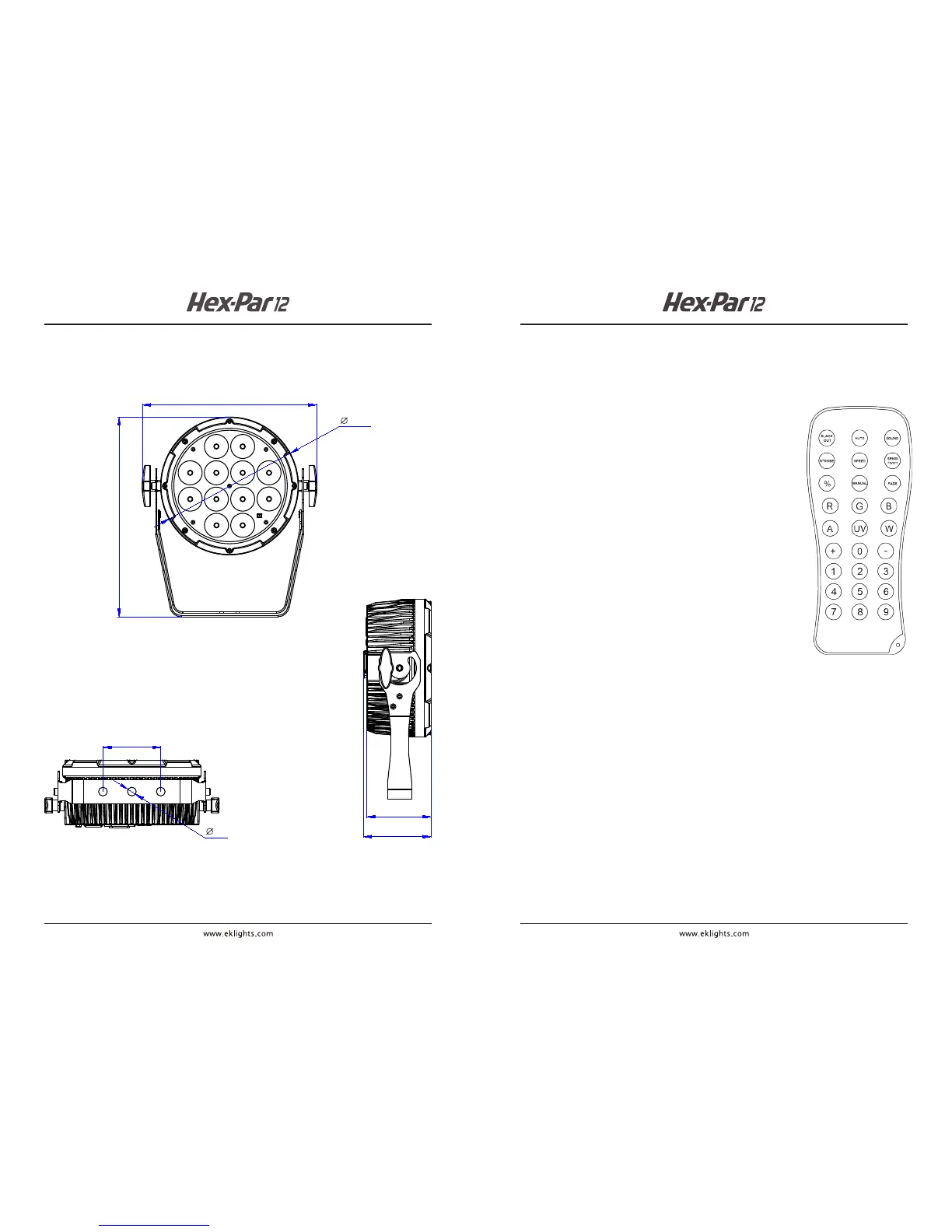
DIMENSIONS
6
94
98
13
84
253
290
200
INFRARED (IR6) REMOTE CONTROL OPERATION
The IR6 infrared controller enables remote control of the HEX-PAR 12.
To pair the IR6 to the HEX-PAR 12, follow these steps:
1. Press MENU button until SEr is displayed
2. Press ENTER
3. Press UP or DOWN to turn infrared operation ON or OFF
4. Press ENTER
IR6 BUTTON FUNCTIONS
AUTO : Run auto programs
FADE : Fade auto programs
SPEED : Enable speed adjustment of auto programs
+ / - : Increase / decrease speed of auto programs
SOUND : Activate sound-active mode
SENSITIVITY : Enable sound sensitivity adjustment
+ / - : Increase / decrease sound sensitivity
MANUAL : Enable static color selection
0-9 : Select static colors
R : Select red
G : Select green
B : Select blue
A : Select amber
W : Select white
UV : Select UV
+ / - : Increase / decrease output of each color
% : Enable adjustment of total light output level
+ / - : Increase / decrease total light output
STROBE : Enable adjustment of strobe rate
+ / - : Increase / decrease strobe rate
STROBE : Press again to turn o strobe
BLACKOUT : Turn o all light output
BLACKOUT : Press again to exit blackout mode
Note: : If IR6 remote is not responding, press BLACKOUT to conrm
that blackout mode was not mistakenly activated
11



 To Next Page