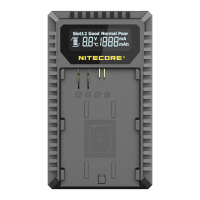
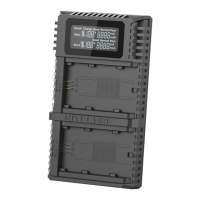
polar reversed or short-circuited, the LCD screen of the relevant slot will indicate “EE EE” and the power level display will flash to notify the user of
an error.
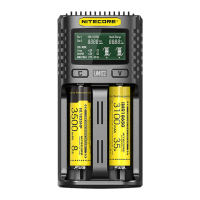
Smart charging: The UM2 can choose appropriate charging currents based on intelligent detection of battery types and capacities. The manual
charging current selection is also available. The UM2 is compatible with:
6V/3.7V Li-ion rechargeable batteries
8V Li-ion rechargeable batteries (4.35V±1% when fully charged)
2V Ni-MH/Ni-Cd rechargeable batteries
2V LiFePO4 batteries
Default Settings
The default settings (not manually configured) for the UM2 are:
Battery Type and Capacity
Standard Mode QC Mode
Default Charging
Current
Selectable Range of
Charging Current
Default Charging
Current
Selectable Range of
Charging Current
Li-ion batteries
(4.2V±1% when
fully charged)
>1,200 mAh 500mA 100mA-1,000mA 1,000mA 100mA-1,500mA
<1,200 mAh 500mA 100mA-1,000mA 500mA 100mA-1,000mA
Ni-MH/Ni-Cd
batteries (1.48V±1%
when fully charged)
AA/AAA 500mA 100mA-1,000mA 500mA 100mA-1,000mA
C/D 500mA 100mA-1,000mA 500mA 100mA-1,000mA
Note: The UM2 can automatically select charging modes for Ni-MH/Ni-Cd batteries and 3.7V Li-ion batteries. LiFePO4 batteries and 3.8V Li-ion
batteries require manual settings on charging cut-off voltages. For the battery whose length is >60mm (2.4″), the UM2 automatically identifies its
capacity as >1,200mAh.
Button Operations
During the charging process:
Short press the C button to cycle through the charging status of the 2 slots.
Short press the V button to cycle through Charging Current, Battery Voltage, Charged Volume and Charging time on the LCD screen.
Long press the C button to enter the Charging Setting Mode.
Long press the V button to enter Restoration Mode. (Only effective to over-discharged IMR batteries)
After entering the Charging Setting Mode:
Short press the C button to switch to different setting parameters (Charging Current and Cut-Off Voltage).
Short press the V button to increase with a 100mA increment each time when setting the Charging Current, or to switch to different battery types and
voltage readings when setting the Cut-Off Voltage.
Long press the V button to directly access the maximum setting when setting the Charging Current. Long press the C button to save and exit the
Charging Setting Mode.
Note: Perform no action in 10 seconds to exit the Charging Setting Mode without saving and return to the previous settings.
Charging Voltage Settings
The UM2 is compatible with 3.6V/3.7V Li-ion and Ni-MH/Ni-Cd batteries with automatic detection and adoption of the suitable charging voltage. For
LiFePO4 batteries and 3.8V Li-ion batteries, please follow the steps below for charging voltage settings:
1. After the battery is inserted and the charging process begins, short press the C button to select the correct slot and long-press the C button to
enter Charging Setting Mode.
2. After entering Charging Setting Mode, short press the C button. When the screen shows the flashing text “CHG. MODE”, short press the V
button to select the correct charging voltage (3.7V/4.2V/4.3V).
3. For LiFePO4 batteries, the voltage needs to be set to 3.7V. For 3.8V Li-ion batteries, the voltage needs to be set to 3V.
4. When the setting is finalized, long-press the C button to save and exit the Charging Setting Mode.
Charging Current Settings
Please follow the steps below for charging current settings:
1. After the battery is inserted and the charging process begins, short press the C button to select the correct slot and long-press the C button to
enter Charging Setting After entering Charging Setting Mode, the screen will show the flashing text “CHG. STATUS”. Short press the V button to
increase the charging current with a 100mA increment each Long press the V button to directly access the maximum setting.
2. When the setting is finalized, long-press the C button to save and exit the Charging Setting Note:
When the input power is insufficient and a large charging current is set, the charger will automatically adopt the intelligent current distribution
according to the input power.
If the charging currents of both slots are set to the same, Slot 1 will be given priority to meet the current settings over Slot When Slot 1 enters
the CV mode with lowered current, Slot 2 will automatically adjust its charging current to achieve the maximum power.
If the charging currents of both slots are set differently, the slot set with a larger charging current will be given priority over the other to achieve
the maximum



 To Next Page