QC Charging Mode
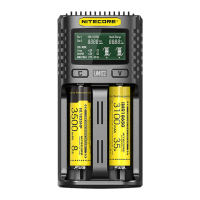
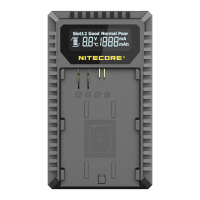
The UM2 is QC 2.0 input available. When the charger is powered by a QC supportive device or connected to a QC adapter, the screen will show
“Quick Charge” and the single slot max output will achieve 1,500mA.
Charged Volume Calculation
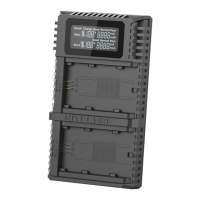
During the charging process, the system will automatically calculate and display the Charged Volume below the “CHG. STATUS”.
Anti-short Circuiting and Reverse Polarity Protection
If there are batteries inserted with polar reversed or short-circuited, the screen will flash to show “EE EE”.
Energy Saving Function
If there is no action to the buttons or batteries in 10 minutes, the screen will automatically go dim to save energy. Perform any action to light up the
screen.
Over-Discharged Li-ion Battery Activation
The UM2 is capable of activating over-discharged Li-ion batteries with a protective circuit. After battery installation, UM2 will test and activate the
battery before charging. When a battery is detected as damaged, the screen will show “EE EE”.
Over-Discharged IMR Battery Restoration
When an over-discharged 1MR battery is inserted, the screen will show “EE EE”. In this case, long-press the V button to enter Restoration Mode.
After that, the charging process will continue. The battery should be replaced if it fails to be restored after several attempts.
NOTE: When attempting to restore an IMR battery, reverse polarity protection is temporarily disabled. Please ensure batteries are correctly inserted.
Failing to do so may result in fire or explosion.
Overtime Charging Protection
The UM2 will separately calculate the charging time of each battery. When the charging time exceeds 20 hours in one slot, it will automatically cease
the charging process of this slot and display a fully charged status. This is to prevent possible overheat or even explosion due to battery quality
issues.
Precautions
1. The charger is restricted to charging Li-ion, IMR, LiFePO4, Ni-MII/Ni-Cd rechargeable batteries only. DO NOT use the charger with other types
of batteries as this could result in battery explosion, cracking or leaking, causing property damage, and/or personal injury.
2. Moderate heat from this product is to be expected during the charging process, which is normal.
3. Ambient Temperature of Usage: -1040°C (14104°F); Temperature of Storage: -2060°C (-4-140°F)
4. Carefully read all labels on the device to ensure batteries are installed correctly.
5. Please connect this charger to power supplies with the input voltage stated in the specifications of the user If the input voltage is too low or too
high, it may lead to malfunctions or even a fire.
6. DO NOT charge batteries if there is any sign of faulty or short circuit.
7. The charger is designed for adults. Use of the charger by kids under age must be under supervision. The operation, using, or cleaning of the
charger may NOT be done by kids aged 8 years or younger.
8. DO NOT leave the product unattended while it is connected to a power supply. Unplug the product at any sign of
9. Please make sure the correct program and settings are chosen and set. Incorrect program or setting may damage the charger, or cause fire and
explosion.
10. DO NOT attempt to charge primary cells such as Zinc-Carbon, Lithium, CR123A, CR2, or any other unsupported chemistry due to risk of
explosion and fire.
11. DO NOT charge a damaged IMR battery as doing so may lead to charger short-circuit or even
12. DO NOT charge or discharge any battery having evidence of leakage, expansion/swelling, damaged outer wrapper or case, color-change or
distortion.
13. Use the original adapter and cord for the power supply. To reduce the risk of damage to the power cord, ALWAYS pull by the connector rather
than the DO NOT operate the charger if it appears damaged in any way.
14. DO NOT store or use the product in an environment where the temperature is extremely high/low or changes rapidly, or in a confined area with
a high
15. Store the device in ventilated areas. DO NOT use the device in moist environment and keep away from any combustible
16. Avoid any shock or impact to the
17. DO NOT place any conductive or metal object in the device to avoid short-circuiting and explosions.
18. DO NOT overcharge or over-discharge the batteries. Please recharge the battery as soon as the power runs out
19. Unplug the device and remove all batteries when it is not in use.
20. DO NOT disassemble or modify the device as doing so will render the product warranty invalid. Please refer to the warranty section in the
manual for complete warranty information.
21. DO NOT misuse in any way! Use for intended purpose and function only.
Disclaimer
This product is globally insured by Ping An Insurance (Group) Company of China, Ltd. NITECORE shall not be held responsible or liable for any loss,
damage or claim of any kind incurred as a result of the failure to obey the instructions provided in this user manual.



 To Next Page