Menu
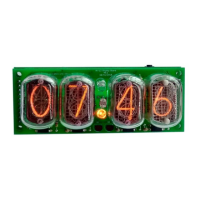
The menu items below are listed in the order that they will appear when going through them. Once you click
the menu button the clock will switch into the edit mode – it will display setting number (SN) on the leading
position and the current setting value (SV) on the last two numbers which will be blinking.
LED RGB Values
The clock has one RGB LED under each nixie tube. All colors are adjustable and can be set to a custom
brightness.
1. Red color brightness (0 - 40 levels).
2. Green color brightness (0 - 40 levels).
3. Blue color brightness (0 - 40 levels).
Alarm Settings
4. Alarm mode: 1 - enable; 0 - disable.
5. Alarm start hour.
6. Alarm start minute.
WARNING: The clock will make short beep sound once it reaches the time. To stop the alarm rotate the knob.
General Settings
7. Colon tube modes. 0 — blinks once a second (default), 1 — permanently ON, 2 — permanently OFF, 3
— sensor status (sensor testing mode see #23, ON when detects motion).
8. Beep once per hour, on the hour. (0 — disable (default); 1 — enable).
9. Slot machine frequency (1 – 5. Value is the interval in minutes. 0 - disable).
10. Spin changing numbers mode (0 — classic; 1 - scroll changing numbers; 2 — wave scrolling).
11. Animate RGB LED lights: 0 — none; 1 — linear; 2 — random.
Time/Date Settings
12. 12/24 hour mode. (0 — 24h mode (default); 1 — 12h mode).
13. Set hours.
14. Set minutes.
15. Set seconds.
16. Set month.
17. Set day.
18. Set year.
Sleep Settings
19. Set sleep starting hour - the clock displays ZZ:XX:YY (where XX is the value of the sleep start hour).
20. Set sleep ending hour - the clock displays ZZ:XX:YY (where YY is the value of the sleep end hour).
21. Display date at the end of period defined in setting #10 (1 - enable; 0 - disable).
22. Timeout for motion sensor (options from 1-5) - sets delay time from ~1 minute and longer.
23. Activates built in motion sensor (for versions 1.14 and later). (0 — disable (default); 1 — enable). Motion
sensor also overrides the sleep timer (if activated).
24. Silent mode: 0 - disable; 1 - enable. Switches on/off buzzer.
25. Internal temperature in Celsius.
26. Firmware version.



 To Previous Page