Need help?
Do you have a question about the Nixie Clock IN-16 and is the answer not in the manual?
Prepare PCB pad, apply liquid solder paste for IC placement.
Place IC with tweezers, use clothing iron for 'hot-plating'.
Pre-heat PCB, melt solder paste, inspect for proper soldering.
Place and solder RGB LEDs, noting common anode and orientation.
View of correctly soldered RGB LEDs on the PCB.
Place and solder the 10nF (103) C3 capacitor for voltage filtering.
Solder 3k9 (R3) and 10k (R4) resistors for LED current and pull-up.
Insert and solder 2x6 male pin headers connecting main and shield boards.
Connect power, observe LED blinking, heed high voltage warning.
Steps for re-soldering TLC59401 and firmware checks.
Place and solder TLP627 SMD opto-couplers (OPT1-OPT4).
Solder all remaining pins of the opto-couplers to complete the step.
Solder 910k resistors (R1, R2) for Nixie dots and NPN transistors.
Bend and solder the 47uF electrolytic capacitor (C1) for power storage.
Solder 100nF-1uF SMD capacitor (C2) for supply voltage filtering.
Solder Nixie dots, adjust height, and test with power supply.
Caution regarding high voltage (200V DC) during testing.
Solder the upper Nixie dots and prepare for Nixie tube installation.
Drill plastic bottom, cut unused Nixie dot leads, place tubes.
Solder anode pin first, then other pins, ensuring tubes are straight.
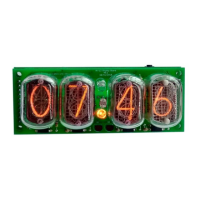
Congratulations on completing the assembly of the IN-16 Nixie shield.
 General
| Brand | Nixie Clock |
|---|---|
| Model | IN-16 |
| Category | Clock |
| Language | English |


 To Next Page