5
Charging no!no!
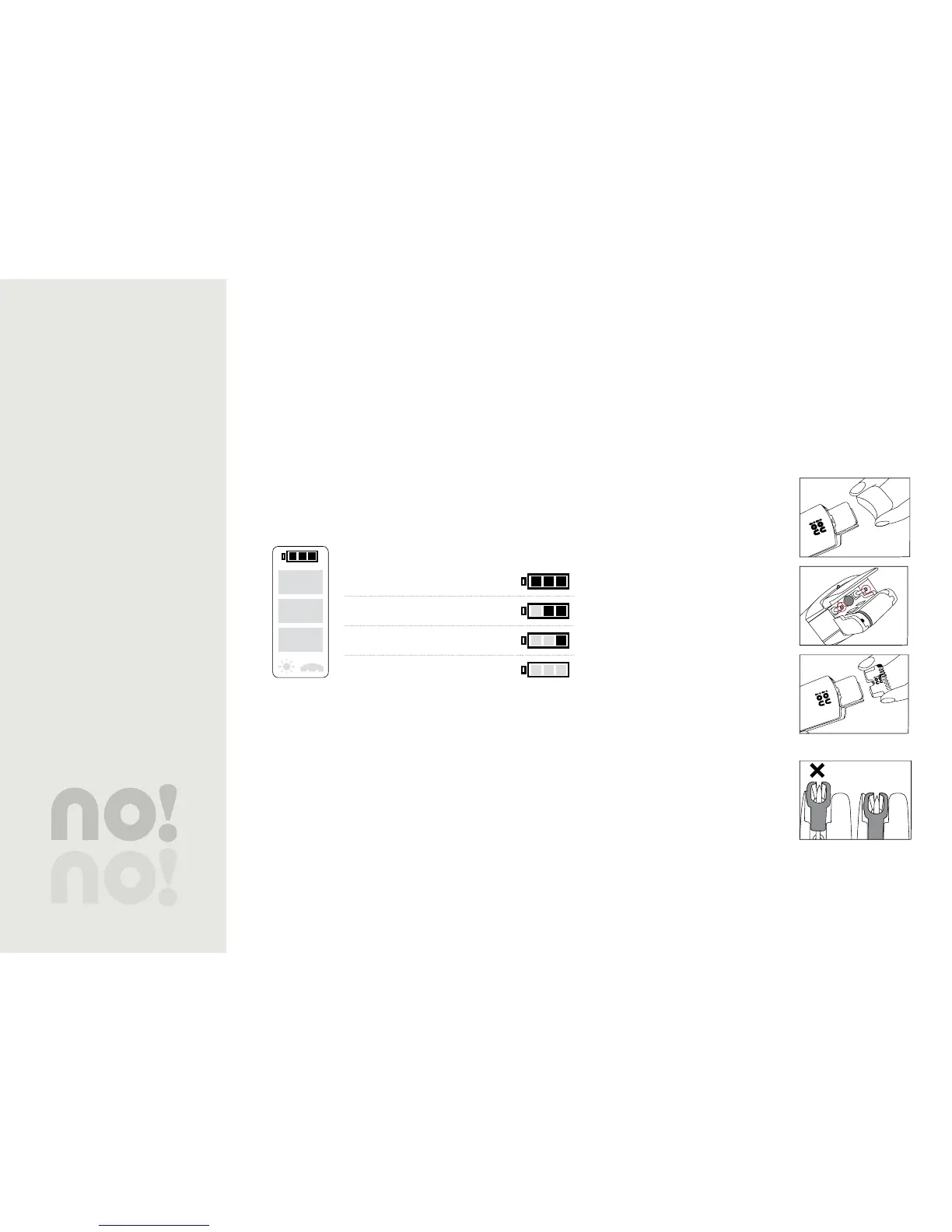
Before you use it the first time, charge no!no! completely.
When recharging is necessary, the empty battery icon and the
red signal light will flicker.
During charging, the bars will alternately light, one after the
other.
When charging is complete, the full battery icon will flicker
until no!no! is removed from the charger.
Battery Status
Full Charge
Partial Charge
Low Charge
Charge Immediately
Table 1: Battery Status
Working with no!no!
Skin preparation
Make sure your skin is clean and dry. Do not use no!no! on
any area where there might be residual gels, oils, lotions,
deodorant, etc.
no!no! Assembly
Remove the cover.1. Pick up the device with the 2.
rollers facing you. Inside the
Thermicon™ Tip Socket you will
see 2 posts.
Hold the Thermicon™ Tip by both •
ends
Line up the two small holes on •
the Thermicon™ Tip with the
posts inside the socket
Push it gently but firmly into •
place.
Do not use force.•
Be sure the Thermicon™ Tip is •
correctly in place.
To remove the Thermicon™ Tip3.
Grasp it by both ends•
Gently pull.•
Remove the cover.1.
Pick up the device with the 2.
rollers facing you. Inside the
Theramicon™ Tip Socket you will
see 2 posts.
Hold the Thermicon™ Tip by both •
ends.
Line up the two small holes on the •
Thermicon™ Tip with the posts
inside the socket.
Push it gently but firmly into place.•
Do not use force.•
Be sure the Thermicon™ Tip is •
correctly in place.
✔
To remove the Thermicon™ Tip3.
Grasp it by both ends• .
Gently pull.•


 To Next Page