6
Adjust the Treatment Level
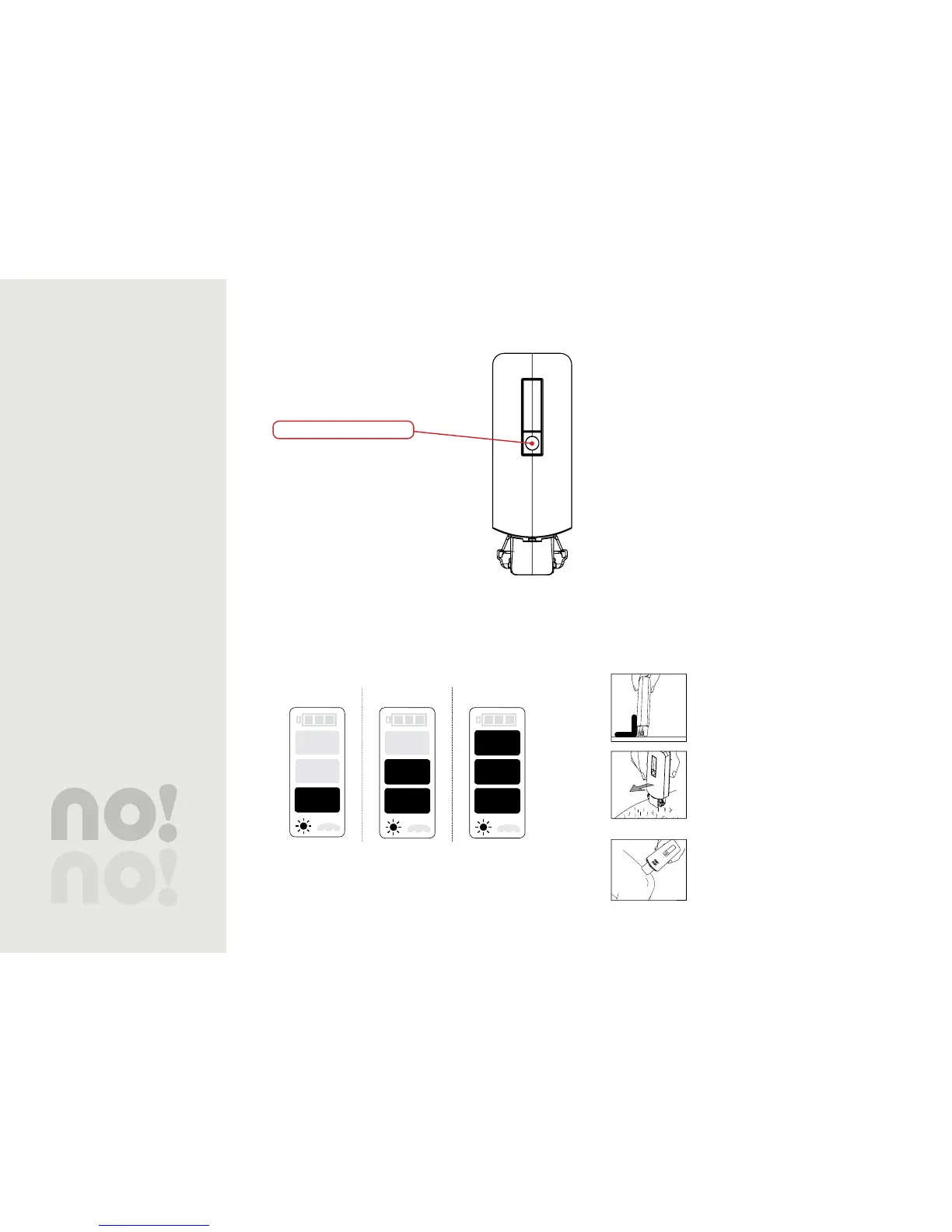
For your comfort, there are 3 different
treatment levels for you to choose from.
Select the level by pressing the button
under the Status Screen until the desired
treatment level appears. Work at the
highest level possible while still maintaining
comfort.
When you turn on again, it will be set to the last used
treatment level.
Low Medium High
Table 2: Current Treatment Level
Treatment
Unplug no!no! from the charger. 1.
If it still needs more time, you may also use it while
plugged in.
Remove the cover.2.
Insert the proper size Thermicon™ Tip for the area you 3.
are treating.
Push the power button on the top of the unit.4.
Set the treatment level.5.
Glide no!no! over your skin at a 90º angle.6.
Buff after completing each section.7.
Apply a moisturizer.8.
Remember to periodically check the Thermicon™ Tip and
clean it whenever necessary.
Do not use no!no! on the breasts or genitals.
Master the Slow Glide
Crucial to the treatment is the Slow Glide. To master this
technique:
Hold no!no! at a 90º angle with the rollers 1.
flat against the skin.
Gently glide no!no! over each section you 2.
want to treat using a slow, smooth, even
motion. Always glide in one direction,
upwards and towards your body at a
gentle, even pace.
Glide over the section you are treating 3.
until you feel it is smooth or nearly
smooth. Don’t over do it.
On rounded areas, follow the natural 4.
curve of the body.
Treatment Level Button


 To Next Page