18
Insert the Thermicon
®
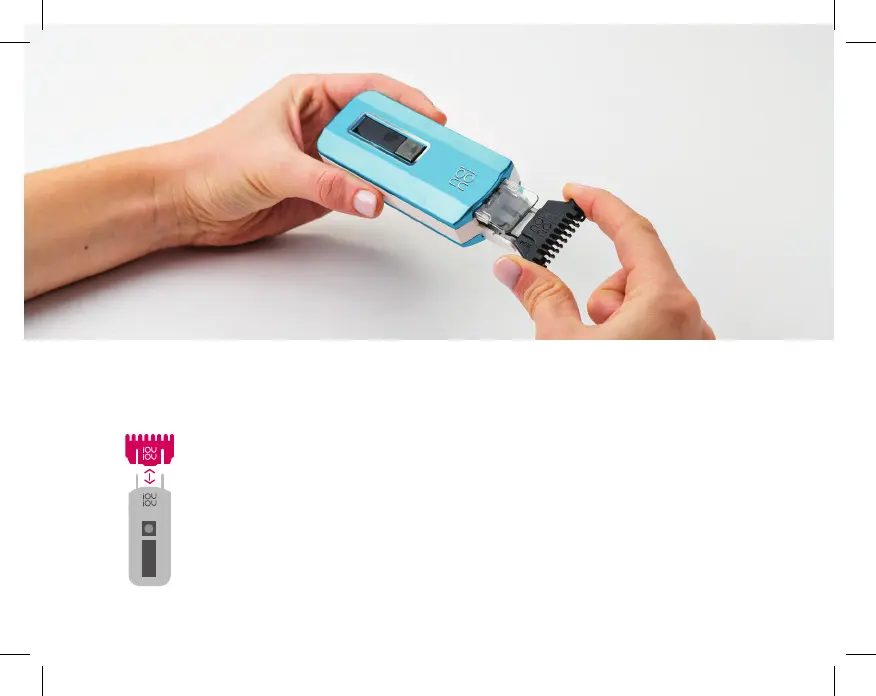
Tip [FIGURE A]
A
INSERTING the Thermicon
®
Tip
> Make sure the device is
turned o.
> Hold no!no!
®
in one hand and
the Tip in the other.
> Make sure the no!no! logo on
the Tip is facing in the same
direction as the no!no! logo on
the device.
> Line up the posts in the
socket (Tip Socket Posts, see
page 5) with the holes in the
Thermicon
®
Tip.
> Gently push into place.


 To Next Page