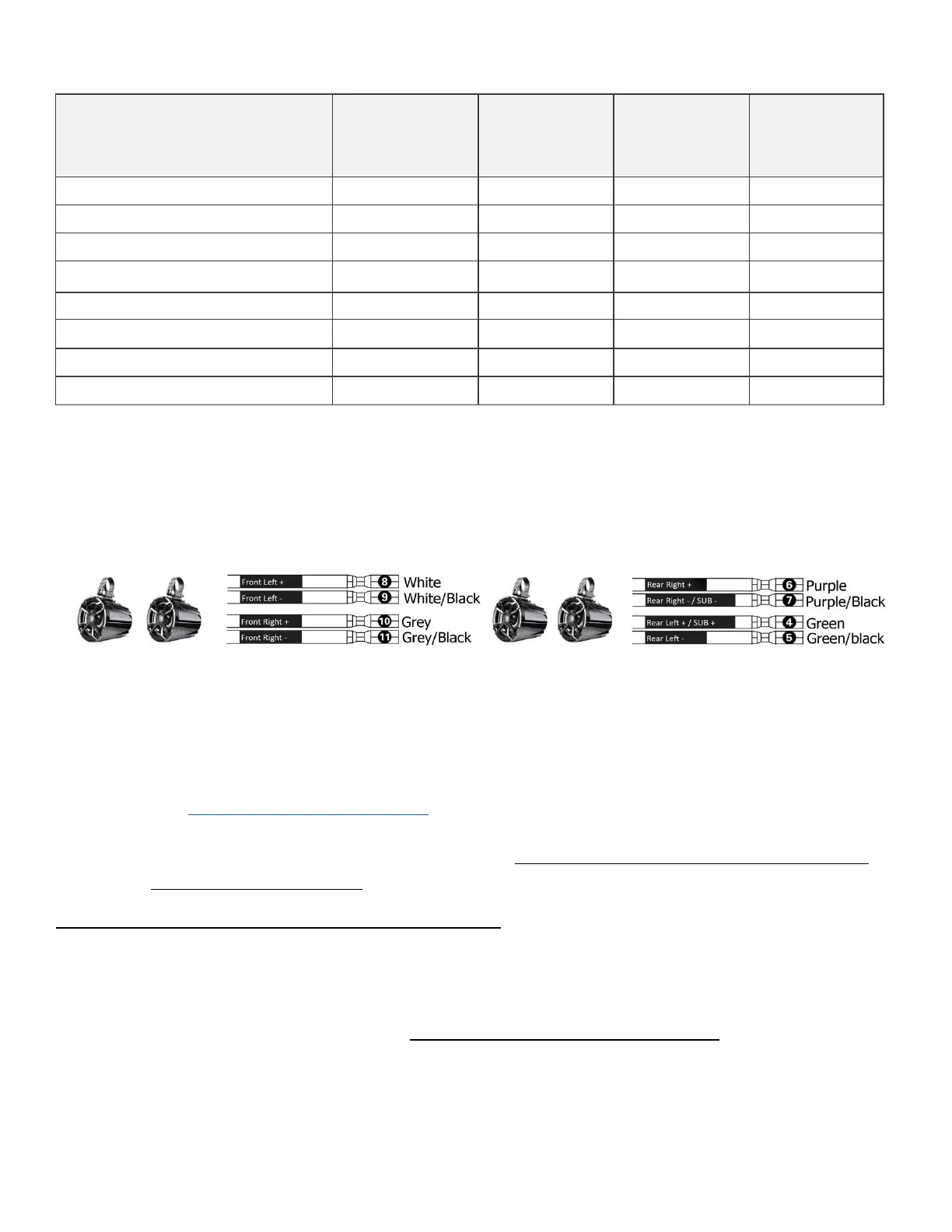
*Make sure you position your speakers in accordance with the amplifier's channel they are connected to. If
the speakers are connected to the left channel make sure you position them on the left-hand side of your
ride. Same goes for the right channel.
4. Now that everything is hooked up as it should, let's test your system. Turn your controller on, the
amplifier's power indicator light will first turn RED and If all connections are OK, within 2-5
seconds the light will turn BLUE. In case the light remains red it means that the amplifier is in
protection mode, due to a short circuit, or inadequate voltage, either too high or too low. In this
case see page 18 for troubleshooting.
5. Play some tunes to make sure all is working as it should.
6. Now you can go ahead and mount the amplifier in a dry and well-ventilated location where it
will remain dry at all times.
NUTV5 QUAD: Amplifier's gains and crossover settings
Your HS4 amplifier’s control panel was already preset to optimally power the N5 Full-range speakers you have
purchased. Since the HS4 is a very powerful amplifier we suggest keeping these factory settings as is.
Under or overpowering your speakers might cause them thermal (burnt voice coil) and/or mechanical failure
(torn surrounds or spiders). And these damages are not covered by your warranty.
Below you will find our recommended factory gains and crossover settings for your NUTV5 QUAD system.



 To Next Page