EasyManua.ls Logo

Noblex CDR1929BT - User Manual

Noblex CDR1929BT
15 pages
Print Icon
To Next Page IconTo Next Page
Loading...
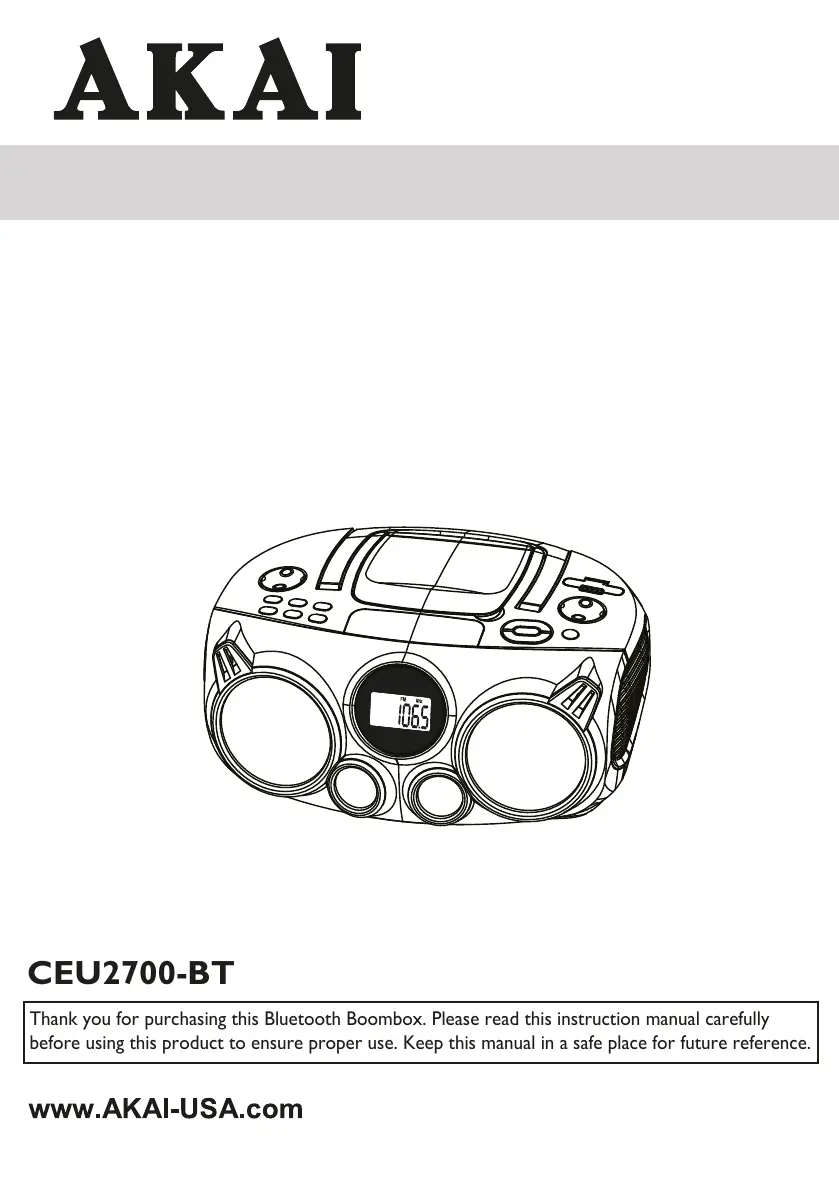
INSTRUCTION MANUAL
Bluetooth CD Boombox AM/FM
PLL Radio with 4 Speakers
CEU2700-BT
Thank you for purchasing this Bluetooth Boombox. Please read this instruction manual carefully
before using this product to ensure proper use. Keep this manual in a safe place for future reference.
Noblex CDR1929BT

Questions and Answers

Summary

Important Safety Instructions

Safety Symbols and Warnings

Explains caution, dangerous voltage, and attention symbols with laser safety.

Usage and Ventilation Guidelines

Covers safety considerations for ventilation, liquids, and general usage.

Product and Battery Warnings

Details warnings related to marking plates, AC/DC adapters, and battery handling.

Control Locations

Power Connection and Battery Operation

Connecting AC Power

Instructions for connecting the AC power cord to the unit and wall outlet.

Battery Installation and Precautions

Guidance on inserting, handling, and precautions for using batteries.

Radio Operation

Setting the Clock

Step-by-step guide to set the clock display on the unit.

Initial Setup and Source Selection

Procedures for turning on the unit and selecting audio sources.

Volume and Antenna Adjustment

How to adjust sound volume and position the rod antenna for optimal reception.

CD & MP3 Disc Operation

Loading and Playing Discs

Steps for loading a CD/MP3 disc and starting playback.

Playback Controls

Explains play, pause, stop, skip, and search functions for discs.

Repeat and Program Modes

Instructions for repeat playback and programming track sequences.

USB & SD Card Operation

Source Selection and Insertion

Switching to USB/SD mode and inserting media.

USB;SD Playback Controls

Details on play, pause, stop, skip, search, and repeat for USB/SD.

Programming USB;SD Playback

Guide to programming track playback from USB/SD cards.

Bluetooth Operation

Bluetooth Pairing Setup

Steps to pair Bluetooth devices with the boombox.

Bluetooth Audio Playback

How to play music from a connected Bluetooth device.

Auxiliary Input (AUX IN) Operation

Connecting External Audio Sources

Instructions for connecting and using external players via AUX IN.

Using Headphones

Headphone Connection

Guide on connecting headphones for private listening.

Care and Maintenance

Compact Disc Care

Proper handling, cleaning, and storage of CDs/MP3 discs.

Unit and Lens Cleaning

Procedures for cleaning the boombox cabinet and CD player lens.

Troubleshooting

Specifications

End of Life Disposal

Overview

The Noblex CDR1929BT is a versatile Bluetooth CD Boombox featuring AM/FM PLL Radio and four speakers, designed for a range of audio playback options.

Function Description:

This device serves as a multi-source audio player, capable of playing traditional audio CDs and MP3 discs, receiving AM/FM radio broadcasts, streaming audio via Bluetooth, and playing media from USB flash drives and SD cards. It also includes an auxiliary input (AUX IN) for connecting external audio devices and a headphone jack for private listening.

Important Technical Specifications:

  • Power Output: 2 x 3 Watts (RMS), indicating a total of 6 Watts RMS audio output.
  • Speakers: Equipped with 8 Ohms speakers, consisting of two 4-inch and two 1.5-inch drivers, suggesting a 2-way speaker system for improved sound quality.
  • CD Disc Diameter: Supports both 120mm and 80mm disc sizes.
  • AC Power: Operates on AC230V~50Hz, suitable for standard European power outlets.
  • Battery Size: Requires six UM-1 or D-Size batteries (1.5V x 6 = DC12 VOLT) for portable operation (batteries not included).
  • Radio Frequency:
    • FM: 87.5 - 108MHz
    • AM: 530 - 1710 kHz
  • Dimensions (W x H x D): 372mm (14.7") x 160mm (6.3") x 273mm (10.8").
  • Weight: 2.6 kg (5.8 lb).
  • Programmable Memories: Can store up to 20 tracks/files in CD, USB, or SD card modes for programmed playback.
  • Bluetooth: Features Bluetooth connectivity for wireless audio streaming.

Usage Features:

  • Power Connection: Can be powered by the supplied AC power cord (220V~50Hz) or by six "C" size alkaline batteries for portability. An important note is that the AC power cord must be disconnected for battery operation.
  • Clock Setting: Allows users to set the hour and minute, with the clock displayed on the LCD.
  • First Time Switching On: After plugging into AC power or inserting batteries, the unit will be in standby mode. Pressing the STANDBY button turns on the unit, with the LCD display showing the default mode.
  • Volume Control: Adjustable via the VOLUME +/- buttons.
  • Radio Operation:
    • Source Selection: Press the SOURCE button to switch to FM or AM mode.
    • Tuning: Use TUN +/- buttons to search for desired radio stations.
    • Preset Stations: Up to 20 FM stations can be stored. To store a station, tune to it, press PROG/MEM, select a preset number (P01-P20), and press PROG/MEM again to confirm.
    • FM Stereo/Mono: The FM STEREO/MONO button allows switching between stereo and mono reception for FM broadcasts.
    • Antenna: Features a rod antenna for FM reception and a built-in ferrite bar antenna for AM reception.
  • CD & MP3 Disc Operation:
    • Loading: Lift the CD door, place the disc with the graphical side facing up, and close the door.
    • Playback: Press PLAY/PAUSE to start playback. The display shows the total number of tracks.
    • Pause/Stop: PLAY/PAUSE button pauses/resumes playback, and STOP button stops playback.
    • Skip Track: SKIP buttons (forward/backward) allow navigation between tracks.
    • High-speed Search: Press and hold SKIP buttons during playback to search through the current track.
    • Repeat Modes: REPEAT button cycles through "Repeat Current Track," "Repeat Folder" (for MP3 discs), and "Repeat All Tracks."
    • Programmed Playback: Up to 20 tracks can be programmed for playback. In stop mode, press PROG/MEM, select a track with SKIP or 10+ buttons, and press PROG/MEM again to save.
  • USB & SD Card Operation:
    • Source Selection: Press SOURCE button to switch to USB or SD Card mode.
    • Inserting Media: Insert a USB flash drive into the USB socket or an SD card into the SD card slot.
    • Playback: Similar controls to CD playback for play/pause, stop, skip, search, and repeat functions.
    • Programmed Playback: Up to 20 tracks/files from USB or SD card can be programmed, following a similar procedure to CD programming.
  • Bluetooth Operation:
    • Pairing: Press SOURCE to switch to Bluetooth mode. The "bt" icon will flash. On your Bluetooth device, select "CDR1929BT" from the settings. The BT indicator will stop flashing once paired.
    • Unpairing: Can be done manually from the Bluetooth device or by pressing and holding the STOP button on the unit.
    • Music Playback: Control track selection, play/pause, and skip functions from the connected Bluetooth device or the unit's buttons.
  • AUX IN Operation:
    • Connection: Plug a 3.5mm audio cable (not included) from an external music player into the AUX IN jack at the back of the unit.
    • Source Selection: Press SOURCE to switch to AUX mode.
    • Playback: Start music playback on the external device and adjust volume on the boombox.
  • Headphone Use: Plug headphones into the headphone jack at the back for private listening across all modes.

Maintenance Features:

  • Safety Considerations:
    • Ensure minimum 5 cm clearance for ventilation.
    • Do not obstruct ventilation openings.
    • Avoid placing naked flame sources on the apparatus.
    • Protect from dripping or splashing liquids; do not place liquid-filled objects on the unit.
    • Do not place in closed bookcases or racks without proper ventilation.
    • The AC mains plug or appliance coupler serves as the disconnect device and should remain readily operable.
  • Battery Precautions:
    • Use only specified battery size and type, observing correct polarity.
    • Do not mix battery types or old with new batteries.
    • Remove batteries if not used for long periods to prevent leakage.
    • Do not attempt to recharge non-rechargeable batteries.
    • Rechargeable batteries should be removed for charging and charged under adult supervision.
    • Dispose of exhausted batteries properly; do not short-circuit terminals.
    • Avoid exposing batteries to excessive heat.
  • Care for Compact Discs:
    • Handle discs by the edges; avoid touching the shiny, unprinted side.
    • Do not attach adhesive tape or stickers to discs.
    • Clean discs periodically with a soft, lint-free, dry cloth, wiping in straight lines from the center to the outer edge. Avoid detergents or abrasive cleaners.
    • Store discs in their cases after each use.
    • Avoid exposing discs to direct sunlight, high humidity, high temperatures, or dust, as these can warp the disc.
    • Do not write on or stick anything to either side of the disc.
  • Care of the Cabinet:
    • Disconnect from AC power before cleaning.
    • Clean with a dust cloth; mild soap and a damp cloth can be used on the front panel.
    • Use caution when cleaning and wiping plastic parts.
  • Cleaning the Lens:
    • If the lens is dirty, use a camera lens blower/brush to blow and brush away dust.
    • For fingerprints, use a dry cotton swab to wipe from the middle to the outer edge of the lens.
  • Troubleshooting Guide: Provides a table of common problems, possible causes, and solutions to assist users in resolving minor issues.
  • End of Life Disposal: The device carries the WEEE logo, indicating that it should not be disposed of with general household waste. It requires separate collection and treatment in accordance with local regulations for electrical and electronic equipment recycling. Batteries and accumulators should also be disposed of separately.

Noblex CDR1929BT Specifications

General IconGeneral
BrandNoblex
ModelCDR1929BT
CategorySpeakers
LanguageEnglish