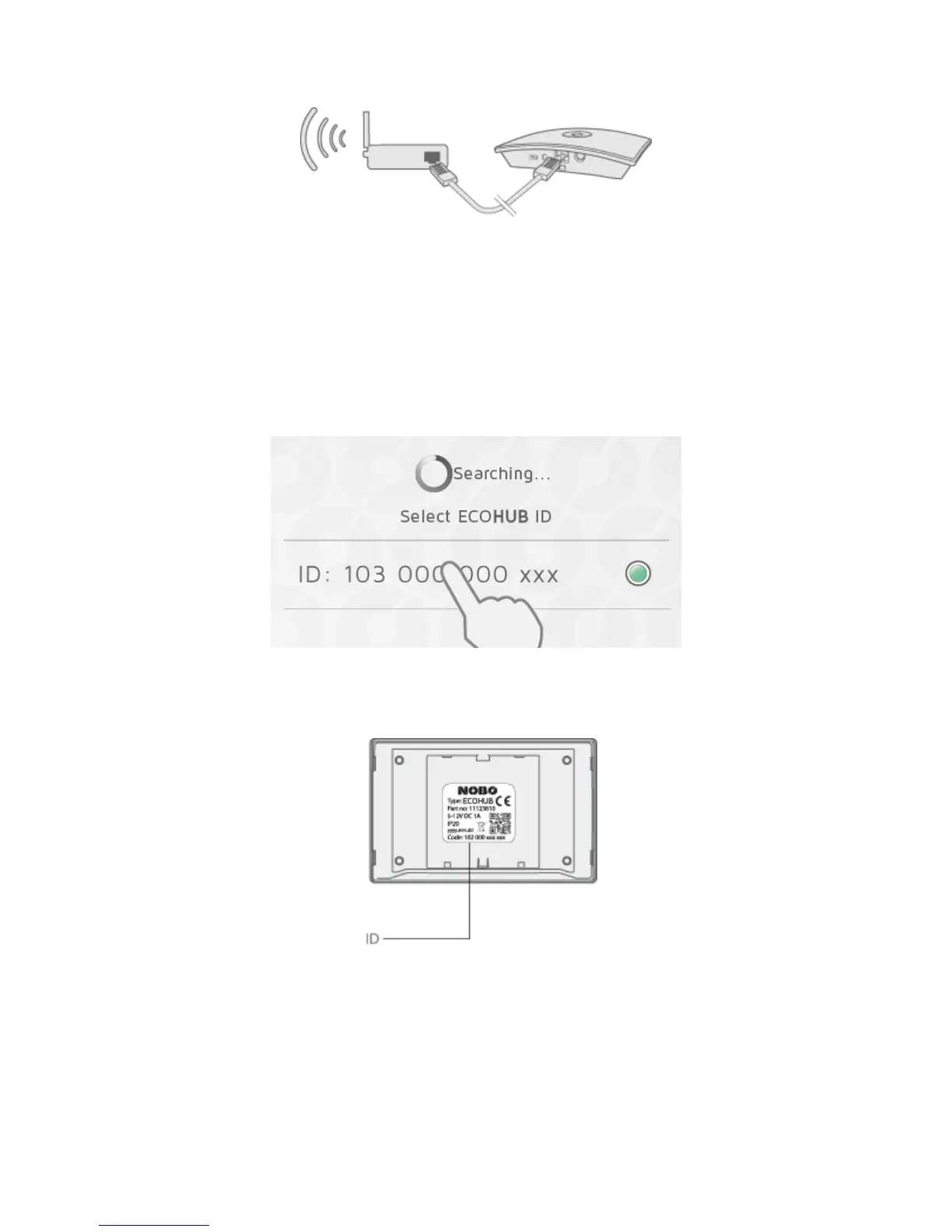
Conne ctthepowercordtotheECOHUBandplugitintoapoweroutlet.
ECOHUBmustbeconnectedbycable(ethernet cable)to alocalnetworkwitha
wirelessrouter.Thecablecanbeconnecteddirectlytotherouter,orto awalloutlet
elsewhereinthebuilding.
Ma kesureyoursmartphoneortabletisconnectedtothesa mew irelessnetworkand
startNOBØEnergyControlAPP .Whenconnectedtopo werandalocalnetwork,
ECOHUBwilltransmititsIDcod eonthewirelessnetwork.
To installECOHUB,followtheAPPsetupw izard.TheAPPwillsearchforanECOHUB,
anddisplaytheresultsonthescreen.PresstheIDcodecorrespondingtoyourECOHUB.
IfmorethanoneECOHUBisconnectedtothesamewirelessnetw ork,thecorrectone
mustbeselectedinthesetupwizard.ChecktheIDcodeatthebackofthe
ECOHUBand selectthecorrespondingIDin the APP.
(NB!OnlyoneECOHUBcanbeinstalledatatime.)
Forsecurityreasons,yo uwillbeaskedtotypeinthe3lastdigitsofyourECOHUBID
code.TheIDcodeisatthebackofyourECOHUB.
DonotmounttheECOHUBonthewalluntilthesetupisfinished.Incaseyouneedto
checktheIDcodeagain.
CONTROL VIA THE INTERNET



 To Next Page