MO 09 : 00
>>
>>
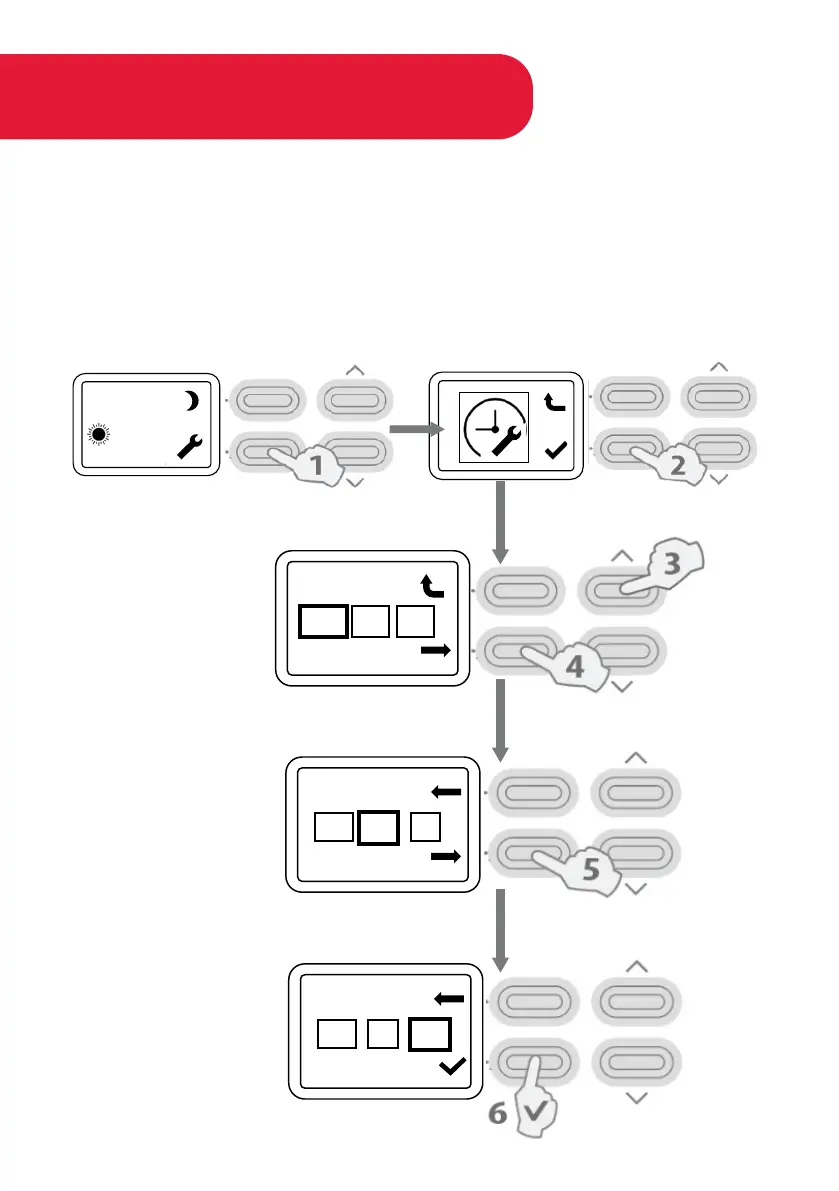
Setting the Timer
SET DAY AND TIME
1. Press Settings Button at home screen.
2. 2. Press the same button displaying the (tick) when the clock icon appears.
3. Press Arrow keys to Set Day;
4. Press Next Key to confirm the selection.
5. Use arrow key to set hour; Press Next key.
6. After setting minutes press ✓ key to complete the setup
MO 09 : 00
>>
>>
MO 09 : 00
>>
>>
MO 13:45
21



 To Next Page