Need help?
Do you have a question about the Nobsound NS-13G and is the answer not in the manual?
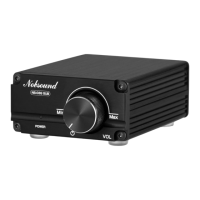
This document describes the Nobsound Mini NS-13G/NS-15G/NS-15G PRO Digital Amplifier, a compact audio amplifier designed for home use. It offers both wired and wireless input options, allowing users to connect various audio sources to passive speakers.
The Nobsound Mini Digital Amplifier serves as a central hub for your home audio setup, amplifying audio signals from various sources to power passive speakers. It is designed to deliver clear and powerful sound, with specific models offering additional features like Bluetooth connectivity. The amplifier's core function is to take a low-level audio signal and increase its power sufficiently to drive loudspeakers, making it suitable for a wide range of home audio applications, from casual listening to more demanding setups.
Powering the Amplifier: The amplifier can be powered by a default 19V power supply, which is generally sufficient for most home speakers. For users seeking higher output, it is recommended to prepare a high-quality power supply, such as a 24V/8A supply, which can enable the amplifier to reach an actual output power of 100W per channel when driving a 4Ω load. This flexibility in power supply allows users to tailor the amplifier's performance to their specific speaker requirements and desired volume levels.
Initial Setup and Safety: Before powering on the amplifier, it is crucial to ensure that the volume knob is set to the leftmost end, effectively turning the power off. This precaution prevents high volume or high output power from potentially damaging your speakers upon startup. Once the power adapter is connected to the amp and then plugged into a socket, and passive speakers are properly connected to the amp's output, the device is ready for use.
Wired Input (RCA): For wired connections, the amplifier supports RCA input. Users can connect audio devices such as TVs, CD players, or other sources using a high-quality RCA cable. After connecting, rotating the power/volume knob clockwise will turn on the amplifier, and the power indicator will illuminate steadily in red, indicating that the device is operational.
Wireless Input (Bluetooth - NS-15G / NS-15G PRO versions only): The NS-15G and NS-15G PRO versions of the amplifier offer Bluetooth wireless input. To use this feature, rotate the power/volume knob clockwise to turn on the amplifier, and ensure the power indicator is steady red. Then, toggle the input switch to the "BT" position. Users can then search for the amplifier's Bluetooth signal on their phone or other Bluetooth-enabled device and click to connect. A successful connection will enable wireless audio streaming to the amplifier.
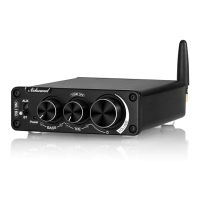
Volume and Tone Control: Once connected and powered on, users can rotate the volume knob to adjust the overall listening level. Additionally, the amplifier features treble and bass knobs, allowing for fine-tuning of the audio to suit personal preferences and the characteristics of the music being played. For those who prefer the original, uncolored sound, rotating the treble knob to its leftmost end will activate a bypass function, delivering the audio without any tone adjustments.
Troubleshooting Noise Issues: The manual provides a comprehensive guide for troubleshooting potential noise issues, which can arise from various sources such as poor audio cables, sound sources, speakers, speaker cables, interference sources, poor contacts, or even the device itself. The recommended troubleshooting steps are:
These systematic troubleshooting steps help users effectively diagnose and resolve common audio issues, ensuring optimal performance and longevity of the amplifier and connected components.
 General
| Frequency Response | 20Hz - 20kHz |
|---|---|
| Input Impedance | 47kΩ |
| Output Impedance | 4-8Ω |
| THD | < 0.1% |
| SNR | > 90dB |
| Input Mode | RCA |
| Speaker Impedance | 4-8Ω |
| Output Mode | Speaker |

 To Next Page