6
2
2
7
1
8
3
2
4
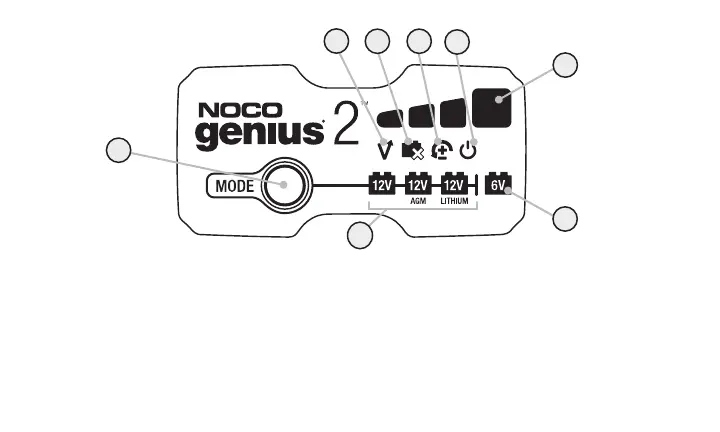
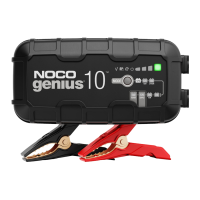
5.) Standby LED Illuminates when the charger is in Standby Mode, the charger
is not charging or providing any power to the battery.
6.) Charge LED indicates the connected battery(s) state-of-charge.
7.) Mode LED Indicates the Charge Mode the charger is currently in. Push the
MODE button to cycle through charge Modes.
8.) [Press and Hold] Mode LED Mode button must be pressed and held for 3
seconds to enter the mode.
1.) Mode Button Push to cycle through charging Modes.
2.) Overvoltage Error LED Illuminates solid Red; Battery Voltage is above
Protect voltage.
3.) Bad Battery Error LED Illuminates solid Red when connected battery will
not hold a charge.
4.) Reverse Polarity Error LED Illuminates solid Red when reverse polarity
is detected.
2
5









 To Next Page