INSTALLING 2000
This chapter gives instructions how to install 1/8 DIN panel meter
2012. The field meter 2800-2012, large panel meter 910/920E-2012
and the large field displays xxxF-2012 have chapters of their own.
Opening the enclosure
The enclosure has to be opened only, if the jumper positions are
changed or a card is added or removed.
The enclosure can be opened from either end. Opening from the front end is possible when the
meter is not installed in a panel. Pull the front bezel on the middle.
To open from the rear end, unscrew the four screws.
The base card with other cards can be withdrawn after opening the case.
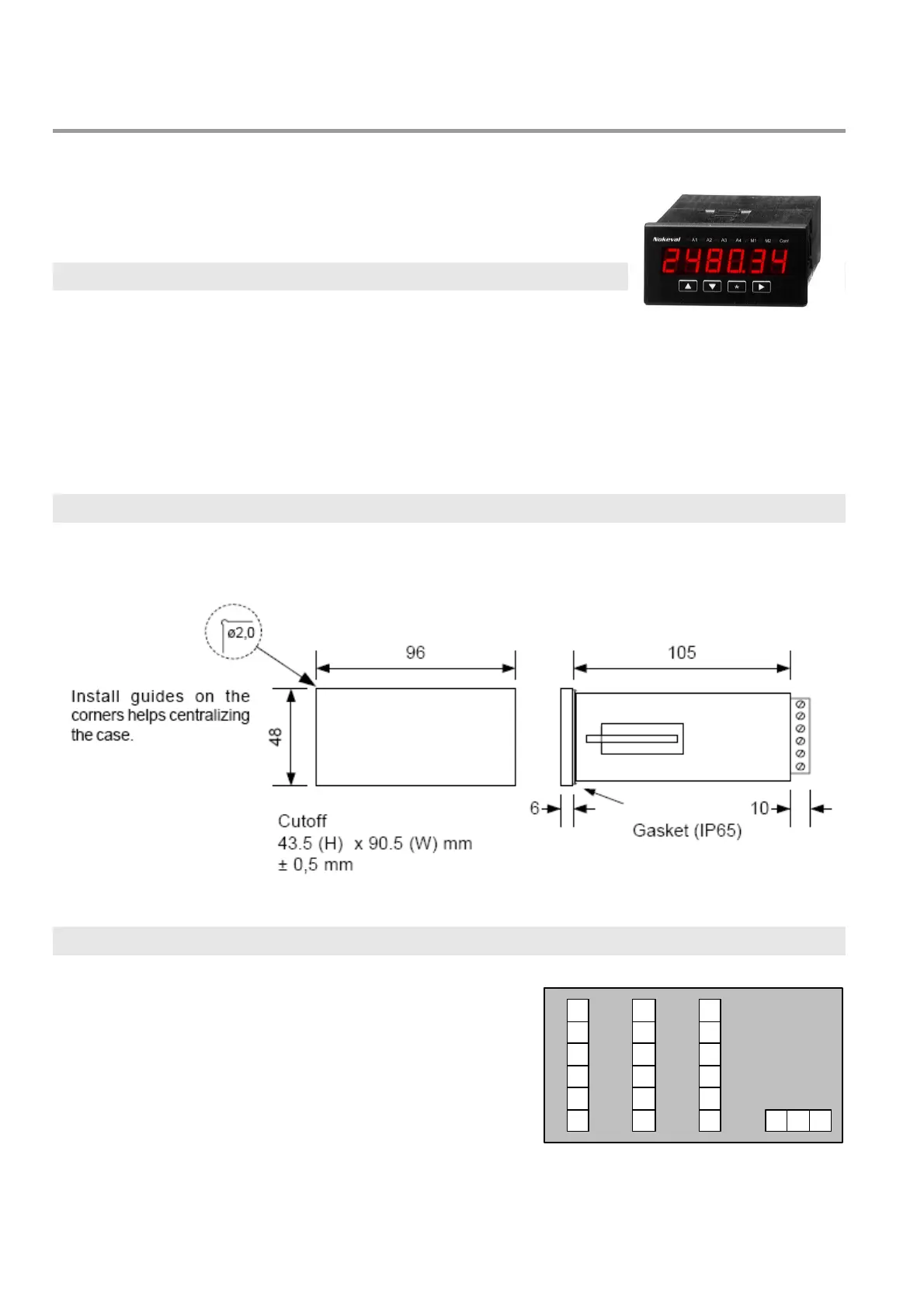
Mounting
The meter is installed in a panel opening according to the picture, or in a standard 92x45 mm
opening. Use the two holders supplied to fasten the meter.
Connections
There is three slots for the cards, called A, B, and C. The
connections of these cards depend on the installed card
types. Every card type has a chapter of its own.


 To Next Page