The power supply is brought to the lowest connector terminals 1 and 2. The polarity does not
matter. The enclosure may be earthed using the terminal 4.
The card slot connections depend on the installed cards – refer to the chapters of the card
types. The terminal 1 is the one nearest to the back panel.
Configuration
There are several ways to configure the large panel meter:
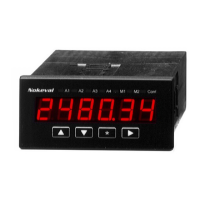
• By using the back panel display and buttons. Using the buttons is described in chapter User
interface.
• Via the RS-232 or RS-485 bus. Available only, if the device is equipped with a serial
communications card. Use the free Mekuwin software.
• Via the POL connector on the input card in slot A. Available only, if the device is NOT
equipped with a serial communications card. Accessing the connector requires detaching the
electronics unit. Suitable programming cables include POL-RS232 (for RS-232 port of a PC)
and DCS772 (for USB port). Additionally an adapter POL-3PIN is needed. Use the free
Mekuwin software.


 To Next Page