Need help?
Do you have a question about the Nokia 105 2022 and is the answer not in the manual?
Instructions for initial phone setup, including SIM card insertion and powering on the device.
Steps and tips for charging the device battery using a wall outlet or USB connection.
Procedures for initiating, receiving, and ending phone calls.
How to compose and send text messages, including selecting recipients and SIM cards.
Procedure to reset the phone to its original factory settings, erasing all user data and customizations.
Important safety precautions for device usage, including restricted areas and road safety.
Steps and requirements for successfully making an emergency call from the device.
Safety guidelines for handling, charging, and using batteries and chargers, including temperature and damage precautions.
Details on the device's adherence to radio frequency exposure guidelines and SAR compliance.
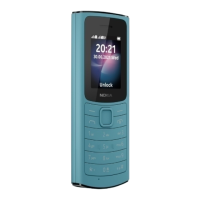
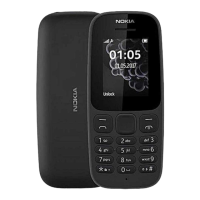
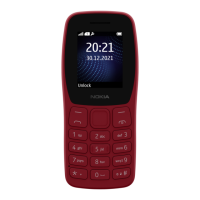
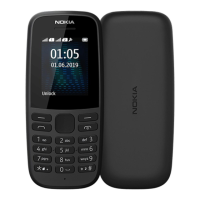
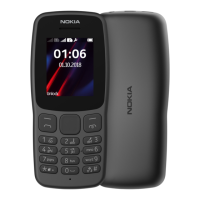
The Nokia 105 2022 is a mobile phone designed for essential communication and basic features, emphasizing ease of use and durability.
The Nokia 105 2022 serves primarily as a communication device, enabling users to make and receive calls and send and receive text messages. It supports dual SIM functionality, allowing users to manage two different phone numbers simultaneously. The phone also includes a built-in radio for entertainment, an alarm clock, calendar, and calculator for daily utility. A torch feature is integrated for convenience in low-light conditions.
Getting Started: To begin using the phone, users need to insert a mini SIM card. The device is specifically designed for mini SIM cards, and using incompatible cards may cause damage. The phone's back cover can be removed by placing a fingernail in the small slot at the bottom left corner and lifting. If a battery is present, it should be removed before inserting the SIM card(s) with the contact area face down. For dual-SIM models, the second SIM goes into the SIM2 slot. Both SIM cards are active when the device is idle, but one may be unavailable during an active call on the other. After inserting the SIM and battery, the back cover is replaced. The phone is switched on by pressing and holding the Power/End key.
Keypad and Navigation: The phone features a physical keypad for dialing numbers and typing messages. Navigation through menus and features is done using the scroll key (up, down, left, right). The Left selection key is used to select options, while the Right selection key often serves as a "back" or "cancel" function. The Call key initiates calls and answers incoming ones, and the Power/End key ends calls and switches the device on/off. To type, keys are pressed repeatedly until the desired character is shown. The '0' key inserts a space. Special characters and punctuation marks are accessed via the asterisk key, or by pressing and holding the '#' key when predictive text is active. The '#' key also switches between character cases. Numbers can be typed by pressing and holding the corresponding number key.
Security:
A security code can be set to protect privacy and data. The default code is 12345, which can be changed via Menu > ✡ > Security settings > Change access codes > Change security code. Users are advised to create a 5-8 digit code and remember it, as HMD Global cannot bypass it.
Charging: The battery comes partially charged but requires recharging before first use. The charger is plugged into a wall outlet and then connected to the phone. Once fully charged, the charger should be unplugged. If the battery is completely discharged, the charging indicator may take a few minutes to appear. USB charging is an alternative when a wall outlet is unavailable, though its efficiency can vary.
Calls, Contacts, and Messages:
To make a call, the number is typed, and the Call key is pressed. For international calls, the '+' character can be entered by pressing '*' twice. Incoming calls are answered by pressing the Call key. Contacts can be added by navigating to Menu > ☎ > Add contact, entering the name and number, and selecting OK. Contacts can also be saved from the call log (Menu > ☎ > Missed calls, Received calls, or Dialled numbers). Messages are composed via Menu > ✉ > Create message, typed, and then sent by selecting Opt. > Send. Recipients can be chosen from contacts or by typing a number. For dual-SIM phones, the user may need to select which SIM to use for sending.
Personalisation:
Users can customise their phone by changing tones (Menu > ✡ > Tone settings), selecting a new wallpaper for the home screen (Menu > ✡ > Display settings > Wallpaper), and choosing whether to display the date and time (Menu > ✡ > Time settings > Display of time and date > Show clock). Profiles can be personalised to suit different situations (e.g., silent, loud) by adjusting ringtones, volumes, and message sounds (Menu > ✡ > Profiles). Shortcuts to frequently used apps and settings can be added to the "Go to" list on the home screen (Menu > ✡ > Go to settings). This list can also be reorganised.
Radio:
To listen to the radio, navigate to Menu > ♬. Stations can be searched for by selecting OK. Volume is adjusted by scrolling left or right, and stations are changed by scrolling up or down. Stations can be saved by selecting Opt. > Save channel. The radio is closed by selecting Stop.
Clock, Calendar, and Calculator:
Alarms can be set via Menu > ⏰ > Set alarms. Users can set the time and choose to repeat the alarm on specific days. Calendar events can be added (Menu > ? > Opt. > Add reminder), including an event name and an optional alarm. The calculator (Menu > ?) allows for basic arithmetic operations.
Device Care: The device, battery, charger, and accessories should be handled with care. Keeping the device dry is crucial, as moisture can corrode electronic circuits. It should not be stored in dusty, dirty, or extreme temperature environments (hot or cold), as this can damage the device or battery. The device should not be opened unless instructed in the user guide, as unauthorised modifications can void warranties and damage the device. Dropping, knocking, or shaking the device should be avoided. Cleaning should be done with a soft, clean, dry cloth. Painting the device is not recommended, as it can hinder proper operation. The device should be kept away from magnets. Important data should be backed up in at least two separate locations. If the device becomes warm during extended operation, it may automatically slow down or shut off to prevent overheating. If issues persist, it should be taken to an authorised service facility.
Battery and Charger Information: Only batteries, chargers, and accessories approved by HMD Global Oy should be used. Incompatible products should not be connected. Batteries have a limited lifespan and will eventually wear out. If talk and standby times decrease significantly, the battery should be replaced (for removable batteries) or taken to an authorised service facility (for non-removable batteries). Continuous charging should not exceed 12 hours. Optimal battery performance is achieved between 15°C and 25°C (59°F and 77°F). Extreme temperatures reduce battery capacity and lifetime. Batteries should not be exposed to extremely low air pressure, high temperatures, or fire, as this can cause explosion or leakage. Batteries should not be dismantled, cut, crushed, bent, punctured, or immersed in liquids. If a battery leaks, contact with skin or eyes should be avoided, and medical help sought if contact occurs. Damaged batteries or chargers should never be used. Chargers should only be used indoors, and the device should not be charged during lightning storms. When a charger is not included, the device can be charged using a data cable and a compatible USB power adapter.
Recycling: Used electronic products, batteries, and packaging materials should always be returned to dedicated collection points to prevent uncontrolled waste disposal and promote recycling. The crossed-out wheelie-bin symbol indicates that these items should not be disposed of with unsorted municipal waste. Personal data should be removed from the device before recycling. Information on local recycling points and HMD's take-back programme can be found on the Nokia website.
Restoring Factory Settings:
To restore the phone to its original factory settings and remove all saved data and personalisation, type *#7370# on the home screen. If prompted, enter the security code. This action is irreversible and should be performed with caution, especially if disposing of the phone, to ensure all private content is removed.
 General
| Resolution | 120 x 160 pixels |
|---|---|
| Battery Capacity | 800 mAh |
| Standby Time | Up to 432 hours |
| Internal Storage | 4MB |
| RAM | 4MB |
| SIM | Dual SIM (Mini-SIM, dual stand-by) |
| Operating System | Series 30+ |
| Network Technology | GSM |
| GPRS | Yes |
| EDGE | No |
| Memory Card Slot | No |
| Phonebook | Yes |
| Call Records | Yes |
| Loudspeaker | Yes |
| 3.5mm Jack | Yes |
| Radio | FM radio |
| USB | microUSB 2.0 |
| Messaging | SMS |
| Games | Yes |
| Dimensions | 115.2 x 49.9 x 14.3 mm (4.54 x 1.96 x 0.56 in) |
| Bluetooth | No |
| Wi-Fi | No |
| Camera | No |
| Java | No |
| Talk Time | Up to 12 hours |
| 2G Bands | GSM 900 / 1800 |
| Display Type | TFT |
| Colors | Blue |
| Weight | 70 g |
| Display Size | 1.77 inches |


 To Next Page