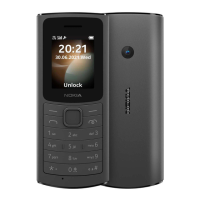
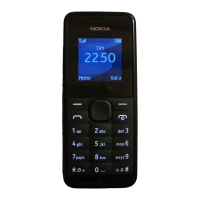
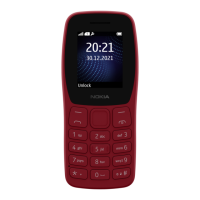
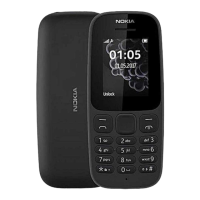
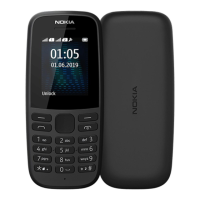
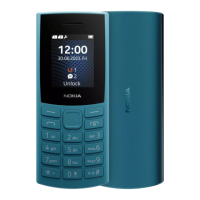
The Nokia 105 4G 2021 is a feature phone designed for basic communication and essential functionalities. This user guide applies to models TA-1381, TA-1375, TA-1378, TA-1385, TA-1389, and TA-1393.
Function Description:
The Nokia 105 4G 2021 primarily serves as a mobile phone for making and receiving calls and sending text messages. It supports 4G connectivity, ensuring clear call quality and potentially faster network speeds for basic data functions, although it is not a smartphone. The device includes a built-in FM radio for entertainment, an alarm clock, calendar, and calculator for utility. It also features a flashlight for convenience. The phone is designed for ease of use with a physical keypad and a simple menu interface. Dual SIM capability is available on some models, allowing users to manage two phone numbers simultaneously.
Important Technical Specifications:
- Models: TA-1381, TA-1375, TA-1378, TA-1385, TA-1389, TA-1393.
- Connectivity: 4G network support.
- SIM: Nano-SIM card slot(s). Some models support dual SIM (SIM1 and SIM2).
- Security Code: Pre-set to 12345, user-changeable (4-8 digits).
- Audio Connector: Headset connector.
- Charging Port: USB connector.
- Battery: Removable or non-removable, rechargeable battery.
- SAR Information: The device complies with international guidelines for exposure to radio waves. The Specific Absorption Rate (SAR) values are provided in the manual, indicating the maximum RF exposure levels for head and body. For example, the SAR limit for the head is 2.0 W/kg, and for the body, it is 2.0 W/kg. The actual SAR values for this device are typically much lower than these limits.
- Operating Temperature: Optimal battery performance between 15°C and 25°C (59°F and 77°F).
- Storage: Supports external memory cards for additional storage (for pictures, etc.).
Usage Features:
- Navigation: The scroll key is central for navigating menus and selecting apps/features. Left and Right selection keys provide context-sensitive options.
- Keypad: A physical keypad is used for dialing numbers, typing messages, and interacting with the phone. Keys can be pressed repeatedly to cycle through letters or symbols. A space is entered with '0', special characters/punctuation with 'Insert options > Insert symbol', and character cases are switched with '#'. Numbers can be typed by pressing and holding a number key.
- Keypad Lock: The keypad can be locked by pressing the Power/End key followed by the Right selection key (◉) to prevent accidental presses. To unlock, press the scroll key and select 'Unlock'.
- Calls: Make calls by entering a number or selecting a contact. The Call key initiates calls, and the Power/End key ends them.
- Contacts: Store and manage contacts. New contacts can be added with details like name, mobile number, and home number. Contacts can also be saved from the call log.
- Messages: Send and receive SMS messages. The device supports inserting numbers and symbols into messages.
- Customization:
- Wallpaper: Change the home screen wallpaper from pre-defined options or pictures stored on the phone/memory card (Menu > Settings > Display > Wallpaper settings).
- Profiles: Adjust sound profiles (e.g., silent, outdoor) to suit different environments (Menu > Settings > Profiles).
- Shortcuts: Add shortcuts to frequently used apps and settings on the home screen for quick access (Menu > Settings > Phone settings > Go to settings).
- Accessibility:
- Menu Display: Choose between a zoomed menu view (one app at a time) or a standard view (multiple apps) (Menu > Settings > Display > Menu display).
- Text Size: Increase the text size on the display for better readability (Menu > Settings > Display > Text size > Large).
- Text to Speech (Readout): Enable the phone to read out items on the display, such as menu options or messages (Menu > Extras > Readout > Speech > On). Availability of this feature depends on the language.
- FM Radio: Listen to FM radio stations. The phone automatically searches for stations. Users can adjust volume, save favorite stations, and switch between them.
- Time and Date: Manually set the time and date or use automatic updates (Menu > Settings > Phone settings > Time & date).
- Alarm Clock: Set multiple alarms with customizable times and details (Menu > Alarm).
- Calendar: Add and manage calendar events (Menu > Extras > Calendar).
- Calculator: Perform basic arithmetic calculations (Menu > Extras > Calculator).
- Factory Reset: Restore the phone to its original factory settings, which can remove personal data. This requires a security code (Menu > Settings > Phone settings > Restore factory settings, or dial *#7370# on the home screen).
Maintenance Features:
- Battery Management:
- Use only original or approved rechargeable batteries and compatible chargers.
- Avoid continuous charging for more than 12 hours.
- Keep the battery within the optimal temperature range (15°C to 25°C) for longevity.
- Replace the battery if talk and standby times become noticeably shorter.
- For devices with non-removable batteries, do not attempt to remove them; seek authorized service for replacement.
- Do not dismantle, cut, crush, bend, puncture, or otherwise damage the battery.
- Avoid exposing the battery to extreme temperatures, low air pressure, or fire.
- Unplug the charger by holding and pulling the plug, not the cord.
- Always switch off the device and unplug the charger before removing a removable battery.
- Prevent accidental short-circuiting of the battery by metallic objects.
- Device Protection:
- Set a security code to protect privacy and personal data.
- Be cautious when opening messages to avoid viruses and harmful content.
- Disconnect the charger and any other devices before removing covers.
- Avoid touching electronic components when changing covers.
- Always store and use the device with covers attached.
- Disposal and Recycling:
- Obey local regulations for electronic waste. Do not dispose of the device or battery as household waste.
- Remove all private content from the phone before disposing of or recycling it by performing a factory reset.
- Software Updates: The manufacturer (HMD Global Oy) operates a policy of continuous development and reserves the right to make changes and improvements to the product without prior notice.
- Copyrights and Notices: The device may include open-source software. Applicable copyright and other notices can be accessed by dialing *#6774# on the home screen.

 Need help?
 General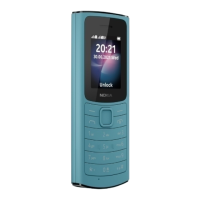

 To Next Page