Need help?
Do you have a question about the Nokia 215 4G and is the answer not in the manual?
Identifies physical keys and components of the Nokia 215 4G phone.
Guides on initial phone setup, including SIM card insertion and powering on.
Instructions on how to connect the charger and charge the device battery.
Explains how to use the phone's keypad for input and navigation.
Instructions on how to make, answer, and end calls on the device.
Steps to add, save, and call contacts from the phone's contact list.
Guides on writing and sending text messages using the phone's interface.
How to set new ringtones and alert sounds for the device.
Instructions for customizing the phone's wallpaper and home screen appearance.
Guidance on managing and selecting which SIM card to use for calls and data.
Steps to connect to the internet and use the web browser on the phone.
How to connect the phone to other devices wirelessly using Bluetooth.
Instructions for playing MP3 music files stored on the device or memory card.
Guidance on tuning into and saving favorite radio stations on the phone.
Steps to manually adjust the device's time and date settings.
How to set and manage alarms using the phone's alarm clock function.
Instructions for adding and managing events in the phone's calendar.
How to use the phone's built-in calculator for basic arithmetic operations.
Procedures for deleting personal messages, contacts, and call history.
General safety guidelines for device use and restricted areas.
Emphasizes obeying traffic laws and safe driving practices.
Information on potential interference from wireless devices.
Only authorized personnel should install or repair the product.
Recommends using only HMD Global approved accessories for the device.
Advises on protecting the device from moisture and checking its IP rating.
Warning about listening at high volumes and using headsets near the ear.
Details on Specific Absorption Rate (SAR) guidelines for RF exposure.
Guidelines and procedures for making emergency calls on the device.
Tips for keeping the device, battery, and accessories operational and clean.
Instructions on how to recycle electronic products and batteries responsibly.
Safety information for handling and unplugging batteries and chargers.
Warning to keep the device and small parts away from children.
How radio transmission may affect medical devices and advice to consult manufacturers.
Recommendations for maintaining separation distance from implanted medical devices.
Instructions to switch off the device in environments with explosive hazards.
Details on the device meeting RF exposure guidelines and SAR values.
Guidance on obeying laws, respecting privacy, and copyright protection.
Legal disclaimers, terms of use, and information about software and trademarks.
The Nokia 215 4G is a mobile phone designed for essential communication and basic multimedia functions. This user guide provides comprehensive instructions for setting up, using, and maintaining the device, ensuring a safe and optimal user experience.
The Nokia 215 4G serves as a reliable communication tool, primarily focused on calls and messages. It supports 4G connectivity, allowing for clear voice calls and efficient data transfer when browsing the web. The device is equipped with dual SIM card slots, enabling users to manage two different phone numbers simultaneously, which is particularly useful for separating personal and work contacts or for international travel.
Beyond its core communication features, the Nokia 215 4G includes a music player for enjoying MP3 files and an FM radio for listening to local broadcasts. It also features a flashlight for convenience in low-light conditions. For organization, the phone offers an alarm clock and a calendar to help users manage their time and appointments. A basic calculator is also integrated for quick computations.
The phone's interface is designed to be straightforward, with a keypad for dialing numbers and typing messages, and a scroll key for navigating through menus and selecting options. Security features include the ability to set a security code to protect personal data and privacy.
Getting Started: To begin using the Nokia 215 4G, users must first set up the device. This involves opening the back cover, inserting the nano-SIM card(s) and, optionally, a memory card for expanded storage. The battery is then placed back, and the back cover is reattached. The phone is switched on by pressing and holding the power/end key. The battery comes partially charged from the factory but should be fully charged before extensive use. Charging is done by connecting the charger to a wall outlet and then to the phone. USB charging is also an option when a wall outlet is unavailable, allowing data transfer while charging.
Keypad Usage: The keypad is the primary input method. Letters are typed by pressing a key and then using the scroll key to select the desired letter. A space is entered by pressing '0'. Special characters and punctuation marks can be inserted by navigating through the "Insert options" menu. Character cases are switched by repeatedly pressing '#'. Numbers are entered by pressing the corresponding number key and selecting the number with the scroll key. To prevent accidental key presses, the keypad can be locked by pressing the power/end key, and unlocked by pressing the scroll key and selecting "Unlock" followed by '*'.
Calls and Contacts: Making a call involves typing the phone number, including the '+' character for international calls by pressing '*' twice, and then pressing the call key. If dual SIMs are active, the user will be prompted to select which SIM to use. Calls are ended by pressing the power/end key. Answering a call is done by pressing the call key. Contacts can be added by navigating to "Menu" > "Contacts" > "+ New contact", entering the name and number, and saving. Existing numbers from the call log can also be saved as new contacts. Contacts can be called directly from the contacts list.
Messages: To send a message, users go to "Menu" > "Messages" > "+ New message". Recipients can be added by typing their number or selecting from the contacts list. Messages are typed in the message field. Smileys and symbols can be inserted from the "Insert options" menu. Once composed, the message is sent by selecting "Send".
Personalization: The phone allows for personalization of tones and the home screen. Ringtones and other alert tones can be changed by going to "Menu" > "Settings" > "Personalisation" > "Sounds", selecting the desired tone type, and choosing a new tone. The home screen wallpaper can be customized by navigating to "Menu" > "Settings" > "Personalisation" > "Lock screen background" > "Wallpapers" and selecting an image.
Dual SIM Management: For dual SIM devices, users can specify which SIM card to use for calls, messages, and mobile data. This is configured under "Menu" > "Settings" > "Connectivity" > "Dual SIM". SIM cards can also be renamed for easier identification.
Internet and Connections: The phone supports basic web browsing. To connect to the internet, users select "Menu" > "Internet", type a web address, and press "OK". Bluetooth® connectivity is available for connecting to other devices. Bluetooth can be switched on via "Menu" > "Settings" > "Connectivity" > "Bluetooth". Devices can be found and paired from the "Devices found" list.
Music and Radio: The music player allows playback of MP3 files stored on a memory card or phone memory. Users access it through "Menu" > "Music" > "Songs", select a song, and press "Play". Volume can be adjusted with the scroll key. The FM radio automatically searches for stations upon activation ("Menu" > "Radio"). Stations can be saved as favorites, and volume can be adjusted.
Clock, Calendar, and Calculator: The time and date can be set manually or automatically. Manual adjustment is done via "Menu" > "Settings" > "Time & language" > "Date and time", turning "Auto-update" off, and then setting the time and date. Alarms can be set through "Menu" > "Alarm clock" > "+ New alarm". Calendar events can be added by going to "Menu" > "Calendar", selecting a date, and choosing "+ New event". A basic calculator is available under "Menu" > "Calculator" for arithmetic operations.
Device Care: Proper care is essential for the longevity of the Nokia 215 4G. The device should be kept dry, as moisture can corrode electronic circuits. It should not be exposed to extreme temperatures, dust, or dirt. Rough handling, dropping, knocking, or shaking the device should be avoided to prevent damage. Cleaning should be done with a soft, clean, dry cloth. Painting the device is not recommended as it can hinder proper operation. The device should also be kept away from magnets or magnetic fields. Unauthorized modifications are discouraged as they can damage the device and void the warranty.
Battery and Charger Safety: Only batteries, chargers, and accessories approved by HMD Global Oy should be used. Incompatible products can pose risks of fire, explosion, or other hazards. Chargers should be unplugged when not in use. Batteries should be kept within optimal temperature ranges (59°F to 77°F / 15°C to 25°C) for best performance and lifespan. Batteries should not be disposed of in fire or as household waste; recycling is encouraged. Users should avoid dismantling, cutting, crushing, bending, puncturing, or damaging the battery in any way. If a battery leaks, affected areas should be immediately flushed with water, and medical help sought if necessary. Damaged batteries or chargers should never be used. Charging should only occur indoors and not during lightning storms.
Removing Private Content: Before disposing of or recycling the phone, it is crucial to remove all personal information. This includes deleting messages ("Menu" > "Messages" > "Options" > "Delete conversations"), contacts ("Menu" > "Contacts" > "Options" > "Delete contacts"), and call info ("Menu" > "Call log" > "Options" > "Delete all"). Users should ensure all private content is removed from both phone memory and SIM card(s).
Hearing Protection: To prevent hearing damage, users should avoid listening at high volume levels for extended periods. Caution should be exercised when the loudspeaker is in use near the ear. When using a headset, awareness of surroundings may be reduced, so it should not be used in situations where safety is compromised.
Protection from Harmful Content: Users should be cautious when opening messages, as the device may be exposed to viruses and other harmful content. Malicious software can be harmful to the device.
Emergency Calls: While the device can make emergency calls, connections cannot be guaranteed in all conditions, so it should not be solely relied upon for critical communications. Before making an emergency call, ensure the phone is switched on, unlocked, and has adequate signal strength. Dial the official emergency number for the location and provide accurate information. Do not end the call until instructed. A SIM card may be required, and call restrictions like call barring should be switched off.
Certification Information: The device adheres to RF exposure guidelines, with SAR tests conducted in standard operating positions. For body-worn operation, a minimum separation distance of 1.5 centimeters (5/8 inch) from the body should be maintained, and carry cases or belt clips should not contain metal. SAR values are typically lower during general use as the device adjusts power output to minimize interference. Further information on SAR values and RF exposure can be found on the provided websites.
Digital Rights Management (DRM): Users must obey all laws and respect copyrights when using the device. DRM may restrict copying, modifying, or transferring photos, music, and other content.
Open Source Software: The product includes open source software. Copyright and other notices, permissions, and acknowledgements can be accessed by dialing *#6774# on the home screen.
 General
| Network | GSM / HSPA / LTE |
|---|---|
| Dimensions | 124.7 x 51 x 13.7 mm (4.91 x 2.01 x 0.54 in) |
| Expandable Memory | microSDHC |
| Main Camera | VGA |
| USB | microUSB 2.0 |
| Radio | Wireless FM radio |
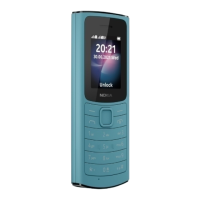
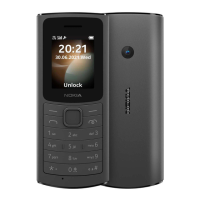
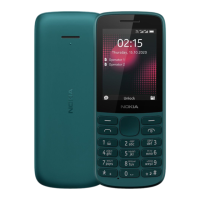
| Colors | Black, Cyan Green |
| SIM | Single SIM (Mini-SIM) or Dual SIM (Mini-SIM, dual stand-by) |
| Weight | 90.3 g |
| Display | 2.4 inches |
| Battery | Li-Ion 1150 mAh, removable |
| Talk time | Up to 6 h |
| Internal Memory | 128MB |
| Bluetooth | A2DP |
| Announced | 2020 |
| Status | Available. Released 2020 |

 To Next Page