Need help?
Do you have a question about the Nokia 235 4G and is the answer not in the manual?
Identifies the main keys, connectors, and components of your phone.
Provides step-by-step instructions for initial phone setup and powering on.
Details on how to charge the device's battery using the provided charger.
Explains how to use the phone's keypad for typing, navigation, and special characters.
Instructions for initiating, receiving, and ending phone calls.
Steps for adding, saving, and retrieving contact information.
Detailed guide on composing and sending text messages.
How to select and set different ringtones and notification sounds.
Steps to change the phone's wallpaper for a personalized look.
Instructions for configuring and applying different phone profiles.
Instructions for using the camera to capture still photos and video clips.
Manual instructions for configuring the device's time and date settings.
Guidance on setting, managing, and using the alarm clock.
How to add, view, and manage events in the device calendar.
Instructions for performing basic calculations with the built-in calculator.
Instructions for resetting the phone to its original factory default settings.
Essential safety guidelines including restricted areas, road safety, and interference.
Information on authorized service, approved accessories, and keeping the device dry.
Advice on protecting hearing and procedures for making emergency calls.
Guidelines for device care, handling, and proper recycling of electronic products.
Details on battery and charger usage, safety, and disposal symbols.
Precautions regarding small children, medical devices, and potential health impacts.
Information on radio frequency exposure guidelines and device certification.
Information on digital rights management, copyright protection, and terms of use.
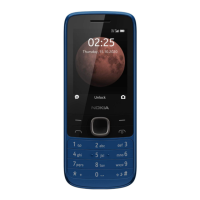
The Nokia 235 4G is a mobile phone designed for essential communication and basic multimedia functions, offering 4G connectivity. It is a feature phone, emphasizing ease of use and durability.
The Nokia 235 4G serves as a primary communication device, enabling users to make and receive calls, manage contacts, and send messages. It supports dual SIM cards, allowing users to manage two different phone numbers simultaneously, which can be useful for separating personal and work calls or for international travel. The phone includes a camera for taking photos and recording videos, a flashlight for utility, and basic organizational tools such as an alarm clock, calendar, and calculator. Personalization options include changing tones and wallpapers. The device prioritizes safety with features like emergency call functionality and guidelines for safe usage in various environments.
The device is designed to be used with a nano-SIM card. It supports microSD memory cards up to 32 GB for expanded storage of photos, videos, and other data. The battery is rechargeable, and the device can be charged via a USB connector. The user guide mentions that the phone may come with either a removable or non-removable battery, with instructions provided for both scenarios. For devices with non-removable batteries, replacement should be done by an authorized service facility. The phone's SAR limit is 2.0 W/kg, averaged over 10 grams of tissue, adhering to international guidelines for radio wave exposure. The device operates within a temperature range of 15°C to 25°C (59°F to 77°F) for optimal battery performance.
Getting Started: The phone features a simple keypad interface. The scroll key is central for navigation, allowing users to move through menus and select options. Left and right selection keys provide context-sensitive actions, while the call and power/end keys manage phone calls and device power. The keypad can be locked and unlocked to prevent accidental presses. Text input is done by pressing keys repeatedly for characters, with dedicated keys for spaces, special characters, and case switching.
Calls, Contacts, and Messages: Making a call involves typing the number and pressing the call key, with an option to select which SIM to use for dual-SIM models. Answering a call is done by pressing the call key. Contacts can be added manually by entering a name and number, or saved directly from call logs. The messaging function allows users to compose and send text messages, with options to insert symbols and select the sending SIM.
Personalization: Users can customize their phone by changing ringtones and other alert tones through the "Profiles" settings, which also offer different sound profiles (e.g., silent, outdoor). The home screen wallpaper can be changed to personalize the device's appearance.
Camera: The integrated camera allows users to take photos and record videos. Zoom functionality is available by scrolling up or down. Photos and videos can be viewed in the "Gallery" and "Videos" applications, respectively.
Clock, Calendar, and Calculator: The phone includes an alarm clock that can be set with specific times and details. A calendar allows users to add and manage events. A basic calculator is provided for simple arithmetic operations.
Security: The phone can be secured with a security code, which is set via the "Keyguard" settings. Users are advised to remember this code as HMD Global cannot bypass it.
Device Care: The manual provides comprehensive guidelines for device care to ensure longevity. Users are advised to keep the device dry, avoid dusty or dirty environments, and protect it from extreme temperatures (both hot and cold). The device should not be opened or modified by unauthorized personnel. Cleaning should be done with a soft, dry cloth, and the device should be kept away from magnets.
Battery and Charger Safety: Only original or approved batteries and chargers should be used. Users are warned against using damaged batteries or chargers and are advised to unplug the charger once charging is complete, avoiding continuous charging beyond 12 hours. The battery should be kept within the optimal temperature range for performance. In case of battery leakage, affected areas should be flushed with water, and medical help sought if necessary.
Data Management: Users are encouraged to store important data in multiple locations (device, memory card, computer) to prevent loss. Before disposing of the phone, users are responsible for removing all private content, with a factory reset option available by typing *#7370# on the home screen.
Software and Updates: The manual notes that pre-installed system software and apps consume a significant portion of memory space. It also mentions that the product includes open-source software, with copyright and other acknowledgements accessible via *#6774#.
Environmental Responsibility: The device features a crossed-out wheelie bin symbol, indicating that it should not be disposed of with unsorted municipal waste. Users are encouraged to return used electronic products, batteries, and packaging materials to dedicated collection points for recycling, highlighting the recovery of valuable materials and energy.
Safety Information: The manual includes critical safety information, such as switching off the device in restricted areas (e.g., aircraft, hospitals, fuel stations), prioritizing road safety while driving, and being aware of potential interference with other wireless devices or medical equipment. It also advises caution regarding harmful content like viruses and emphasizes the importance of protecting hearing by avoiding high volume levels for extended periods.
 General
| Brand | Nokia |
|---|---|
| Model | 235 4G |
| Category | Cell Phone |
| Language | English |


 To Next Page