Need help?
Do you have a question about the Nokia 225 and is the answer not in the manual?
Turn off the device in prohibited areas like aircraft or hospitals to prevent interference or danger.
Prioritize road safety by obeying local laws and keeping hands free for driving.
Only authorized personnel should install or repair the product.
Use only approved accessories; do not connect incompatible products.
The device is not water-resistant; ensure it remains dry to prevent damage.
Avoid hearing damage by not listening at high volume levels for extended periods.
Learn the procedure for inserting the SIM card, battery, and memory card into the device.
Instructions on how to initiate and end a phone call.
Instructions on how to access and navigate websites using the phone's browser.
Instructions on how to make emergency calls, including prerequisites and procedures.
Important safety precautions for using and handling batteries and chargers.
This document serves as the User Guide for the Nokia 225, providing comprehensive instructions on its operation, features, and maintenance. It is designed to help users get the most out of their new phone, from basic setup to advanced functionalities and safety guidelines.
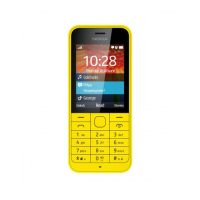
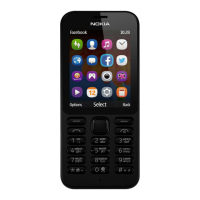
The Nokia 225 is a mobile phone designed for essential communication and entertainment. It allows users to make and receive calls, send and receive text messages, and stay connected through social applications. The device also includes features for capturing photos and videos, listening to music, and tuning into FM radio stations. Its core function is to provide reliable mobile connectivity and basic multimedia capabilities in a user-friendly package. The phone operates on GSM 900 and 1800 MHz networks, requiring a subscription with a service provider for full functionality.
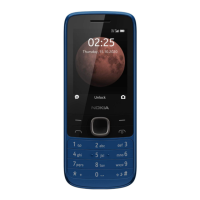
Getting Started: The guide begins by familiarizing users with the phone's physical components, including the charger connector, flashlight, headset connector, screen, scroll key, End/Power key, microphone, keypad, Call key, selection keys, earpiece, and camera lens. It emphasizes the importance of removing the protective tape from the camera lens before use. Users are instructed on how to insert the SIM card, battery, and memory card, with a crucial note that the device is designed for standard SIM cards only to prevent damage. Charging the battery is also covered, highlighting that the battery is partially charged from the factory and may require a full charge before first use. The guide also mentions the option of USB charging when a wall outlet is unavailable, noting that charging efficiency may vary.
Basic Operation: Users learn how to navigate the phone's interface by pressing the Menu key to see apps and features, and using the scroll key to move between options. Opening an app or selecting a feature is done by pressing "Choose," while returning to the previous view is achieved by pressing "Back." The guide details how to lock and unlock the keypad to prevent accidental key presses, and how to adjust the volume during calls or when listening to the radio.
Text Input: The Nokia 225 supports easy text input using the keypad. Instructions are provided for typing letters by pressing keys repeatedly, inserting spaces, typing special characters or punctuation marks, switching between character cases, and entering numbers. Predictive text is a key feature to speed up writing, with guidance on how to enable it, select words, and add new words to the dictionary.
Communication: Making and receiving calls is straightforward, with instructions on typing numbers (including the '+' character for international calls), initiating, and ending calls. The phone allows users to save names and phone numbers, and even assign photos to contacts. Sending and receiving text messages is a core function, with steps for creating messages, adding recipients, writing content, and inserting special characters. The guide also notes that longer messages may be sent as multiple messages, potentially incurring additional charges. Reading messages is also covered.
Social Connectivity: The device supports social applications, enabling users to connect with friends and stay updated. Users can sign in to instant messaging, sharing, and social networking services by selecting them from the Menu.
Internet Browsing: For internet access, users can browse the web to catch up on news or visit favorite websites. Instructions include selecting "Internet" from the Menu, entering a web address, and using the address bar to search the internet. A warning is included regarding potential data costs associated with using services or downloading content.
Camera and Multimedia: The Nokia 225 features a camera for taking photos and recording videos. Users learn how to switch on the camera, zoom in/out, and capture images. Recording videos involves switching to video camera mode, starting, and stopping recording. The guide also explains how to view captured photos and recorded videos. A unique feature, "Slam," allows users to quickly share photos and videos with nearby friends via Bluetooth, with a reminder to be cautious about accepting connections from untrusted sources.
Entertainment: The phone supports music playback from MP3 files stored on a memory card. Users can access the music player from the Menu, view all songs, and select one to play. The device also includes an FM radio. To listen to the radio, a compatible headset must be connected, as it acts as an antenna. Users can switch between channels and turn off the radio.
Phone Management & Connectivity: This section covers essential maintenance and connectivity aspects. Users can copy content (photos, videos, music) between their phone and a computer using a USB cable, provided a memory card is inserted. Instructions are given for connecting the phone as mass storage and dragging/dropping files. For privacy, the guide details how to remove personal content from the phone, including messages, contacts, and call info. It also explains how to restore original settings and remove all data by typing a specific code. The "flight mode" feature is described for use in restricted areas, allowing access to offline content while disabling calls and network connectivity.
Safety Guidelines: The guide provides crucial safety information, emphasizing the importance of switching off the device in restricted areas (e.g., aircraft, hospitals, near medical equipment, fuel, chemicals, or blasting areas) to prevent interference or danger. Road safety is highlighted, advising users to prioritize driving and obey local laws. The document warns about potential interference with other wireless devices and stresses that only qualified personnel should install or repair the product. It also specifies the use of only approved batteries, chargers, and accessories from Microsoft Mobile. Users are reminded to keep the device dry as it is not water-resistant and to protect their hearing by avoiding high volume levels for long periods.
Device Care: Detailed advice on handling the device, battery, charger, and accessories is provided. This includes keeping the device dry, avoiding dusty or dirty areas, and protecting it from extreme temperatures. Users are warned against opening the device (except as instructed), unauthorized modifications, dropping, knocking, or shaking it. Cleaning should be done with a soft, dry cloth, and painting the device is discouraged. For optimal performance, users are advised to switch off the device and remove the battery periodically, and to keep it away from magnets. The guide also recommends backing up important data in multiple locations.
Battery and Charger Safety: Specific safety instructions for the battery and charger are given, such as switching off the device and unplugging the charger before removing the battery. Users are advised to unplug the charger when not in use and to store the battery within optimal temperature ranges (15°C to 25°C). Warnings against accidental short-circuiting, disposing of batteries in fire, and dismantling or damaging the battery are included. In case of a leaking battery, immediate flushing with water and medical help are recommended. The guide strictly advises against using damaged batteries or chargers and charging during lightning storms.
Small Children and Medical Devices: The document includes warnings about small parts that could be a choking hazard for children. For users with medical devices, it advises consulting a physician or device manufacturer regarding potential interference from radio transmitting equipment. A minimum separation of 15.3 centimeters (6 inches) between the wireless device and implanted medical devices is recommended, and users are advised not to carry the device in a breast pocket.
Harmful Content Protection: Users are guided on how to protect their device from viruses and other harmful content. This includes being cautious when opening messages, accepting connectivity requests, browsing the internet, or downloading content. It emphasizes installing and using services and software only from trusted sources and recommends antivirus software, while cautioning against using multiple antivirus apps simultaneously.
Vehicles and Explosive Environments: The guide addresses the impact of radio signals on electronic systems in vehicles and advises qualified personnel for device installation in vehicles. It also provides instructions for switching off the device in potentially explosive environments, such as near petrol pumps, chemical plants, or blasting operations.
Recycling and Certification: The document promotes responsible recycling of electronic products, batteries, and packaging materials, directing users to www.nokia.com/recycle for information on collection points. It also includes certification information (SAR) and a Declaration of Conformity, stating that the RM-1012 product complies with essential requirements of Directive 1999/5/EC. Copyrights and other legal notices are also provided.
 General
| Display type | LCD |
|---|---|
| Display diagonal | 2.8 \ |
| Display resolution | 240 x 320 pixels |
| Display number of colors | 262144 colors |
| Internal memory | - MB |
| Flash card support | Yes |
| Compatible memory cards | MicroSD (TransFlash) |
| Maximum memory card size | 32 GB |
| Digital zoom | 2 x |
| Image formats supported | JPG |
| Rear camera resolution (numeric) | 2 MP |
| WAP | - |
| Data network | GPRS, GSM |
| SIM card type | MiniSIM |
| SIM card capability | Single SIM |
| 2G bands (primary SIM) | 900, 1800 MHz |
| Bluetooth version | 3.0+HS |
| Bluetooth profiles | OPP, PBAP |
| USB version | 2.0 |
| USB connector type | Micro-USB B |
| Headphone connectivity | 3.5 mm |
| Headphone outputs | 1 |
| Multimedia Messaging Service (MMS) | Multimedia Messaging Service (MMS) is a standard way to send messages that include multimedia content to and from a mobile phone over a cellular network |
| Maximum frame rate | 15 fps |
| Video playback speed | 25 fps |
| Video compression formats | 3GP, AVI, H.263, H.264, M-JPEG, MP4, MPEG4 |
| Video capture resolution (max) | 320 x 240 pixels |
| Ringer type | MP3 |
| Voice codecs | AMR-NB, EFR, FR, HR |
| Audio formats supported | AAC, LPCM, MIDI, MP3, WAV |
| Battery type | BL-4UL |
| Talk time (2G) | 21 h |
| Battery voltage | 3.7 V |
| Battery capacity | 1200 mAh |
| Standby time (2G) | 864 h |
| Continuous audio playback time | 49 h |
| Continuous video playback time | 13.5 h |
| Subscription type | No subscription |
| Type | Feature phone |
| Product color | Black |
| Operating system installed | Nokia OS |
| Form factor | Bar |
| Personal info management (PIM) | Alarm clock, Calculator, Calendar, Converter, Recorder |
| Keyboard layout | Alphanumeric keypad |
| Body SAR (EU) | 0.78 W/kg |
| Head SAR (EU) | 1.05 W/kg |
 Weight and Dimensions
| Depth | 10.4 mm |
|---|---|
| Width | 55.5 mm |
| Height | 124 mm |
| Weight | 99.8 g |


 To Next Page