Need help?
Do you have a question about the Nokia 2780 and is the answer not in the manual?
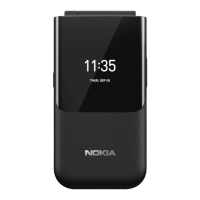
Identifies and labels all physical keys and components of the Nokia 2780 Flip phone.
Detailed list of phone components and their functions, including keys, earpiece, camera, and ports.
Details the headset connector, volume keys, SOS call key, and USB connector with safety warnings.
Explains the requirement for a nano-SIM card and potential issues with incompatible SIM cards.
Step-by-step guide on how to safely open the back cover of the phone.
Provides visual instructions for correctly inserting the nano-SIM card into the phone.
Guides the user on how to insert a microSD memory card into the phone.
Simple instruction on how to power on the Nokia 2780 Flip phone.
Outlines the process of connecting the charger to the phone and a power outlet.
Details how to navigate the phone interface using the scroll key, selection keys, and back key.
Instructions on how to lock and unlock the phone's keypad to prevent accidental presses.
Explains the methods for typing text, numbers, spaces, and special characters on the keypad.
Guides the user through dialling, initiating, and accepting phone calls.
Details how to manually add new contact information to the phone's address book.
Explains methods for importing contacts from other accounts or devices via Bluetooth.
Describes how to initiate a call directly from the stored contacts list.
Provides instructions for composing and sending text messages (SMS/MMS).
Guides the user through the initial setup process for adding an email account to the device.
Details the steps required to compose and send an electronic mail message.
Explains how to select and set a new ringtone for incoming calls.
Guides the user on how to change the phone's home screen background image.
Details how to configure the shortcut key to launch a specific application.
Instructions for adjusting the display text size for better readability.
Explains how to activate accessibility mode for larger text and louder alerts.
Guides the user to add emergency contact information for SOS calls.
Details the procedure for making an emergency call using the SOS key.
Explains how to send an emergency text message when an SOS call fails.
Provides instructions on how to operate the camera to capture still photos.
Guides the user on how to use the camera to record video clips.
Explains how to establish an internet connection to browse websites.
Details how to enable and configure Bluetooth for wireless device pairing.
Guides the user on how to connect to available Wi-Fi networks.
Instructions for setting a new alarm, including repeat options and naming.
Explains how to use the countdown timer function for timing events.
Details how to operate the stopwatch, including lap timing and stopping.
Guides the user on how to create and save event reminders in the calendar.
Explains how to use the phone's built-in calculator for basic arithmetic.
Details the process of transferring files between the phone and a computer via USB.
Explains how to locate and access files stored on the phone's internal storage or memory card.
Guides the user on checking the phone's storage capacity and available space.
Explains how to review and manage the permissions granted to installed applications.
Guides the user on configuring privacy settings related to internet browsing.
Advises users to power off the device in areas where mobile use is prohibited or hazardous.
Emphasizes the importance of obeying traffic laws and prioritizing road safety while driving.
Informs users about the susceptibility of wireless devices to interference.
States that only authorized personnel should perform installation or repair of the product.
Advises using only HMD Global approved accessories with the device.
Provides guidance on maintaining the device's water resistance and handling.
Warns users about potential hearing damage from prolonged use of headsets at high volumes.
Details RF exposure guidelines and SAR values for the device.
Provides critical information and precautions for making emergency calls.
Offers practical advice and precautions for maintaining the phone's condition and longevity.
Encourages responsible disposal and recycling of electronic products and batteries.
Explains the meaning of the crossed-out wheelie bin symbol for waste disposal.
Discusses battery types, replacement, and general battery care.
Provides guidance for phones with non-removable batteries and their servicing.
Advises on using compatible chargers and charging time variations.
Offers crucial safety guidelines regarding battery charging and handling.
Warns that the device and accessories may contain small parts harmful to children.
Discusses potential interference between the phone and medical devices.
Provides separation guidelines and precautions for users with implanted medical devices.
Warns that headset use can affect the ability to hear outside sounds and safety.
Advises caution when opening messages or accepting connections to avoid malicious content.
Explains how radio signals might affect vehicle electronic systems and installation safety.
Advises switching off the device in potentially explosive areas like near fuel or chemicals.
Details RF exposure guidelines and SAR values for the device.
Explains Digital Rights Management and copyright protection related to device content.
Covers copyrights, disclaimers, warranties, and liability limitations for the document.
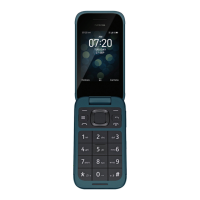
This document is a user guide for the Nokia 2780 Flip phone, providing instructions on its functions, usage, and maintenance.
The Nokia 2780 Flip is a mobile device designed for basic communication and essential features. Its primary functions include making and receiving calls, managing contacts, and sending messages (SMS/MMS) and emails. The phone also features a camera for taking photos and recording videos, and supports internet browsing through its web browser. For connectivity, it offers Bluetooth® for pairing with other devices and Wi-Fi for internet access. Additional utilities include a clock with alarm, countdown timer, and stopwatch functions, a calendar for event reminders, and a calculator for basic arithmetic. The device also includes accessibility features such as larger text display and an accessibility mode that increases text size and alert volume, along with an SOS call function for emergencies. It supports the use of a nano-SIM card and a microSD memory card for storage expansion.
To begin using the phone, users need to set up their nano-SIM card and, optionally, a microSD memory card. The guide provides clear instructions on how to open the back cover, insert the SIM and memory cards, and then replace the battery and back cover. The phone is switched on by pressing and holding the power/end key. Before first use, or when the battery is low, the phone needs to be charged using a compatible charger.
The phone features a physical keypad for dialing numbers and typing text. Navigation through the phone's interface is primarily done using the scroll key. Pressing the scroll key opens the apps list, and scrolling right, left, up, or down allows users to navigate to specific apps or features, which are then selected by pressing the scroll key. The back key returns to the previous view, while the power/end key returns to the home screen. The keypad can be locked by pressing and holding the '' key or by closing the flip, and unlocked by selecting "Unlock". Text input involves repeatedly pressing keys for letters, using '0' for a space, '' for special characters, and '#' to switch between character cases. Holding a number key types the corresponding number.
Making a call involves typing the phone number and then pressing the call key. International calls require pressing '*' twice for the '+' character. Answering a call is done by pressing the call key. Contacts can be added by navigating to "Contacts", selecting "New", entering details, and saving. Contacts can also be transferred from an old phone via Gmail, Outlook, memory card, or Bluetooth®. Sending messages is initiated by selecting "Messages" > "New", entering the recipient's number or selecting from contacts, typing the message, and sending. Email functionality is available through the E-Mail app, where users can set up their account, compose, and send emails.
Users can personalize their phone by changing the ringtone, home screen wallpaper, and the function of the shortcut key. Ringtones can be changed in "Settings" > "Personalization" > "Sound" > "Tones" > "Ringtones". Wallpapers can be set from "Camera" (to take a new photo), "Gallery" (for existing photos), or "Wallpaper" (for pre-defined options) via "Settings" > "Personalization" > "Display" > "Wallpaper". The shortcut key's app can be set or changed in "Settings" > "Personalization" > "Shortcuts".
The phone offers an accessibility mode to enlarge text and increase alert volume, activated in "Settings" > "Device" > "Accessibility Mode" > "On". Users can also increase text size independently in "Settings" > "Device" > "Accessibility" > "Large text" > "On". For emergencies, the SOS call feature requires adding ICE (In Case of Emergency) details and contacts in "Settings" > "Device" > "ICE information". An SOS call is made by pressing and holding the SOS call key for three seconds or pressing it twice quickly. An SOS message can also be sent if no one answers the call, configurable in "Settings" > "Device" > "Accessibility Mode" > "SOS Call" > "SOS Message".
To take a photo, users open the "Camera" app and press the scroll key. Videos are recorded by scrolling right in the camera app and pressing the scroll key to start/stop. Photos and videos can be viewed immediately after capture or later in the "Gallery" or "Video" apps, respectively.
Internet browsing is accessed through the "Internet" app, where users can search the internet or enter web addresses. Bluetooth® can be switched on in "Settings" > "Network & Connectivity" > "Bluetooth" to find nearby devices or manage paired devices. Wi-Fi connectivity is enabled in "Settings" > "Network & Connectivity" > "Wi-Fi", allowing users to connect to available networks by entering passwords if required.
Alarms can be set in the "Clock" app by selecting "New" > "Time", setting the time, and saving. A countdown timer and stopwatch are also available within the "Clock" app. Calendar reminders can be added by selecting "Calendar", navigating to the desired date, choosing "Add", entering event details, and saving. The "Calculator" app allows for basic calculations by entering factors and selecting operations.
Content can be copied between the phone and a computer by connecting the phone via USB, enabling "USB storage" in "Settings" > "Storage", and then dragging and dropping files. The "File Manager" app allows users to find files stored on the phone's internal memory or the microSD card. Memory usage can be checked in "Settings" > "Storage" under "Media" and "Application data".
Security settings allow users to manage app permissions in "Settings" > "Privacy & Security" > "App permissions". Internet privacy settings, such as "Do not track", can be configured in "Settings" > "Privacy & Security" > "Do not track".
The user guide emphasizes handling the device, battery, charger, and accessories with care to ensure longevity. Key recommendations include:
Users are encouraged to return used electronic products, batteries, and packaging materials to dedicated collection points for recycling. The crossed-out wheelie bin symbol on the product indicates that it should not be disposed of as unsorted municipal waste. This practice helps prevent uncontrolled waste disposal and promotes the recovery of valuable materials.
To prevent possible hearing damage, users should avoid listening at high volume levels for extended periods and exercise caution when holding the device near the ear while the loudspeaker is in use.
Users should be cautious when opening messages, accepting connectivity requests, or browsing the internet, as these may contain malicious software or harmful content. Installing antivirus software on connected computers is recommended. HMD Global does not endorse or assume liability for third-party internet sites accessed via preinstalled bookmarks or links.
Radio signals from the device may affect improperly installed or shielded electronic systems in vehicles. Users should consult vehicle manufacturers for information and ensure authorized personnel install the device in a vehicle. Flammable or explosive materials should not be stored or carried in the same compartment as the device, and the device should not be placed in airbag deployment areas.
The device must be switched off in potentially explosive environments, such as near gasoline pumps, chemical plants, or blasting operations, to prevent sparks from causing explosions or fires. Users should obey all instructions in such areas, which may not always be clearly marked.
 General
| Network Technology | GSM / CDMA / HSPA / EVDO / LTE |
|---|---|
| SIM | Nano-SIM |
| Resolution | 240 x 320 pixels |
| Card slot | microSDHC |
| Internal Memory | 4GB |
| RAM | 512MB |
| Main Camera | 5 MP |
| Front Camera | No |
| Video | Yes |
| Loudspeaker | Yes |
| 3.5mm jack | Yes |
| Bluetooth | 4.2, A2DP |
| GPS | Yes, with A-GPS |
| Radio | FM radio |
| USB | microUSB 2.0 |
| Operating System | KaiOS |
| Battery | Li-Ion 1450 mAh, removable |
| Colors | Blue, Red |
| Display Type | TFT LCD |
| WLAN | Wi-Fi 802.11 b/g/n |
| Weight | 131 g |

 To Next Page