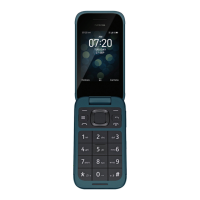
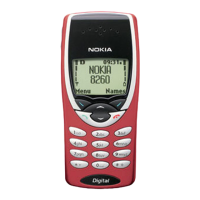
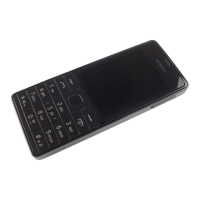
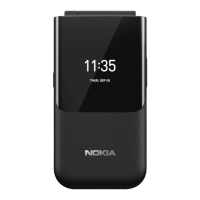
The Nokia 110 4G is a mobile phone designed for essential communication and basic multimedia functions. It features a classic candy bar form factor with a physical keypad, making it straightforward to operate. The device is intended for users who prioritize reliability, ease of use, and long battery life over advanced smartphone capabilities.
Function Description
The primary function of the Nokia 110 4G is to facilitate calls, contacts, and messages. Users can make and receive calls, manage their phonebook, and send text messages. The phone supports dual-SIM functionality, allowing users to manage two different SIM cards simultaneously, which can be useful for separating personal and work contacts or for optimizing network coverage and costs.
Beyond core communication, the device includes several practical features. It has a camera for taking photos and recording videos, enabling users to capture simple visual memories. A flashlight is integrated for convenience in low-light situations. For entertainment, the phone offers a calculator for basic arithmetic, an alarm clock for reminders, and a calendar for scheduling events. The device also supports the use of a memory card (microSD up to 32 GB) to expand storage for photos, videos, and other content.
The Nokia 110 4G is equipped with 4G connectivity, ensuring clear call quality and faster data speeds for its limited internet-enabled features, such as sending multimedia messages. It also includes a headset connector, allowing for private listening during calls or when using multimedia.
Usage Features
Operating the Nokia 110 4G is intuitive, thanks to its physical keypad and simple menu structure.
- Keypad Navigation: The phone features a scroll key for navigating through menus and options, along with left and right selection keys for confirming choices. A dedicated call key initiates and answers calls, while the power/end key turns the device on/off and ends calls.
- Text Input: Text messages are composed using the traditional multi-tap method on the physical keypad. Special characters and numbers can be inserted easily.
- Calls and Contacts: Making a call involves typing the number and pressing the call key, or selecting a contact from the phonebook. Contacts can be added manually or saved directly from call logs, with options to store first names, last names, and multiple phone numbers.
- Messaging: Sending messages is a simple process of writing the message and selecting a recipient from the contacts list or typing a number.
- Personalization: Users can customize their phone's appearance by changing the wallpaper on the home screen, choosing from pre-defined options or personal photos stored on the device or memory card. The phone also offers various profiles (e.g., silent, outdoor) to quickly adjust sound settings for different environments. Shortcuts to frequently used apps and settings can be added to the home screen's "Go to settings" menu for quick access.
- Camera Use: Taking photos involves navigating to the camera app, zooming in or out with the scroll key, and pressing the capture button. Videos can also be recorded and stopped with dedicated controls.
- Time and Date: The time and date can be set manually, and an alarm clock feature allows users to set multiple alarms with specific times and details.
- Calendar: The calendar allows users to add new schedule entries, including event details.
- Calculator: A basic calculator is available for performing arithmetic operations.
- Security: The device includes a security code feature to protect personal data, which can be customized by the user. The keypad can also be locked to prevent accidental presses.
Maintenance Features
Maintaining the Nokia 110 4G involves several practices to ensure its longevity and optimal performance.
- Battery Management: The device uses a rechargeable battery that can be charged via a compatible charger connected to a wall outlet or, if available, via USB. It's recommended to unplug the charger once the battery is fully charged and to avoid continuous charging beyond 12 hours. The battery performs best between 15°C and 25°C (59°F and 77°F), and extreme temperatures should be avoided to preserve battery capacity and lifespan. If the battery is removable, it should be handled carefully, ensuring the device is switched off and the charger disconnected before removal.
- Device Care: The phone should be kept dry, as moisture can corrode electronic circuits. It should not be exposed to dusty or dirty environments, nor to extremely high or low temperatures. The device should be cleaned with a soft, dry cloth. Users are advised not to open the device unless specifically instructed in the user guide, as unauthorized modifications can damage the device and void the warranty. The device should be protected from physical shocks, such as dropping or knocking, and kept away from magnets.
- SIM and Memory Card Handling: The Nokia 110 4G is designed for nano-SIM cards. Incompatible SIM cards can damage the device or corrupt data. When inserting or removing SIM or memory cards, the device should be switched off, and covers should be attached to protect electronic components.
- Data Protection: To safeguard important data, users are encouraged to store it in multiple locations (e.g., device, memory card, computer). Before disposing of or recycling the phone, all private content should be removed by performing a factory reset, which deletes all data and restores the device to its original settings.
- Software and Security: Users should be cautious when opening messages or accepting connectivity requests to prevent exposure to malicious software. Installing antivirus software on connected computers is also recommended. HMD Global advises users to take appropriate precautions when accessing third-party internet sites.
- Troubleshooting: If the device experiences issues, such as overheating during extended operation, it may automatically slow down, close apps, or switch off. If problems persist, users are advised to take the device to an authorized service facility.
- Recycling: Users are encouraged to return used electronic products, batteries, and packaging materials to dedicated collection points for recycling, promoting environmental responsibility and material recovery.

 Need help?
 General

 To Next Page