68
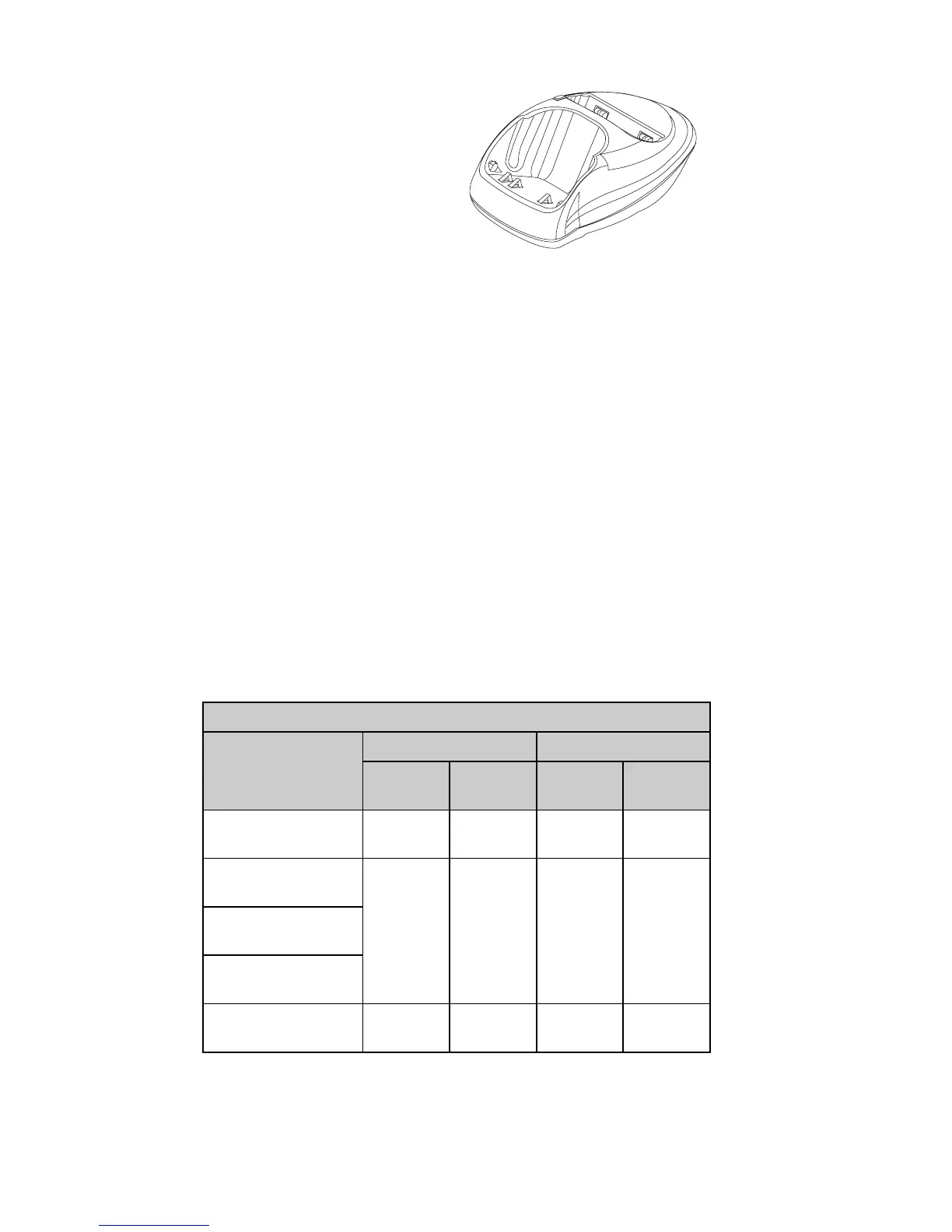
DCH-9 Compact Desktop Charging Stand
Compatible with all battery
options, the Compact
Desktop Charging Stand
can be used with the
Standard Travel Charger
ACP-7U or the Rapid Travel
Charger ACP-9U. The
Compact Desktop Charging
Stand provides mounting for both the phone and a spare
battery. Plug the charger into a wall outlet and connect the
connector to the back of the Compact Desktop Charging
Stand. Place your phone and/or a spare battery in the stand
to begin battery charging.
When the phone is charging, no lights are displayed on the
stand; check the charging status of the phone battery on
the phone display.
Charging moves to the rear slot once the front battery is
100% charged.
When the spare battery is charging, check the status indicator
on the left side of the charging stand. A red light indicates
that the battery is charging; a green light indicates that the
battery is charged to at least 80% of its capacity.
The phone has the built-in intelligence to maintain the battery,
so there is no need for a discharge feature on the stand.
DCH-9 Rear Slot Charging Times
Battery
Using ACP-7U Using ACP-9U
Front slot
empty
Front slot
occupied
Front slot
empty
Front slot
occupied
BPS-1 Ultra Slim
Li-Polymer 600 mAh
4 hrs,
30 minutes
6 hrs,
30 minutes
3 hrs
4 hrs,
30 minutes
BLS-2N Extended
Li-Ion 900 mAh
6 hrs,
30 min
8 hrs,
30 min
4 hrs,
30 min
5 hrs,
30 min
BMS-2S Extended
NiMH 900 mAh
BMS-2V Vibrating
NiMH 900 mAh
BLS-4 Ultra Extended
Li-Ion 1500 mAh
12 hrs
15 hrs,
45 min
8 hrs
10 hrs,
30 min



 To Next Page